

Topology is a crucial element in 3D character modeling, as it directly affects the model’s performance, animation flexibility, and overall visual quality. However, mastering and applying good topology is not easy, as it requires a great deal of experience. In Thunder Cloud Studio‘s production pipeline, topology is treated as a pipeline decision, not just a modeling preference. It influences how reliably assets survive rigging, baking, optimization, and downstream iteration. In this article, let us speak from our own experiences and knowledge, guide you through the most important aspects of topology and how to effectively apply them.
I.Topology for Game character
A.What is Topology?
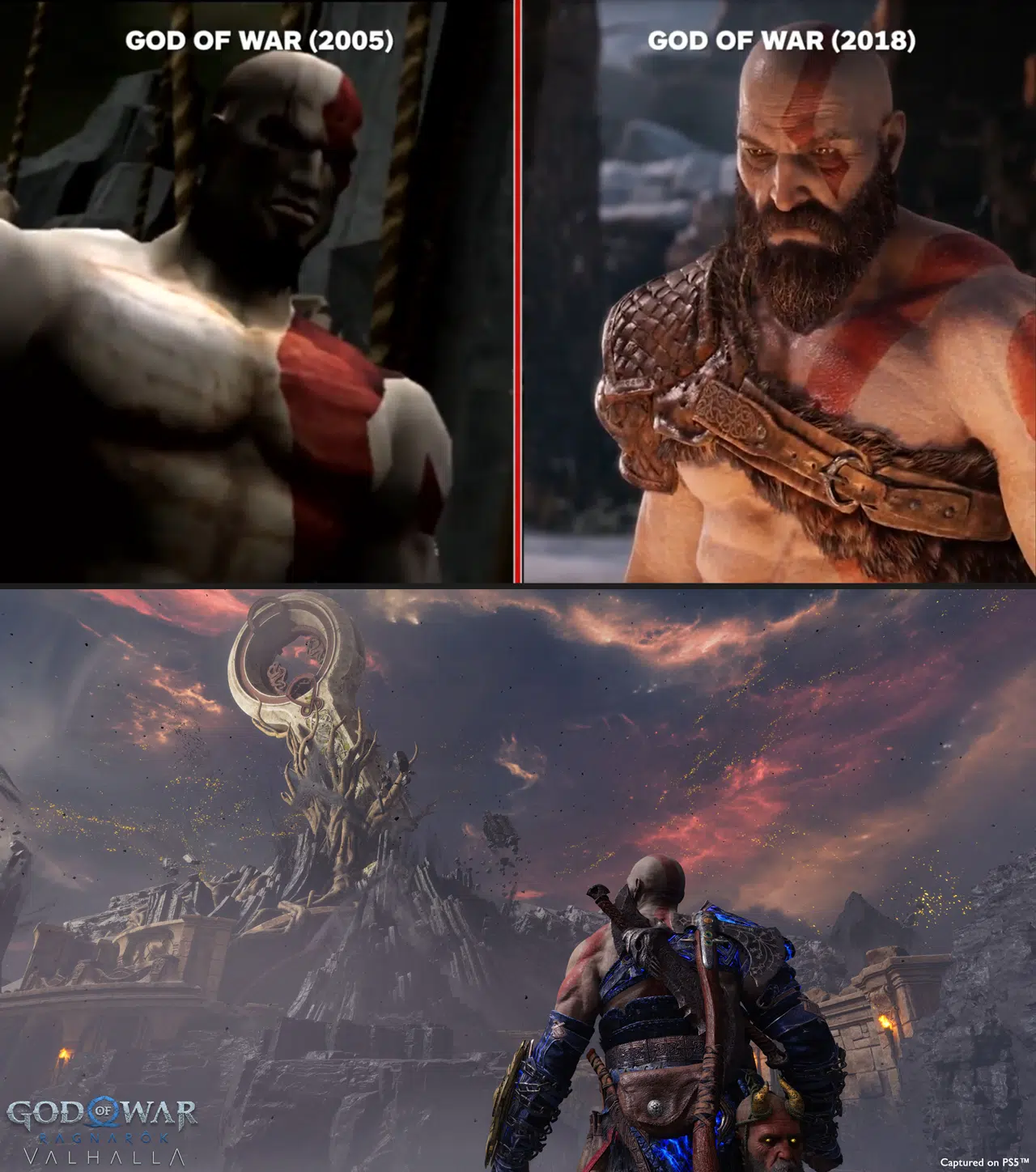
Game art is continuously evolving. In just a few decades, computer graphics technology for games has advanced dramatically, being able to transform visuals in game from simple boxy shapes to lifelike characters and grand scenes that seem to leap off the pages of a book.
For creating such detailed images, computer graphics systems need to simulate real-world surfaces both in shape and physical properties. There are various methods to achieve this, including Polygonal Meshes, Voxel Grids, Parametric Surfaces, and Point Clouds, etc….
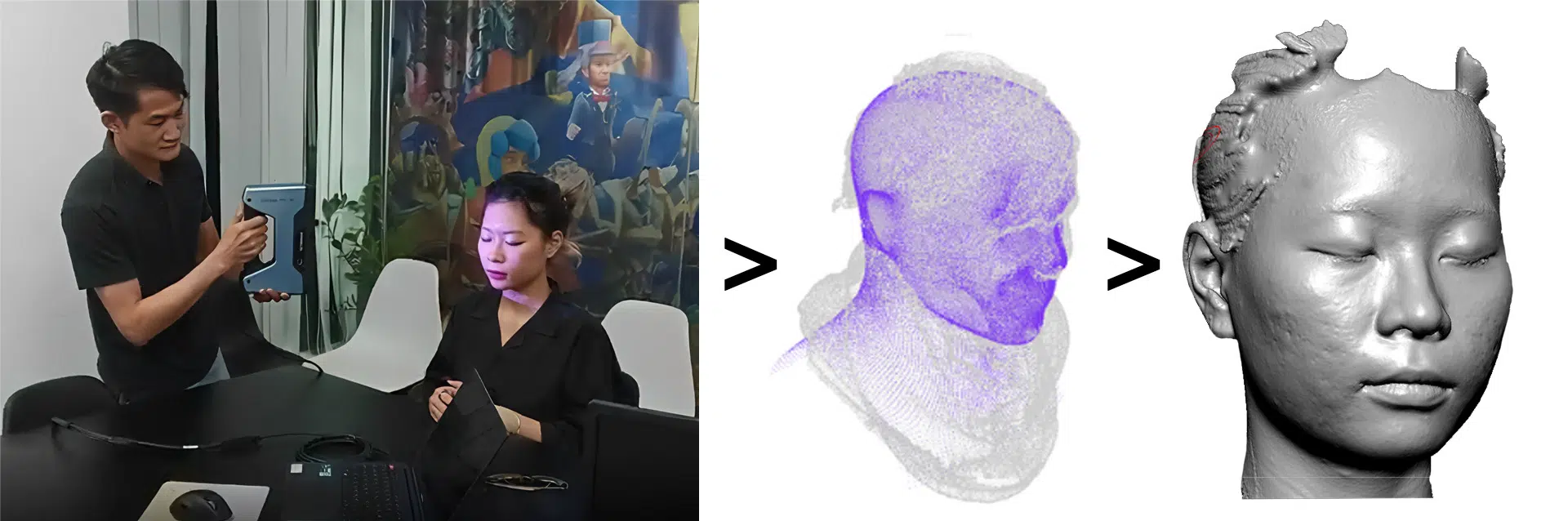
Among them, Point Cloud is widely used in 3D scanning. Today, it’s common to find models created from 3D scans on platforms like SketchFab or TurboSquid, etc… While 3D scanning accurately captures model details, it falls short in terms of optimization, making it more suitable for high-poly models only. Additionally, 3D scans are limited to real-world models and cannot be used to create imaginative sci-fi or fantasy game assets.
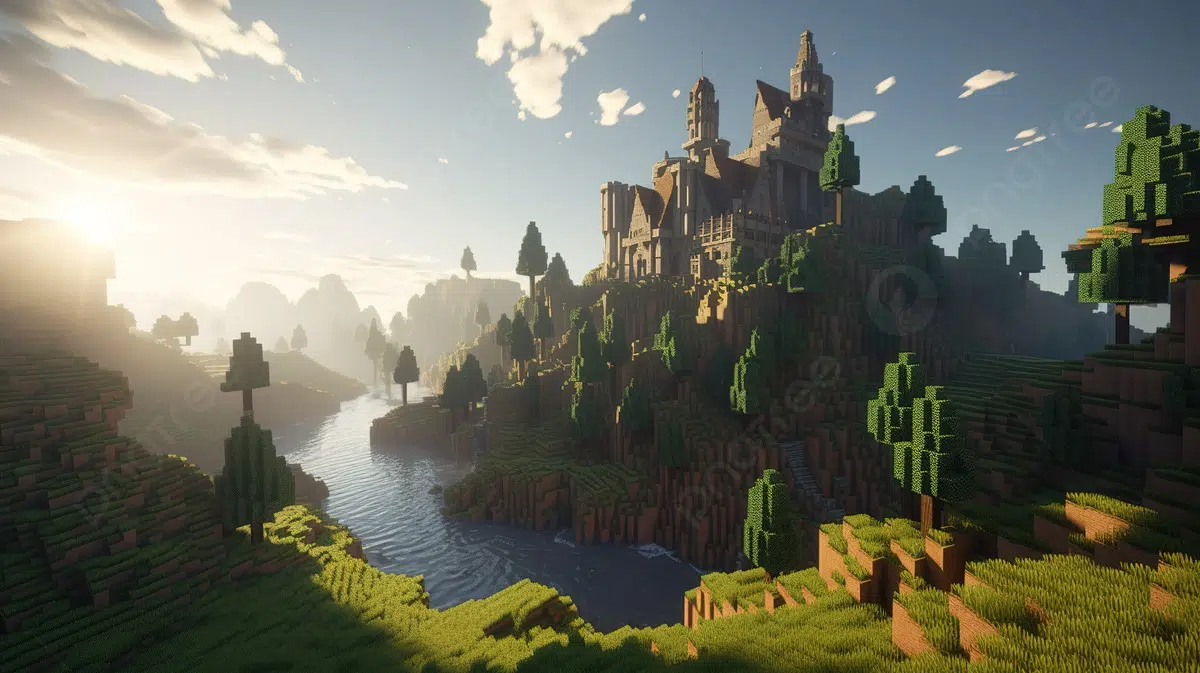
In contrast, Voxel Grid uses Voxel blocks (“Volume” + “Pixel”) to define the shape of objects, offering excellent optimization. However, this method sacrifices graphical quality, making it challenging to achieve high-resolution and intricate details up close.

Most modern games, from indie to AAA titles, rely on polygonal modeling for real-time performance. If you want a practical example of how topology decisions connect to game-ready character requirements, you can refer to our character modeling workflow breakdown here: Character Modeling Workflow: Creating Realistic 3D Viking Characters.
In this article, we focus on the most common and suitable method for game art at the moment: using a system of vertex to form triangle meshes to represent the surface of an object.
“Topology” refers to the structure and arrangement of these 3D elements, including geometric shapes (such as blocks, game objects, characters, or items). It describes how vertices, edges, and faces are connected and organized to form a specific shape and structure.
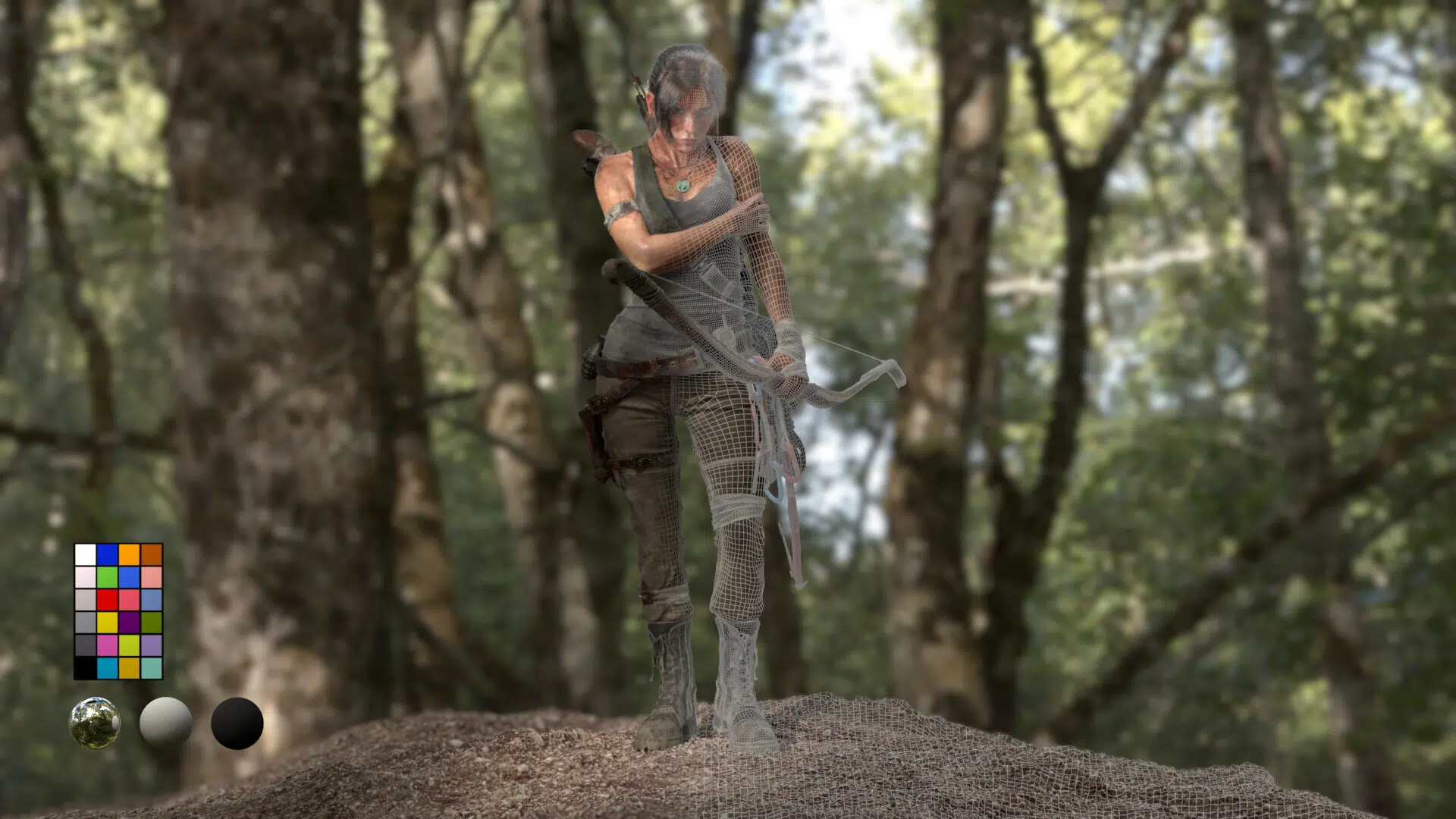
However, a single model can have various types of topology to represent its surface. Depending on its intended use, different topologies may be more suitable.

B. The Role of Topology for Artists and in Game Art
Throughout the development of game art, the focus has always been on creating more visually appealing models but also perform smoothly and are compatible with a wide range of platforms and hardware configurations upon release.
Additionally, during the production process, models are frequently used, maintained, and modified through various stages.
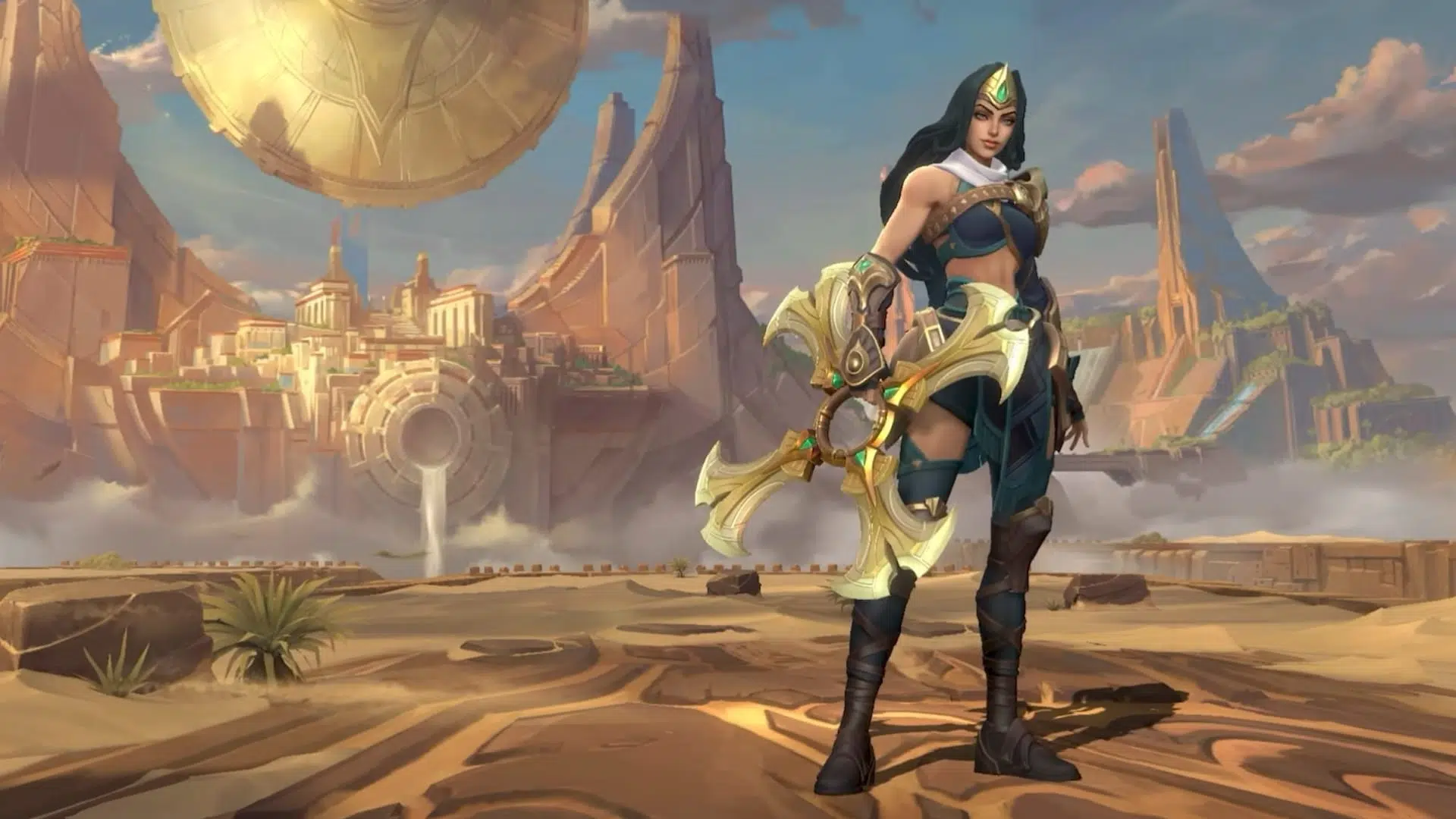
From our artist’s perspective at Thunder Cloud production pipeline point of view, topology plays a crucial role in achieving several key goals in the evolution of game art. This is also why we review topology early during blockout and mid-poly stages, before detail passes. Catching loop flow and deformation risks early usually reduces late-stage fixes after UV and baking.
- Enhancing Model Quality: Improving geometric accuracy: In games, the number of triangles (tris count) is often limited. Using well-planned topology helps create 3D models with better geometric accuracy, allowing for complex details without significantly increasing the tris count.
- Reducing Technical Issues: Good topology helps avoid problems such as flipped faces, open edges, isolated vertices, and N-gons, etc… It minimizes errors during model use and reduces the likelihood of needing extensive revisions after model completion.
- Facilitating Easier Editing: Models with good topology are generally easier to repair and modify when issues arise. Additionally, well-designed topologies are often preferred in adapting models to different projects.
- Improving Compatibility and Supporting Post-Production Steps: Supporting texture mapping: Effective topology creates UV maps that are more accurate and less prone to distortion when applying textures to the model.
- Aiding Animation: Well-constructed topology makes rigging and skinning models easier, leading to smoother animations and more natural movement.
- Enhancing Optimization and Engine Compatibility: In games, some techniques like LOD and tessellation depend on topology. Good topology improves rendering speed and quality. Additionally, in real-time rendering environments such as games, models with well-designed topology ensure smoother interactions by reducing unnecessary tris count for the computer.
- Compatibility with Game Engines: Each game engine has specific requirements for topology. Adhering to these requirements enhances display quality within the engine and reduces the time needed for revisions and adjustments.
C. TOPOLOGY vs MODELING
High Poly Models: These are 3D models with a huge number of polygons. They are typically highly detailed and used in applications that require extremely high image quality and detail, such as movies, advertisements, static renders, and for baking details onto low poly models through bake maps.
Low Poly Models: These are 3D models with a low polygon count. They are typically less detailed than high poly models but are highly efficient in applications that requiring high processing speeds and efficient hardware resource usage. Low poly models are commonly used in-game.
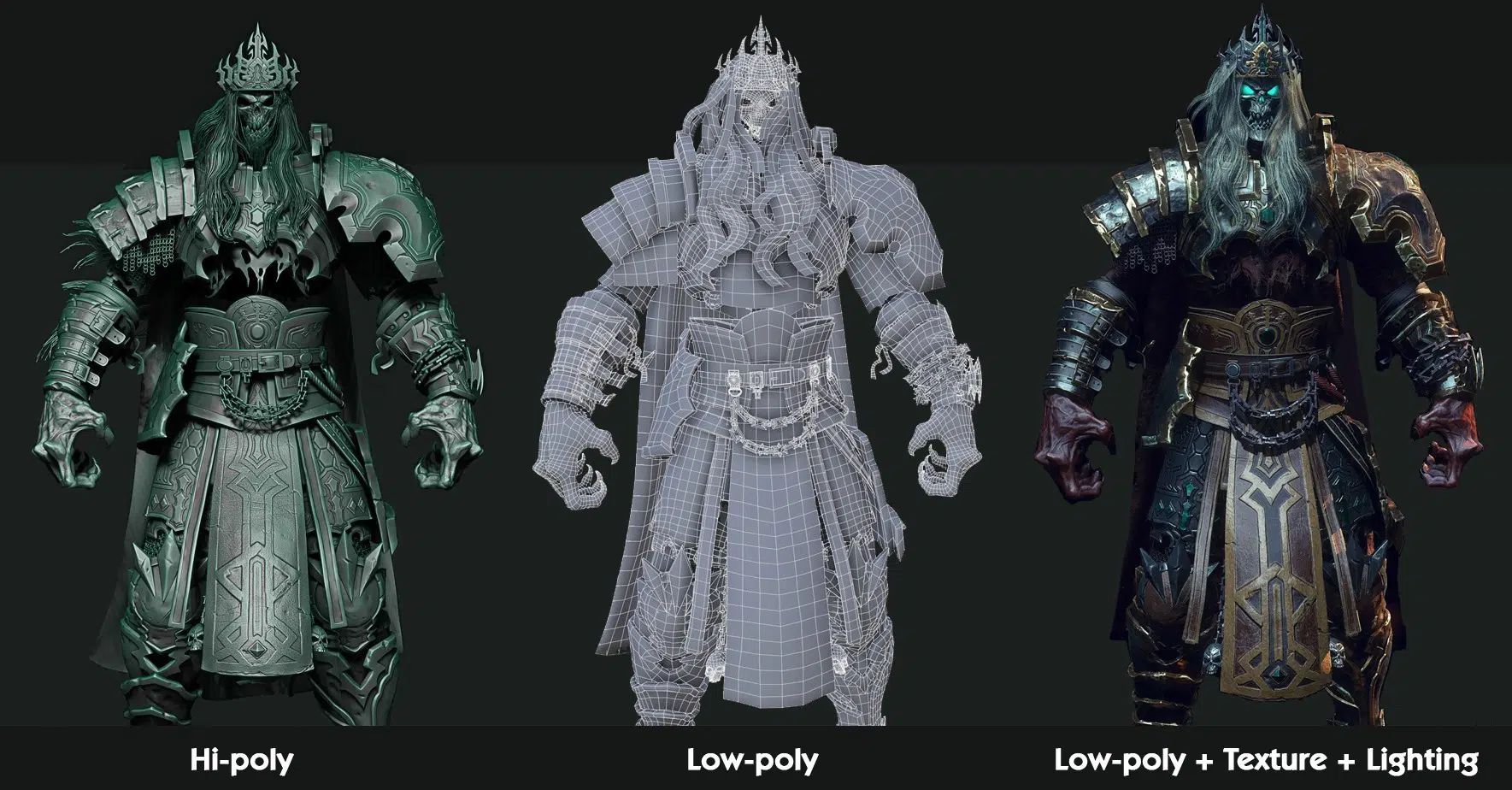
Due to the lower polygon count, topology is crucial in low poly models to achieve the best balance between quality and performance.
Game models often use low poly models with a low tris count and then recreate the surface detail of the high poly version through bake maps such as normal and AO. This approach allows low poly models to achieve a level of detail close to or even matching high poly models despite having significantly fewer triangles.
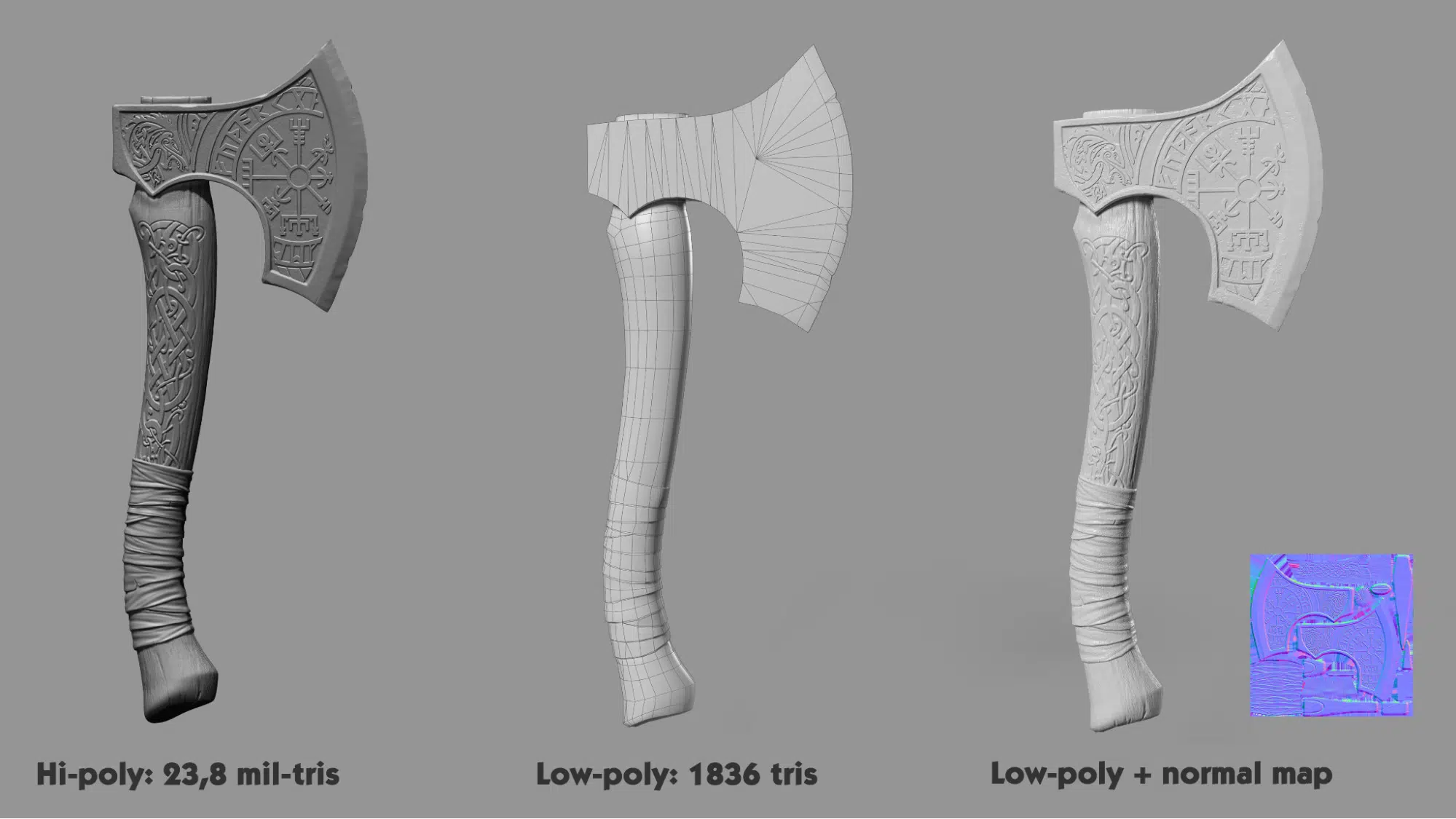
However, since normal maps are 2D textures, they have their limitations (e.g. texture size, mip maps). Therefore, topology plays a crucial role in defining the normals on the surface of the low poly model, which are then refined with normal maps to enhance the final surface. A poor Topology will make it challenging to achieve a good quality normal map.
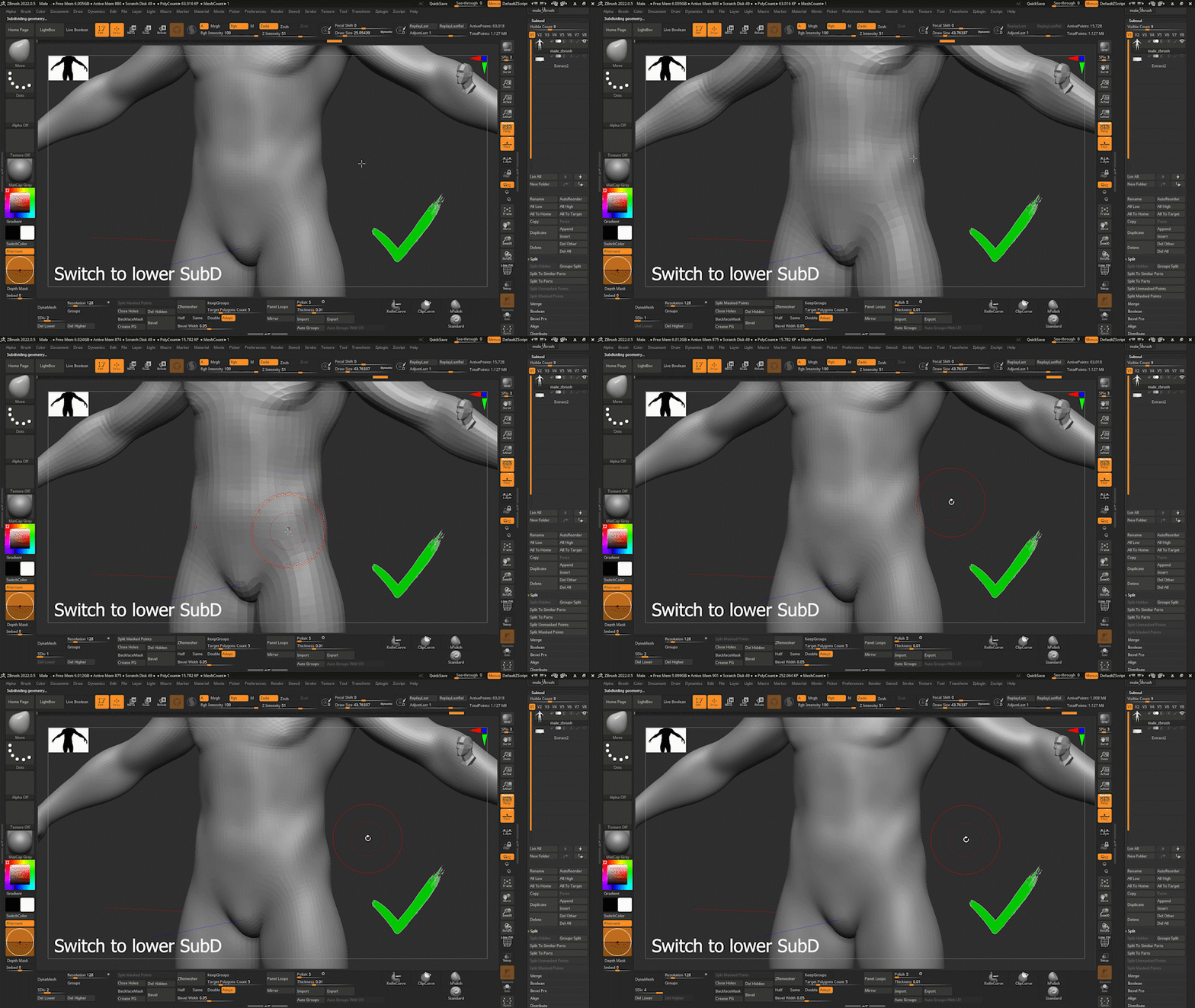
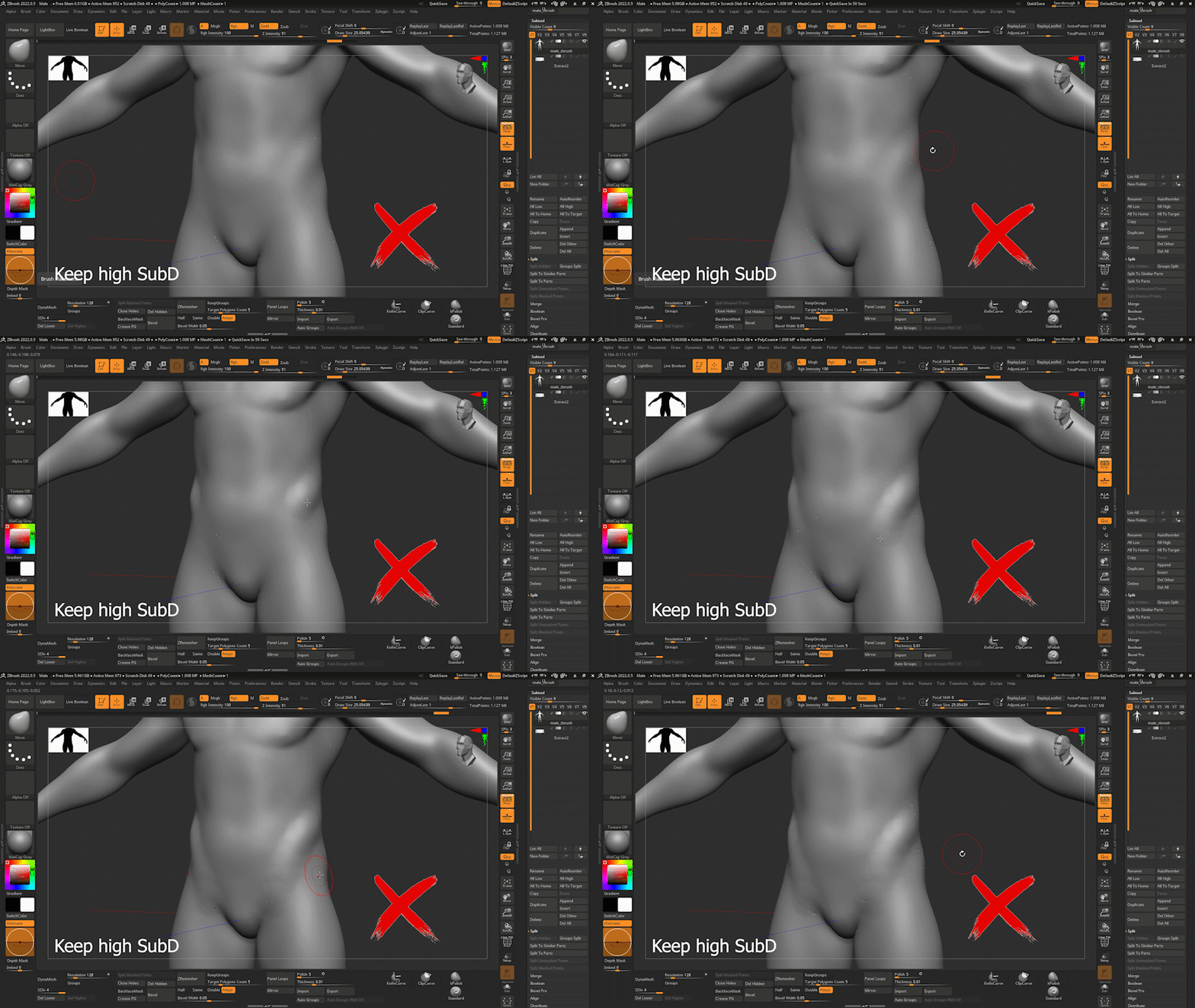
In reality, it is generally much easier to modify a low poly model compared to a model with a huge number of polygons. This is because the vertices, edges, and faces in a high polygon model are closely interconnected, and our current 3D software tools lack strong support for editing such models (except for sculpting software like ZBrush, which may not offer the same level of precision).
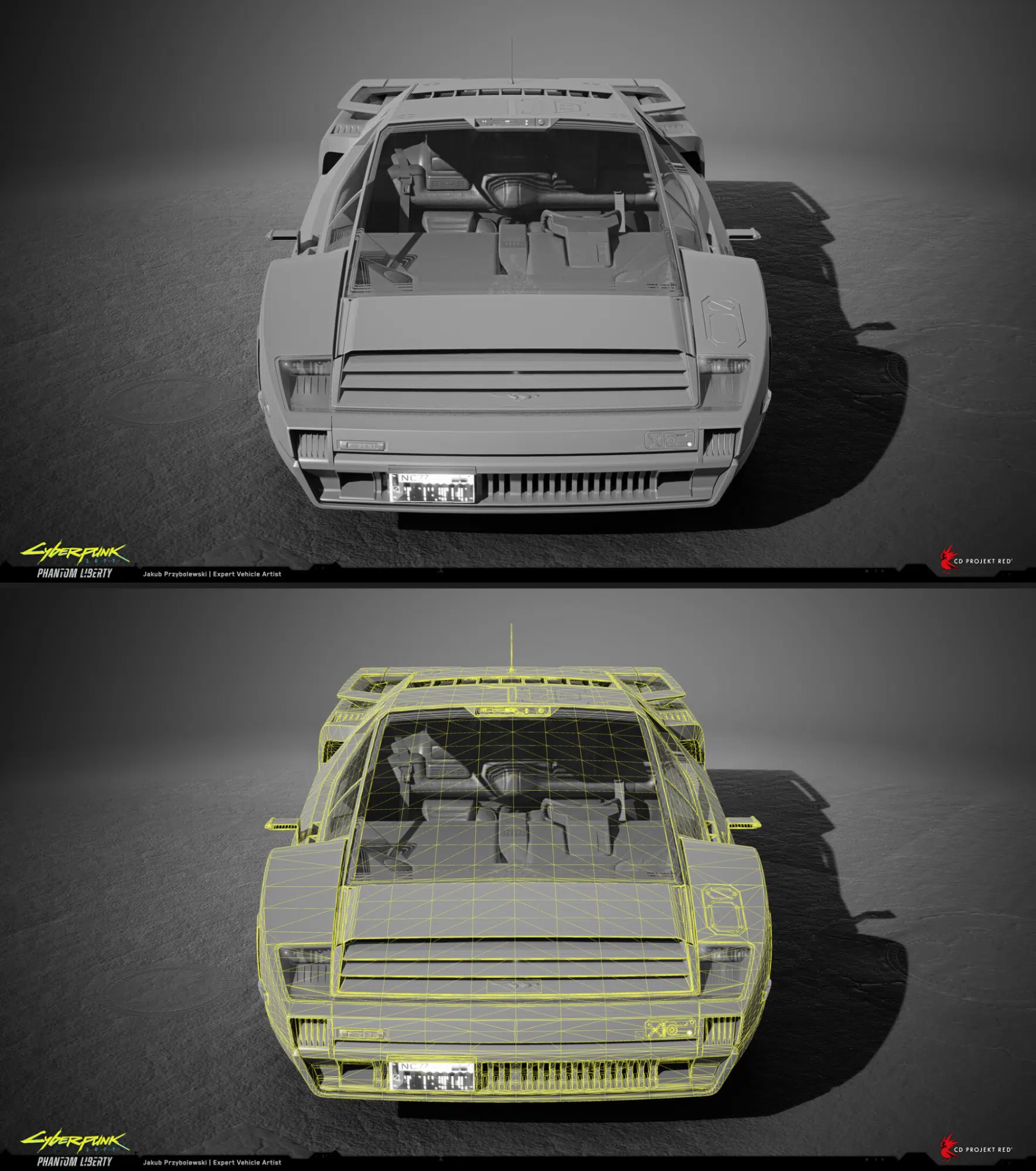
This makes low poly models superior for adjusting shapes or fixing issues for models that require smooth and precise surfaces, such as cars, armor, and hard surfaces, etc… Making modifications to characters’ large block is also more manageable and controllable with low poly levels (subD or models).
As mentioned, low poly models used in games often come with multiple LOD levels:
- High-Detail LODs are used for cinematics to ensure smooth movement, high-quality textures, and accurate physical simulations.
- Mid-Detail LODs are used for in-game cutscenes or character selection screens to maintain the smoothest possible movements.
- Low-Detail LODs are used for in-game models with which players directly interact.
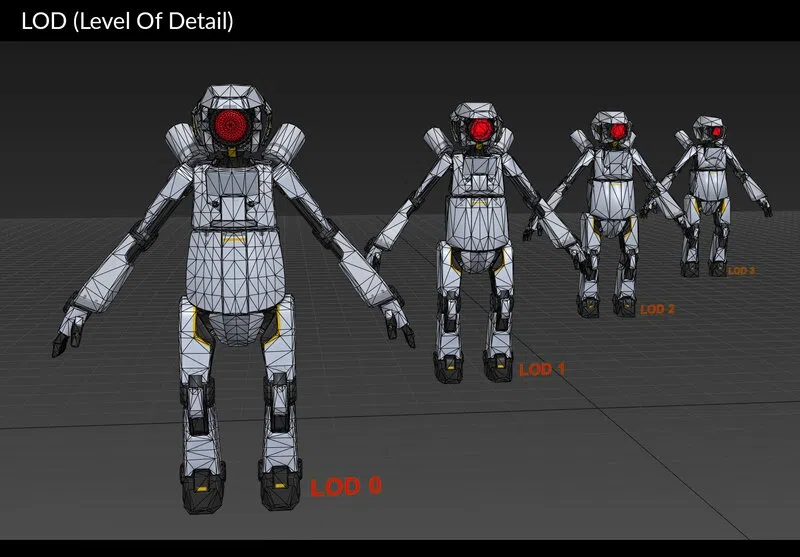
The shared characteristic among these LODs is the requirement for technical accuracy and used to replicate the details of the high poly model. This accuracy is achieved through precisely handling the model’s topology. The better and more suitable the topology, the more detail can be retained in lower-tris-count LOD models.
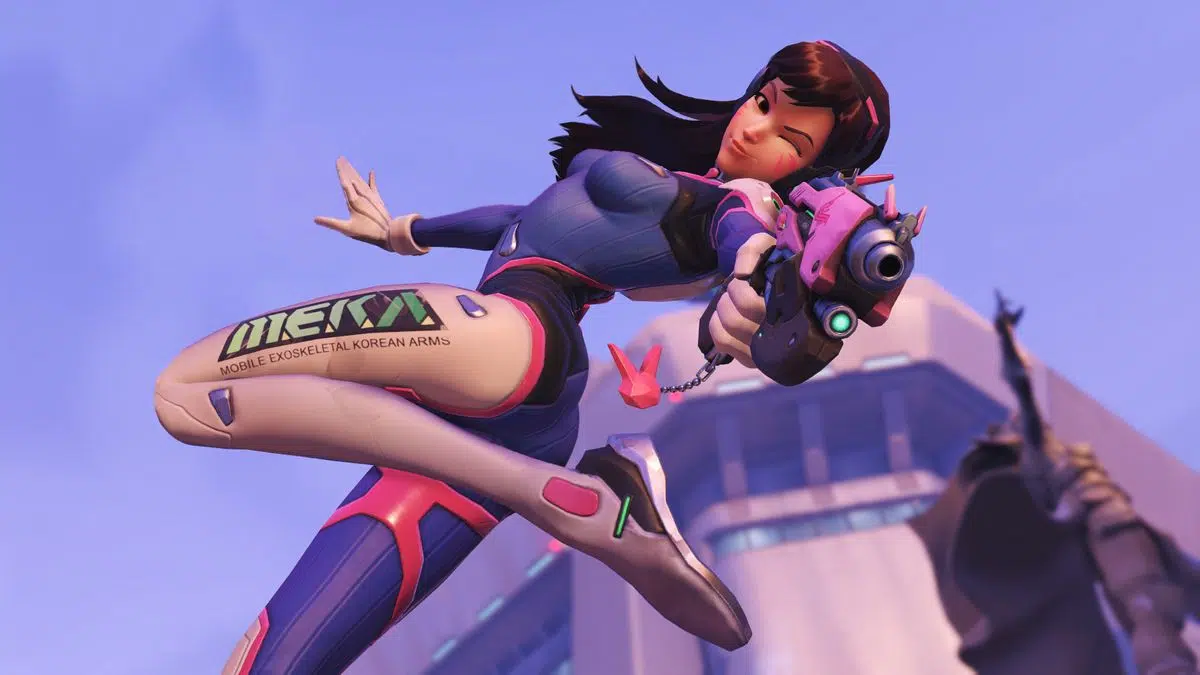
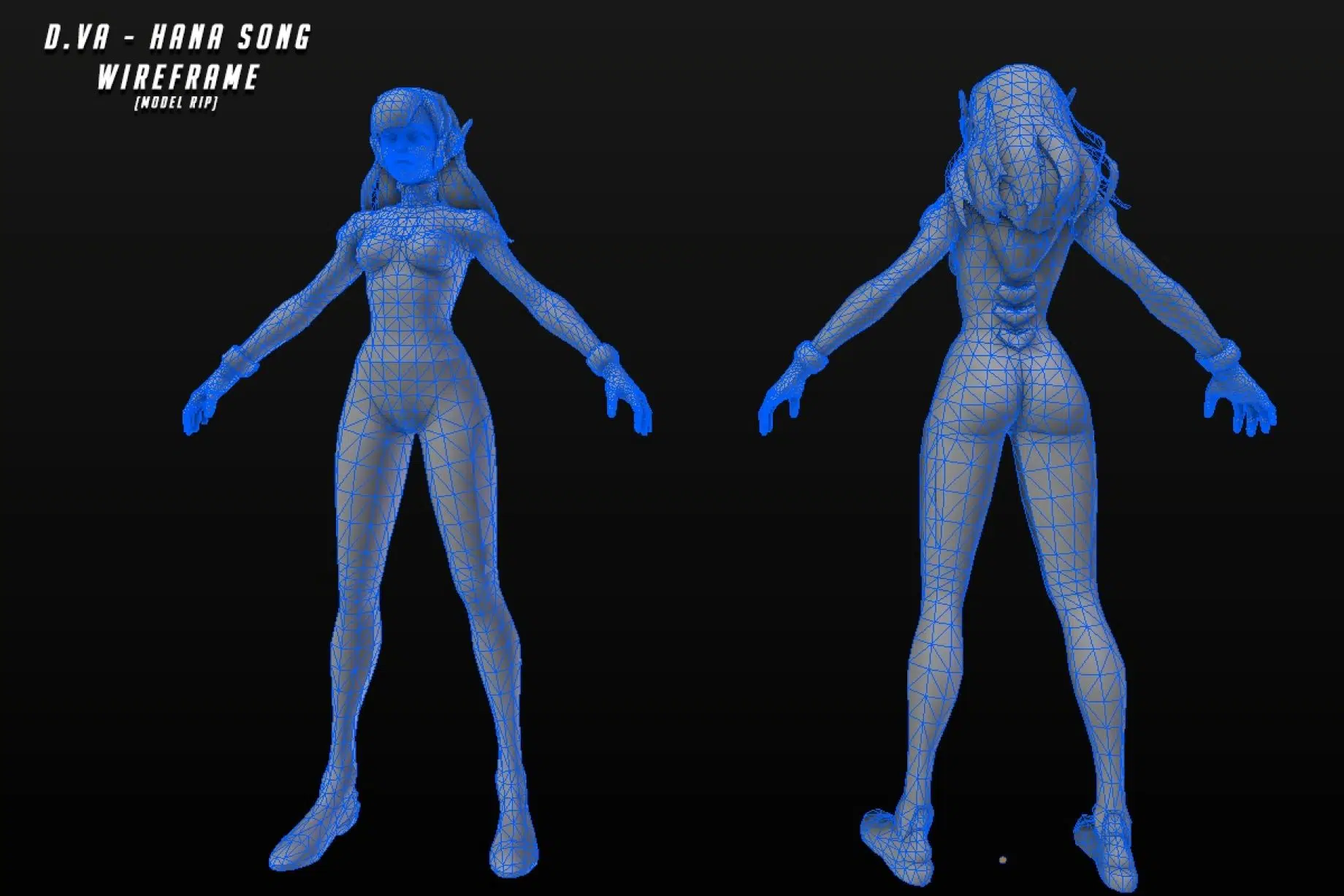
Each requirement mentioned above has its specific technical demands for topology. Mastering all of these requires extensive practice and experience through trial and error to understand what constitutes the most suitable topology for each specific case and requirement.
However, through working on numerous projects, The team at Thunder Cloud has realized that these tasks can be categorized into distinct groups, each with tips and tricks to master them quickly.
II. Tips and Tricks
A.Tips & tricks for modeling
Handling topology reflects the skill and experience of a 3D artist. Good topology directly impacts the final image quality of a character through recreating a well-defined silhouette and enhancing texture quality.
1. Choosing and Using a Limited Tris Count Wisely
The first point leans more towards experience than a specific tip or trick, but it’s crucial as it forms the foundation for all other modeling techniques.
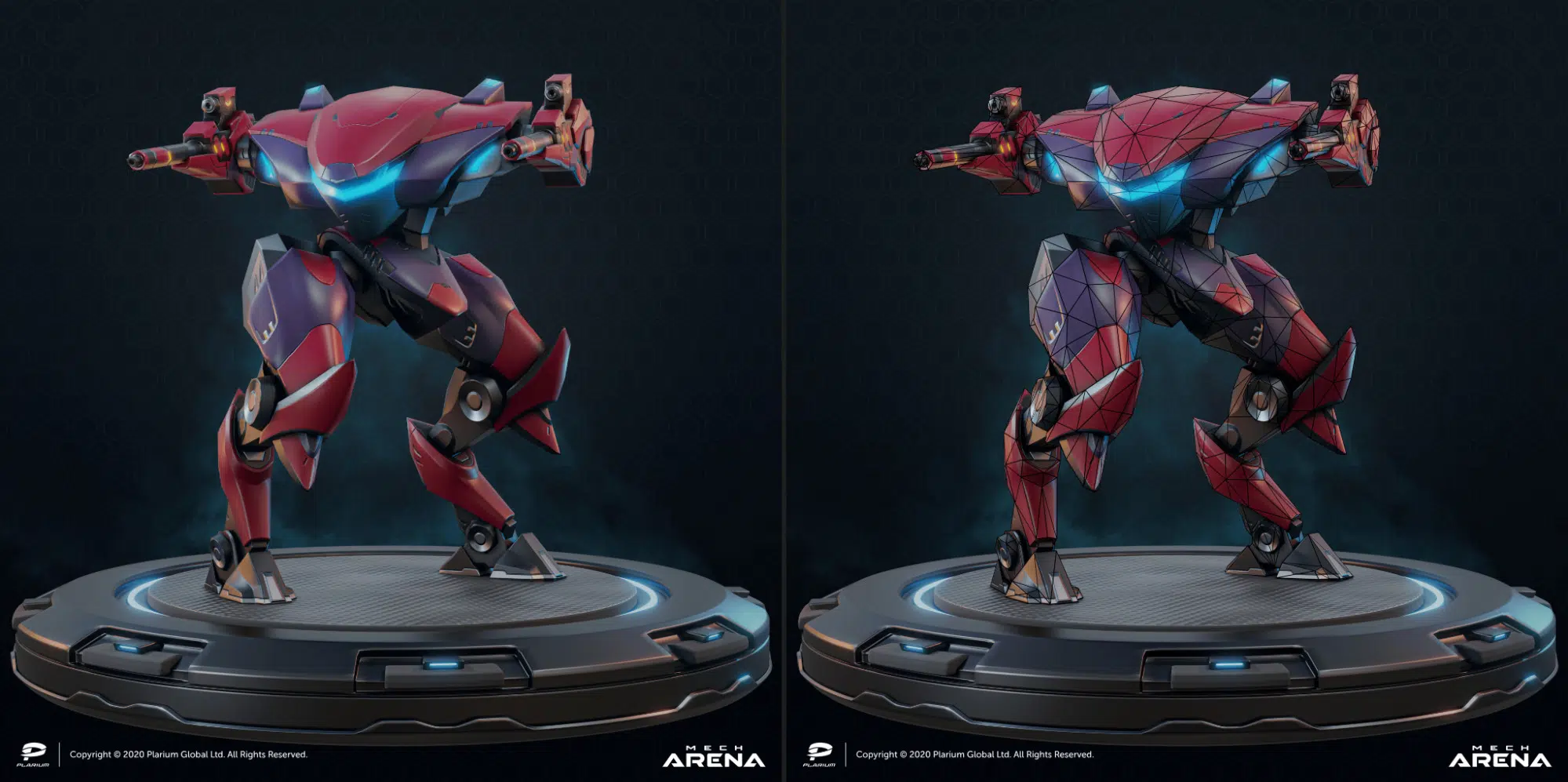
For example, in the game Mech Arena, despite having a very limited triscount – specifically just a few hundred tris, the artist was still able to create a highly accurate machine compared to the concept, while also meeting the animation requirements.
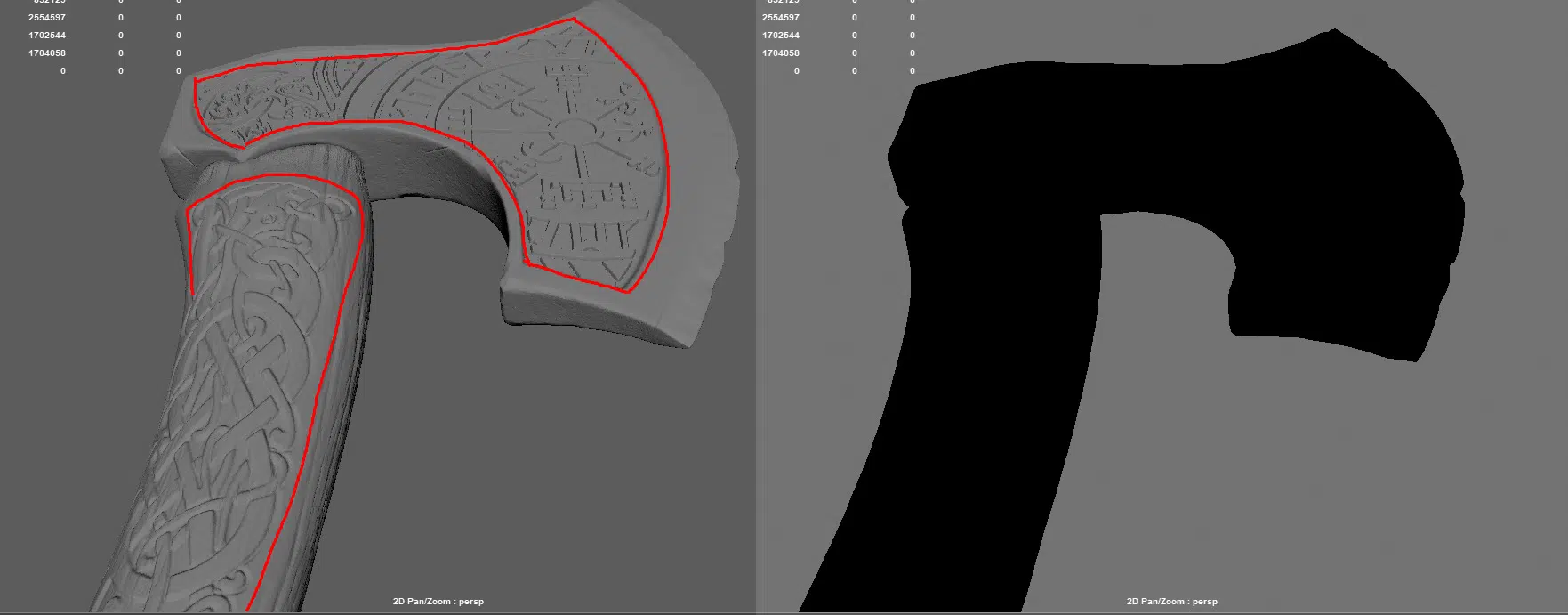
Normal maps can replicate surface details but can’t alter the silhouette of a model. Therefore, using a limited tri count wisely to accurately replicate the silhouette of the model is crucial.
So, how do you determine which details should be modeled with polygons on LOD0 and which should be baked ??
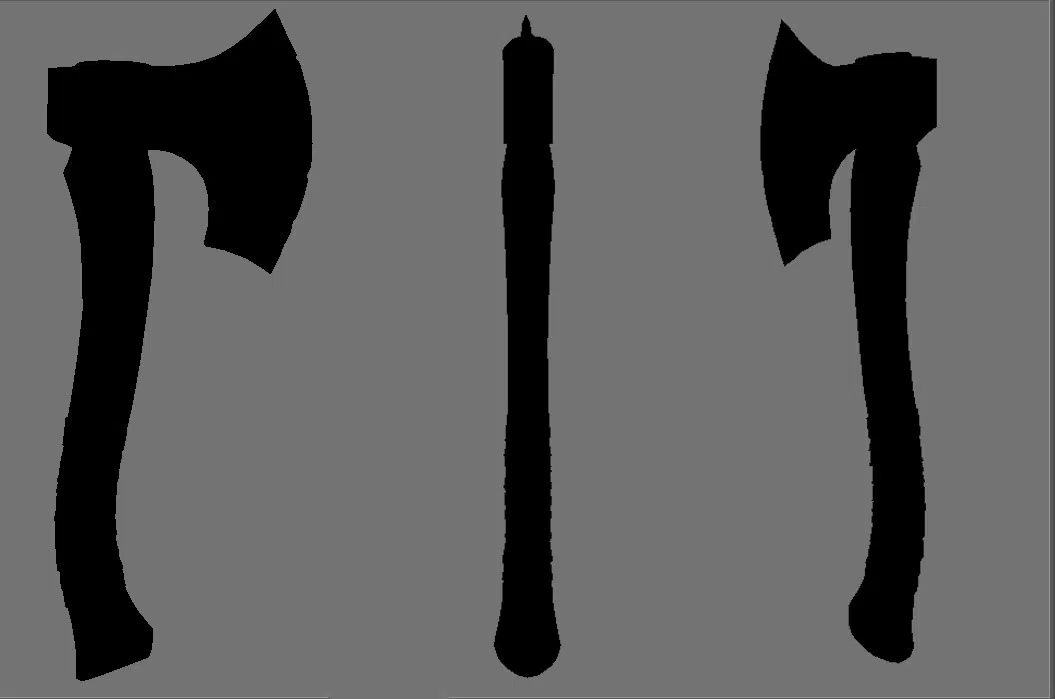
The method Thunder Cloud team often uses is based on the silhouette of the model. In Maya, you can use the “7” key to clearly view the model’s silhouette. In this mode, you can rotate the model from all angles and assess which elements create the silhouette of the model to accurately recreate them through topology.
2. Creating Edge Loops to keep shape for Pre-Smooth.
Character models for games are generally divided into two parts: base body (body, face) and accessories (clothing, armor, weapons). Each part has specific requirements and useful tips for handling:
a. Face topology: Face topology closely follows human anatomy to ensure realistic movement and expressions. For more information, artists can refer to the in-depth guide on face topology here:
Modeling guide to 3D face topology
Here, we’ll briefly discuss the main positions and functions of these edge loops.
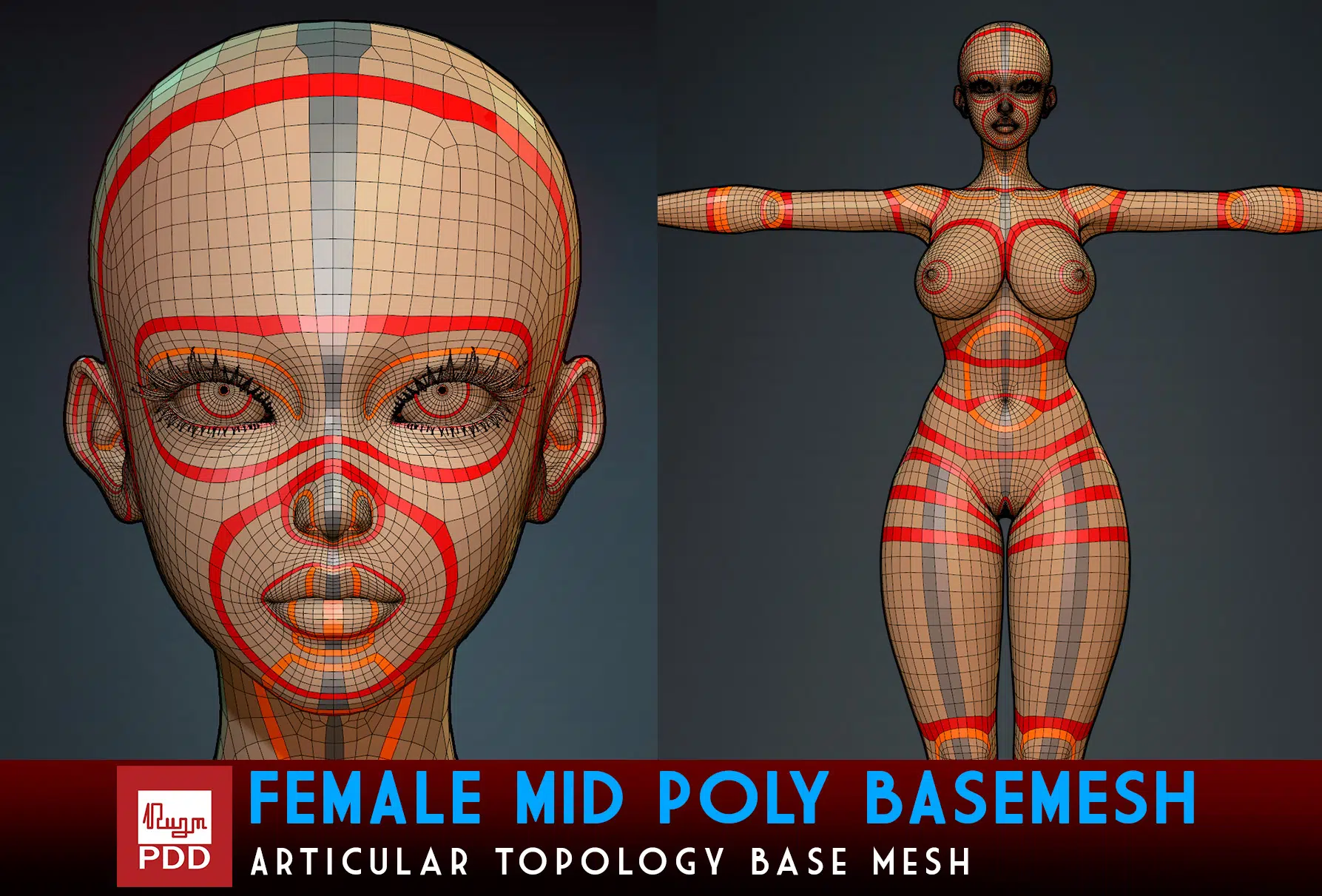
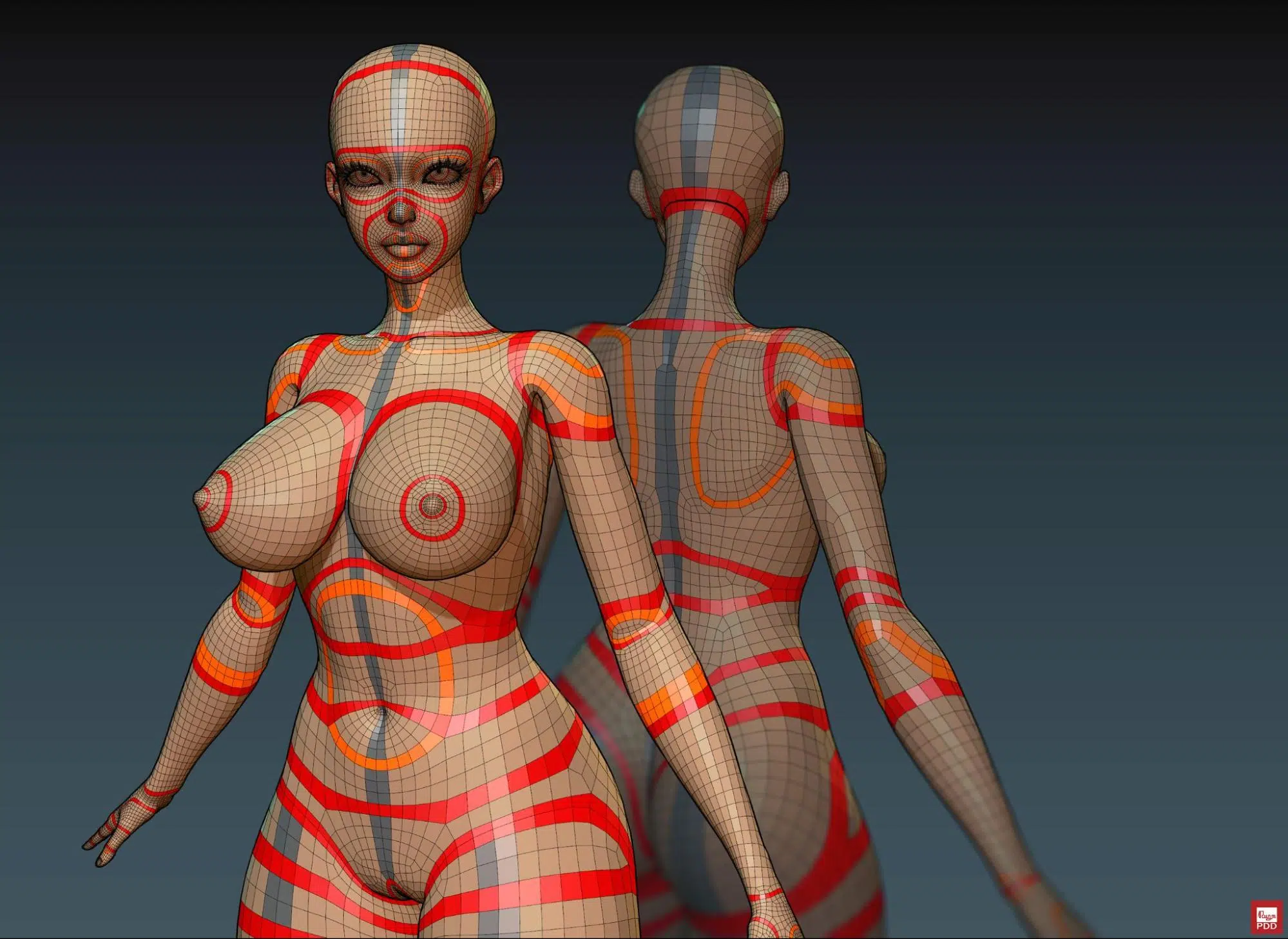
In this section, the writer uses the base model by artist Phung Dinh Dzung as an example. You can find this model at the following link:
https://www.artstation.com/marketplace/p/YB7qB/female-mid-poly-base-mesh
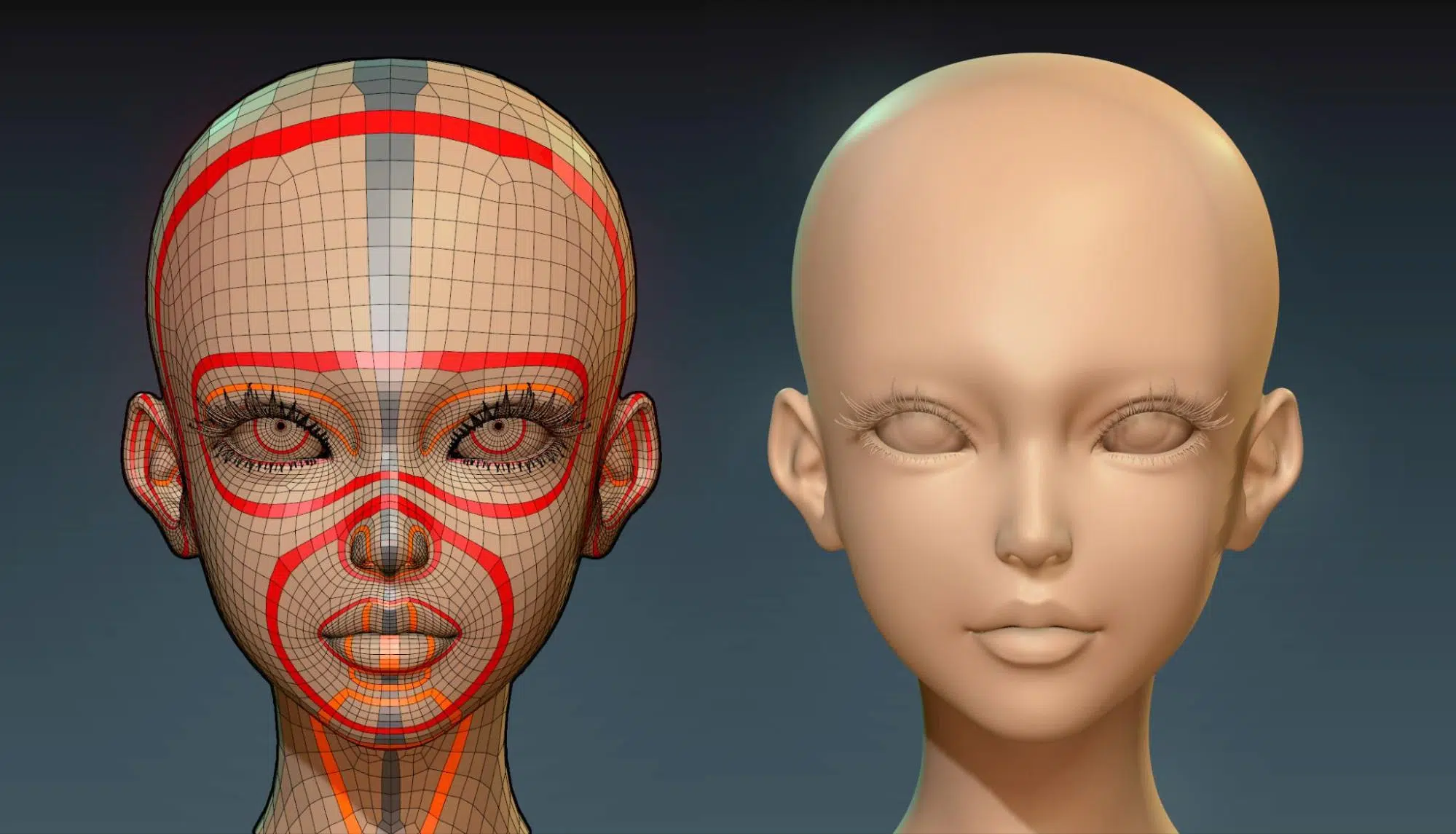

By examining the highlighted loops in the image, we will to discuss the key loops in the facial area as follows:
- Eye Loops: Surround the eyes, usually consisting of 2-3 or more concentric loops that help define the eyes and allow for expressions and movements.
- Mouth Loops: Encompass the mouth with several concentric loops extending from the mouth to the nose and cheeks. These loops facilitate mouth movements and expressions.
- Nose Loops: Edge loops from the nose bridge to the nostrils, defining the nose shape and movement.
- Google Loops: Form a protective glasses shape, passing through the brow, cheekbones, and nose bridge, crucial for defining the cheekbones, brows and supporting facial expressions.
- Cheek Loops: Run from the nose bridge through the cheeks to the chin, shaping and limiting cheek movements.
- Jawline Loops: From the chin to the jaw, shaping and controlling jaw movement.
- Forehead Loops: From the eyes to the top of the head or hairline, creating the forehead shape and defining wrinkles.
Face topology significantly aids in facial rigging and skinning – one of the most complex tasks – by making it easier to place bones and paint skinning weights due to the defined loops. This, in turn, enhances the accuracy and realism of facial expressions.
Additionally, creating and editing blendshapes is much easier with a model that has well-defined face topology:
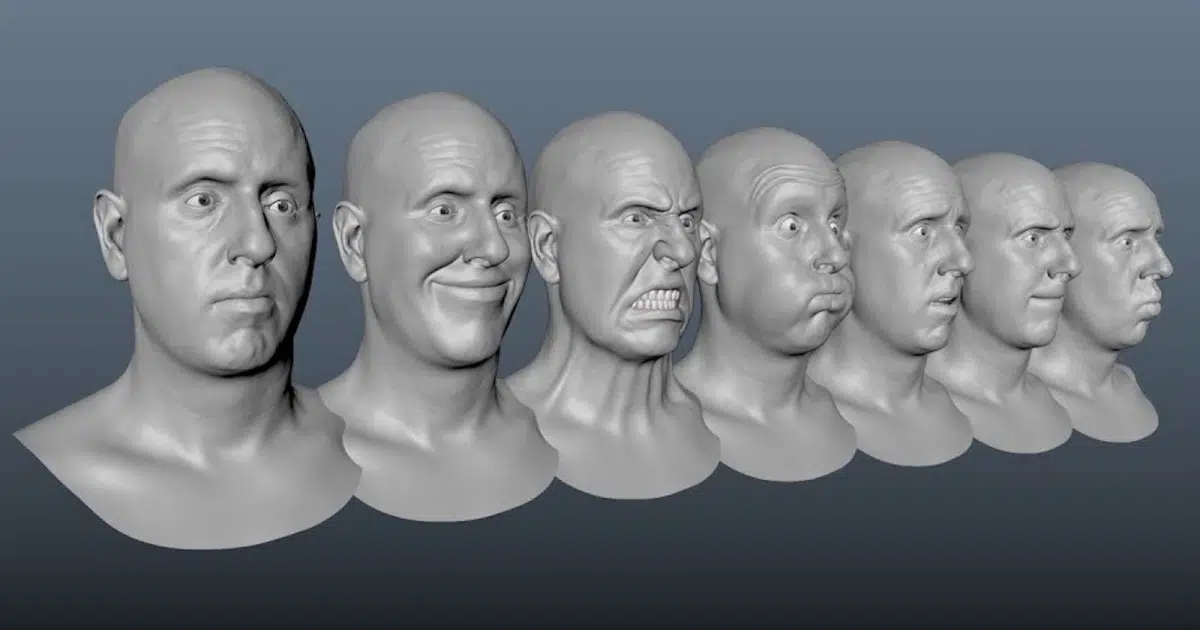
b. Hard Surface asset: Hard surface assets like armor have specific rules for adding edge loops to ensure pre-smooth by using the “3” key in Maya.
Using Chamfer off or Bevel?
There is no definitive answer to this question, as it depends on 2 different objectives. If you want the edges to remain as sharp as possible after smoothing, using chamfer off is superior. Conversely, if you aim for softer and more gradual transitions after smoothing, beveling is the better choice.
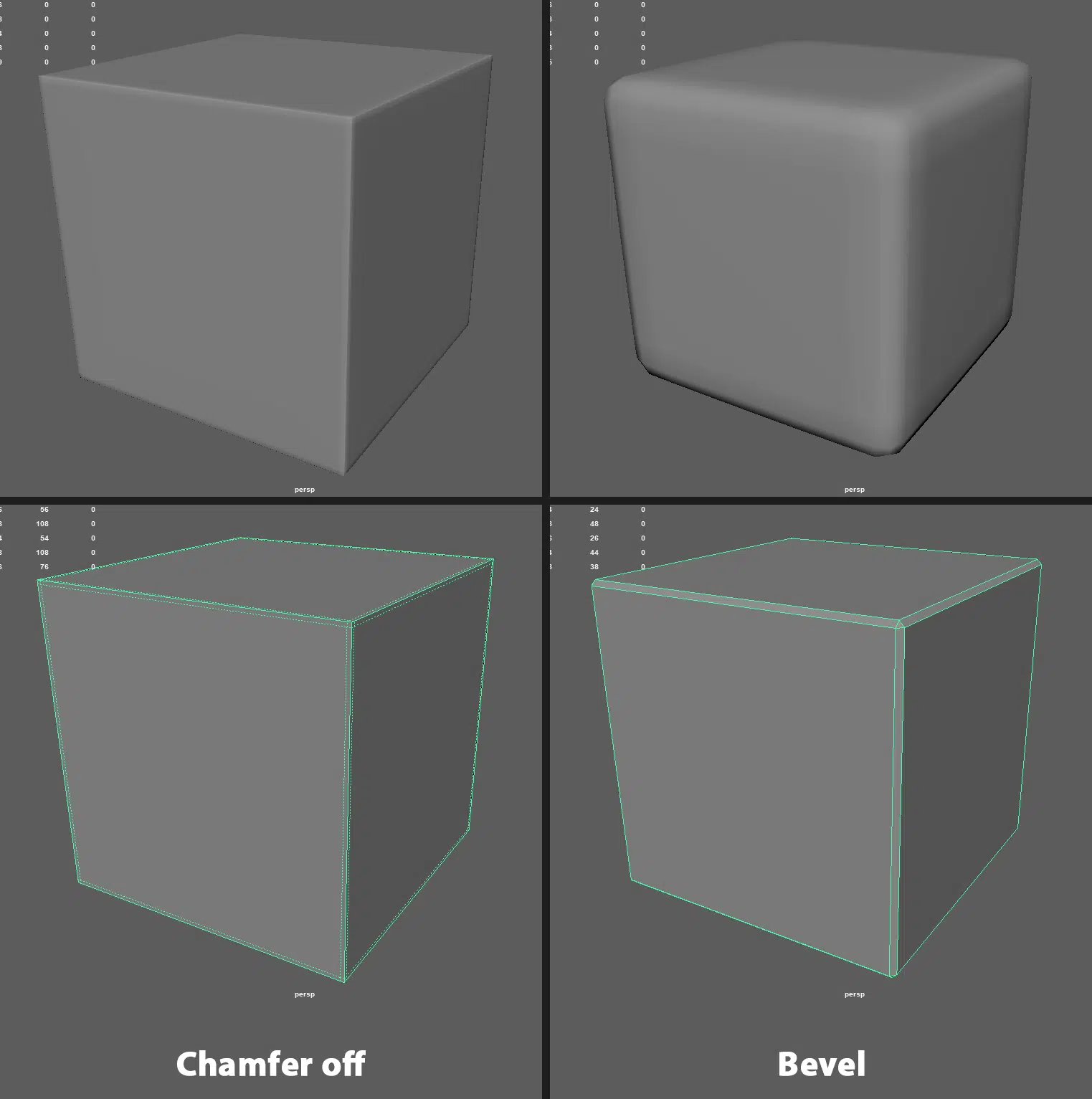
Topology Density in setting edge loops:
When smoothing or increasing subdivision, the computer not only subdivides a quad into 4 smaller quads but also automatically adjusts the mesh density evenly. This can sometimes result in edges not being as sharp as desired, even with close edge loops.

To address this issue, ensure that the mesh density is more evenly distributed before smoothing. This approach minimizes distortion and reduces the number of necessary subdivisions, making the model lighter.
Creating Loops Around Areas That Define The Shape of The Object:
This principle applies not only to hard-surface models but also to most types of models to save time on edge-loop placement and avoid distortion during smoothing. For example, in the hard-surface model shown below, the edge loops around the borders of armor pieces, which define the silhouette, are clearly visible. The same approach applies to other shapes, such as spheres or cylinders.

To speed up this workflow, you can use Maya’s Offset tool to quickly create loops around the silhouette of the object, then adjust the internal topology to complete the model.

Edge Loop Placement on Complex Angles or Curved Surfaces.
Sometimes, using a traditional edge loop setting method isn’t effective for meshes with continuous angular shapes or those that are situated on a uniformly curved surface. In these cases, using triangular meshes to define sharp angles helps minimize distortion on large surfaces while maintaining the shape after smoothing.
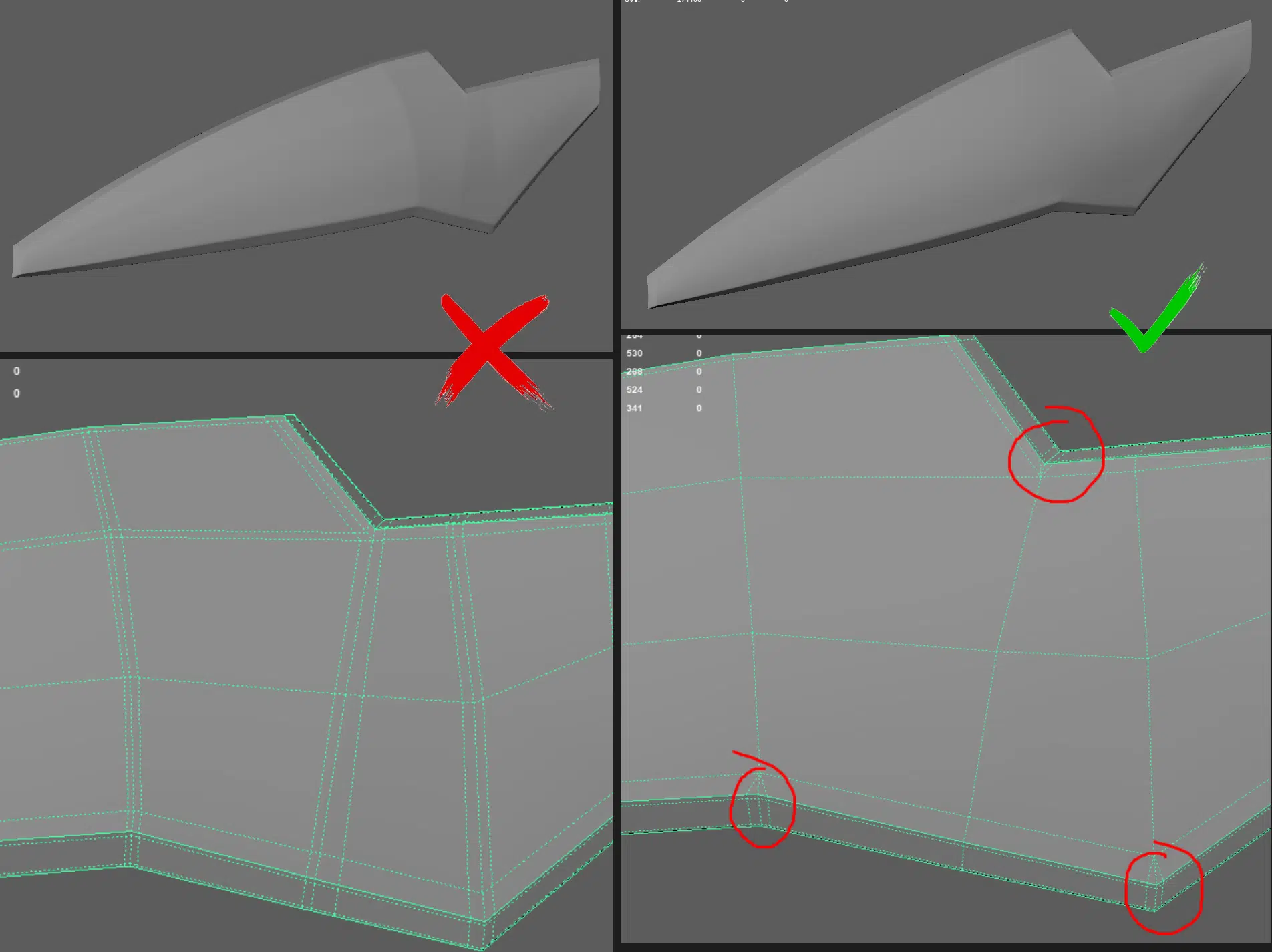
This method of edge definition also works very well for clothing and cloaks, as these often lie on a uniformly curved surface.
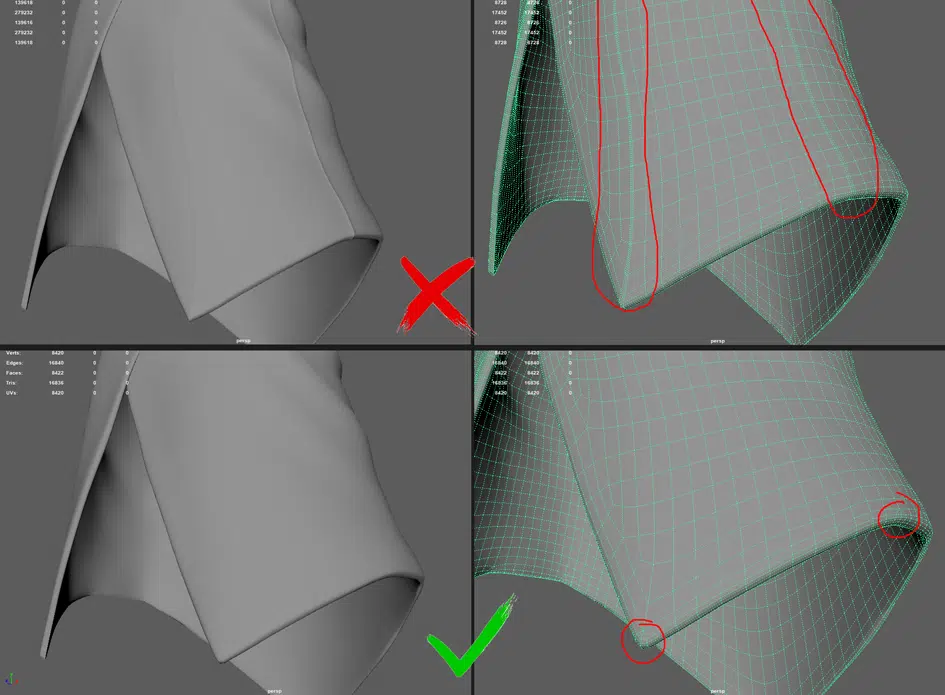
c. Clothes asset: Assets made from fabric or leather have specific methods for handling to ensure quality and facilitate edge setting.
- Thickness is always a loop: This applies to both clothing and hard-surface parts. It helps to easily detach thickness when needed and simplifies edge setting and UV mapping.
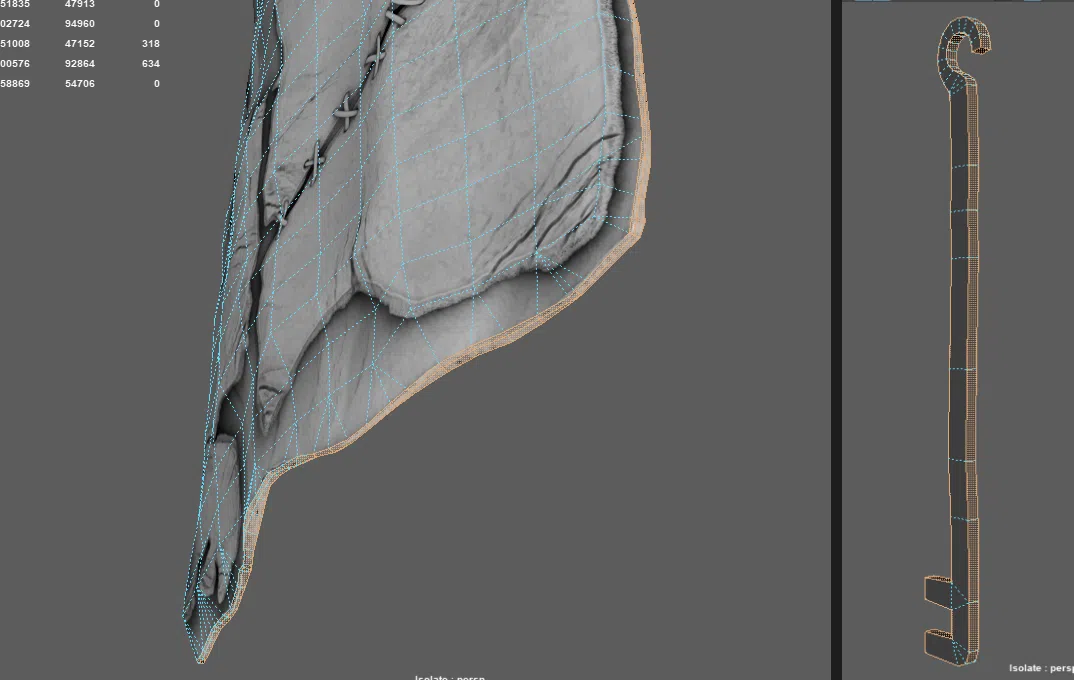
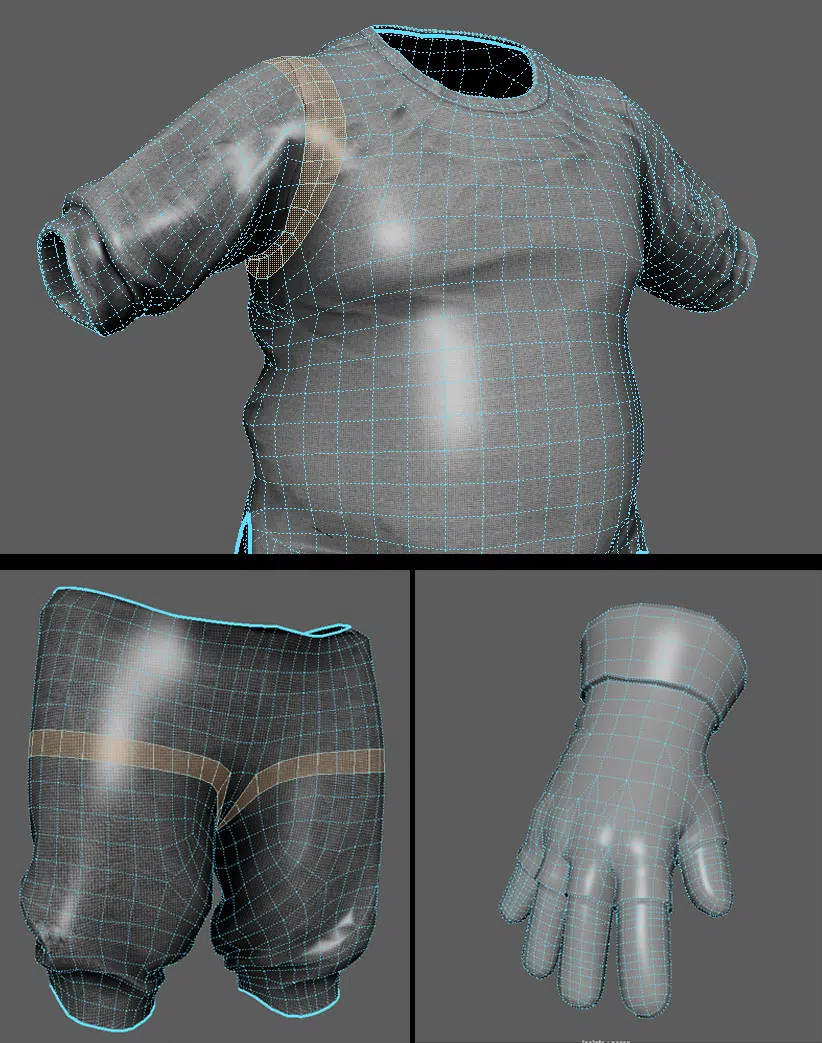
- At key areas, clothing also has loops similar to the body: Since clothing moves with the body, it needs loops in areas where significant deformation occurs, such as the armpits and elbows. For gloves, loops should align with the hand to ensure smooth movement.
3. Avoiding Mesh Errors During Modeling
Ensuring a model is properly cleaned-up is crucial as it minimizes the potential for issues when the model moves to later stages such as UV mapping, texturing, skinning, rigging, or animation. Some major errors that artists should be aware of and avoid include:
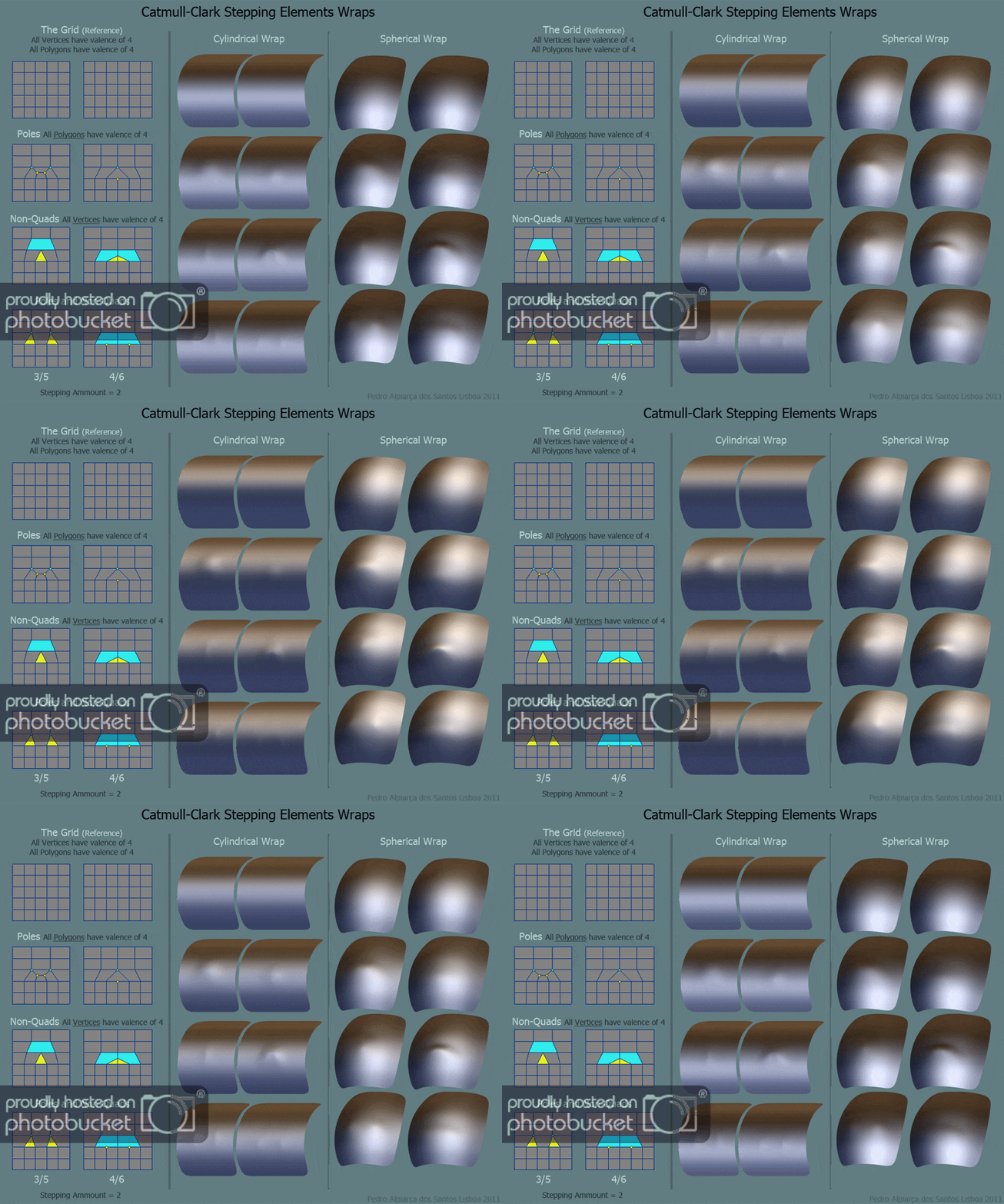
- N-Gons: These refer to faces with more than 3-4 edges. Polygons from 3-4 edges and above can change vertex. In modeling, it’s best to use 4 edges to ensure optimal display, even when increasing subdivisions and during animation. While triangles can be acceptable, N-gons should be avoided as they can distort the surface when smoothing.

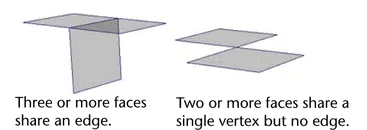
- Non-manifold Geometry: This refers to cases where a vertex or edge is shared by more than two faces, causing issues during subdivision and rendering.
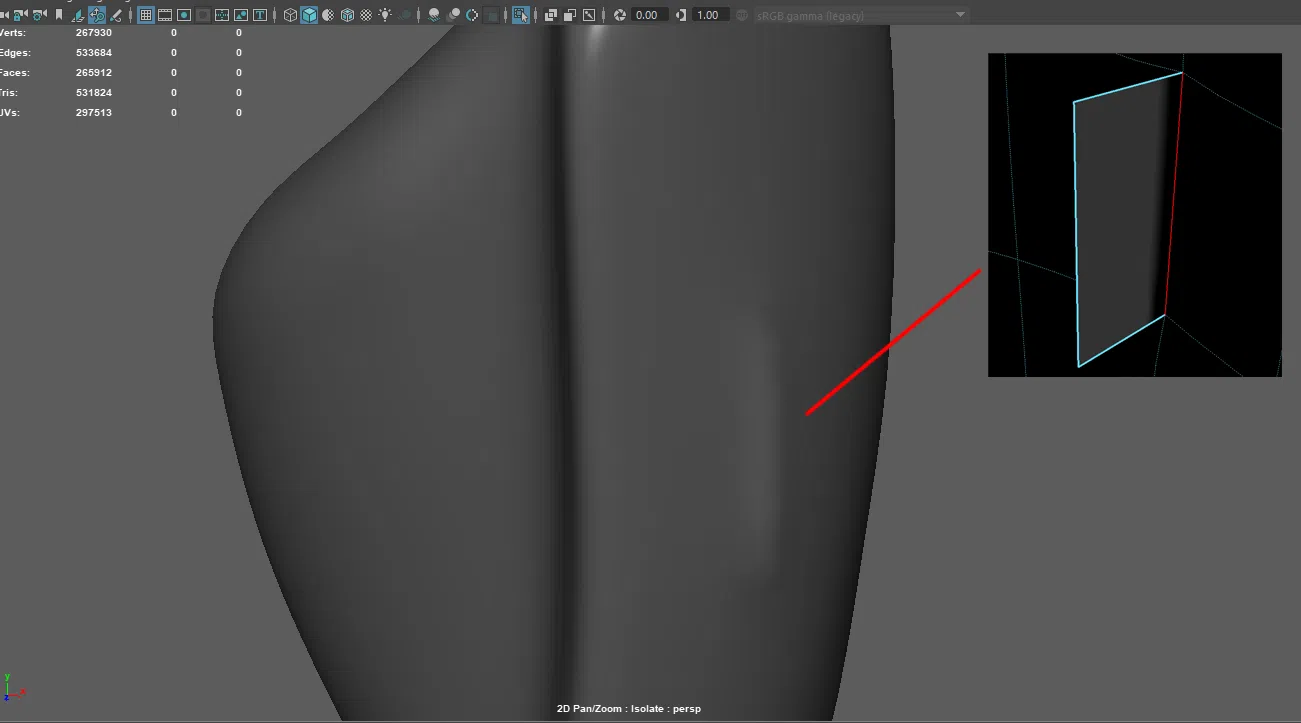
- Flipped Face: Reversed faces can lead to incorrect light reflection and texture display. In Maya, these faces are often displayed in black, making them easily recognizable.
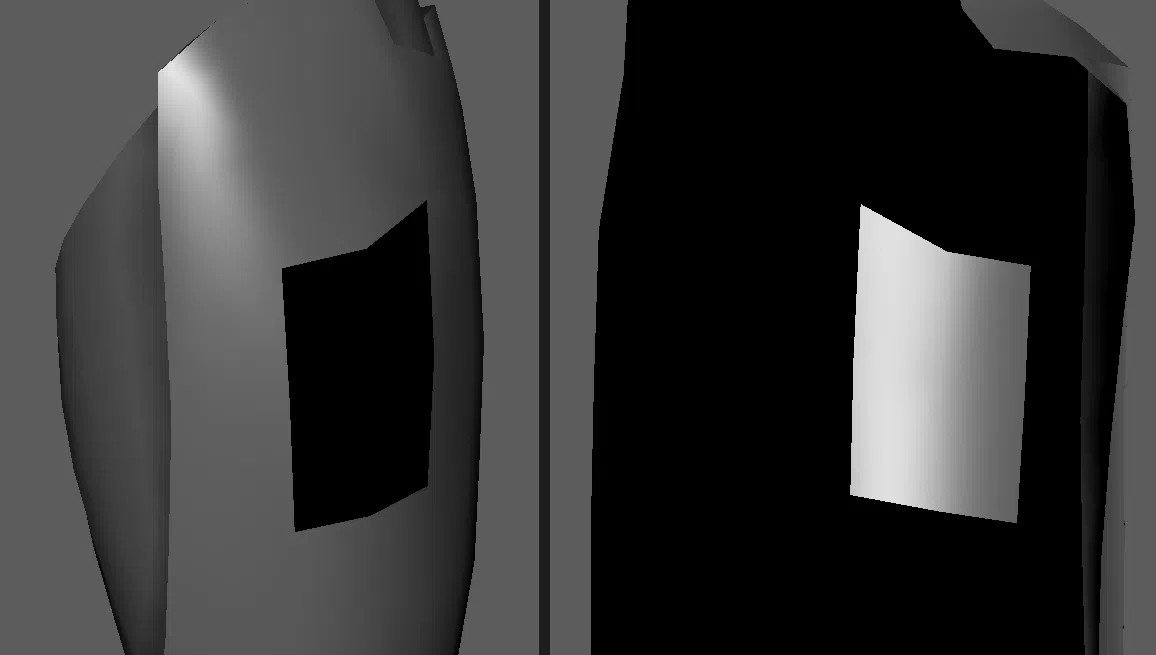
- Concave face: Usually refers to a face that is folded due to accidentally moving a point or a face that is in a position where the deformation is too great.
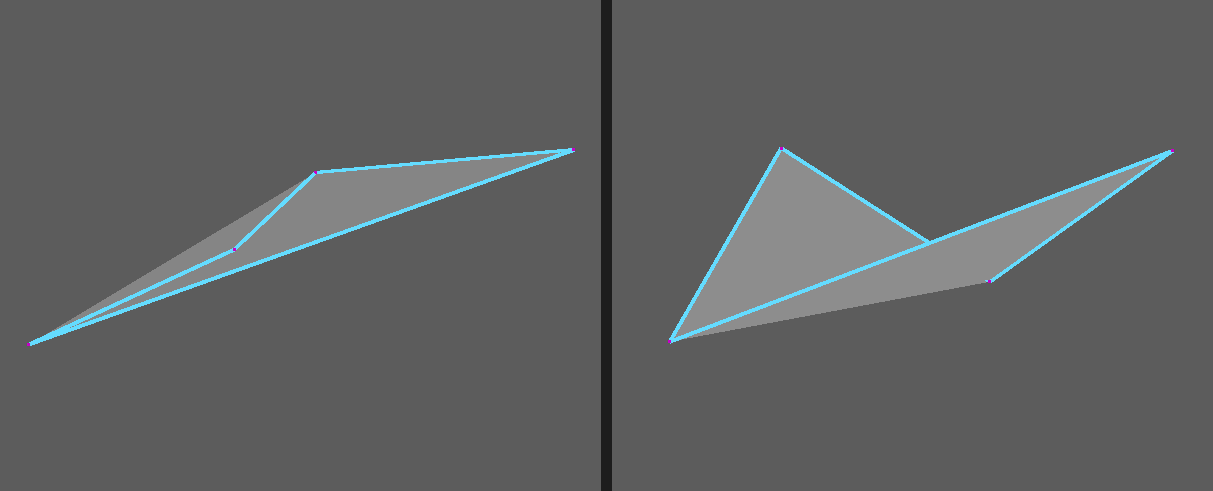
- Lamina Faces: Refers to faces that share all their edges with each other.
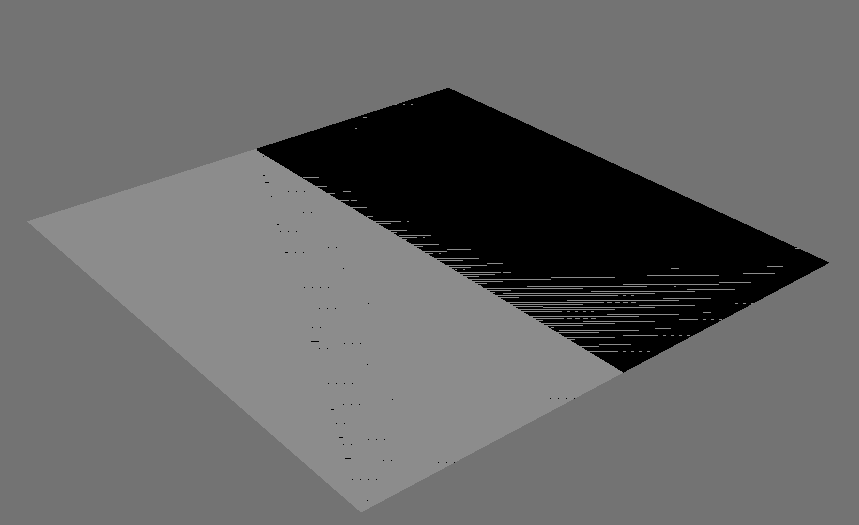
Throughout the production pipeline at Thunder Cloud, the aforementioned errors fall under the basic self-QA system, and all models must meet these standards. If they don’t, they are considered low-quality models and won’t be used. To quickly identify and fix these errors, artists at Thunder Cloud often use Maya’s ‘CleanUp’ tool. Below is how we set it up.
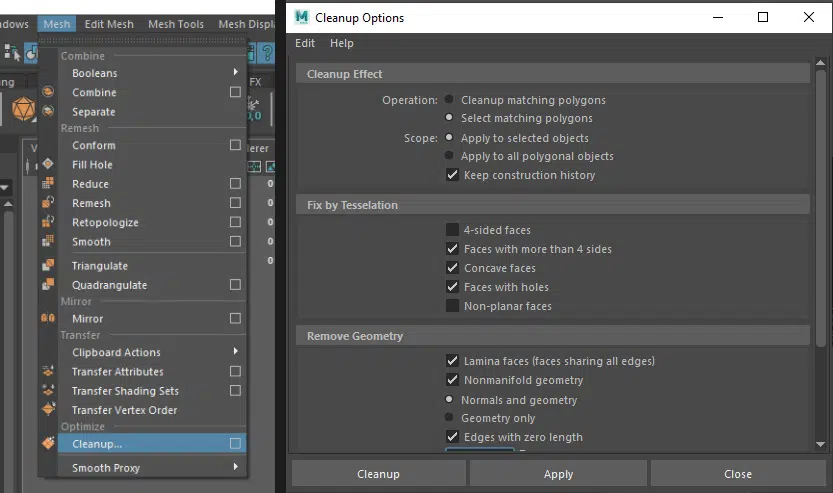
Throughout the production pipeline at Thunder Cloud, the aforementioned errors fall under the basic self-QA system, and all models must meet these standards. If they don’t, they are considered low-quality models and won’t be used. To quickly identify and fix these errors, artists at Thunder Cloud often use Maya’s ‘CleanUp’ tool. Below is how we set it up.
4. Topology Supporting UV & Texture
After discussing many technical aspects, we now move on to another highly technical issue: handling topology to achieve the best UV and texture results:
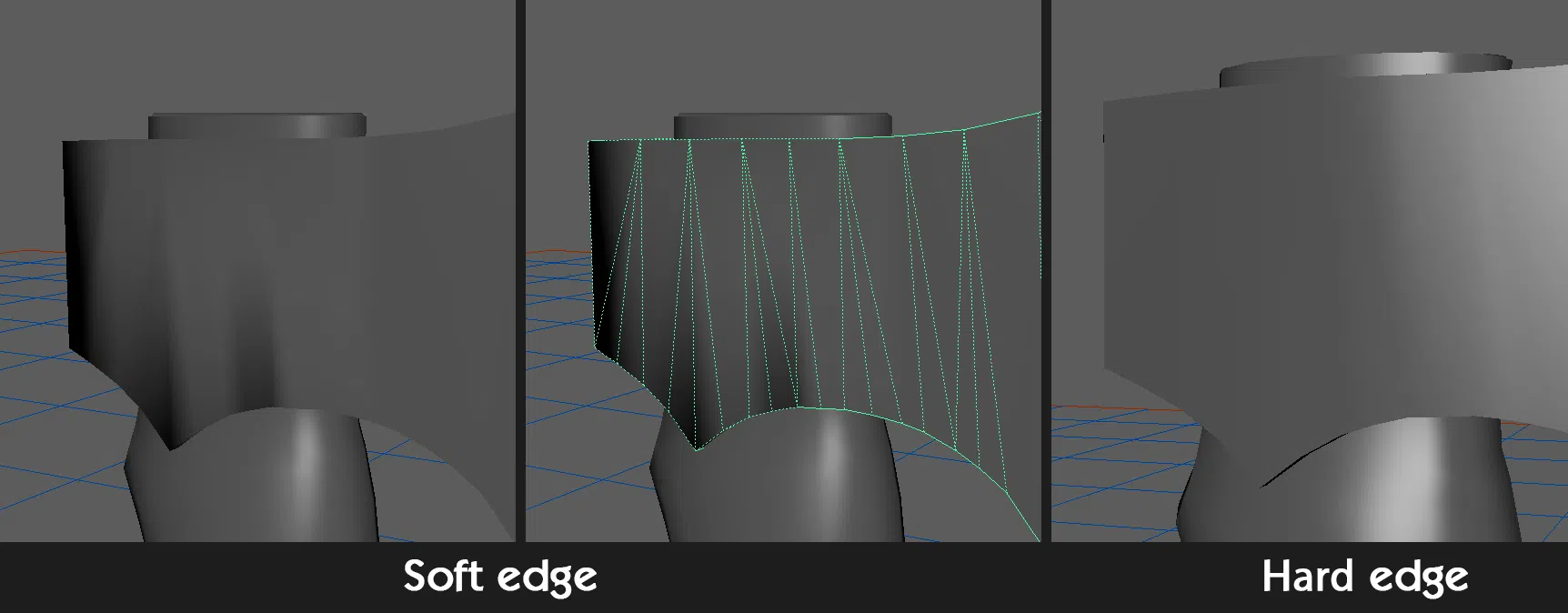
a. Hard edge & soft edge: Vertices of a soft edge share the same normal vector, which creates a smooth transition between the faces created by the soft edge. Conversely, adjacent faces created by hard edges have different normal vectors, leading to distinct and clearly defined intersections in space.
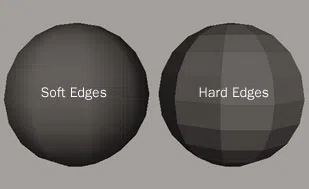
This means that setting soft or hard edges significantly affects the model’s appearance, rendering, and baking processes, as it changes the vertex normals of the object. Additionally, hard edges that are not properly cut during UV mapping can create seams in the baked textures.

We can determine where to set hard edges using the following tips:
- Based on the angle between faces: If the angle between two adjacent faces is too large, setting a soft edge will often cause the normals to display as black, making them easily recognizable. This affects how textures are applied to the model’s surface. Therefore, if the angle between two adjacent faces is too large, the shared edge between them should be set as hard.
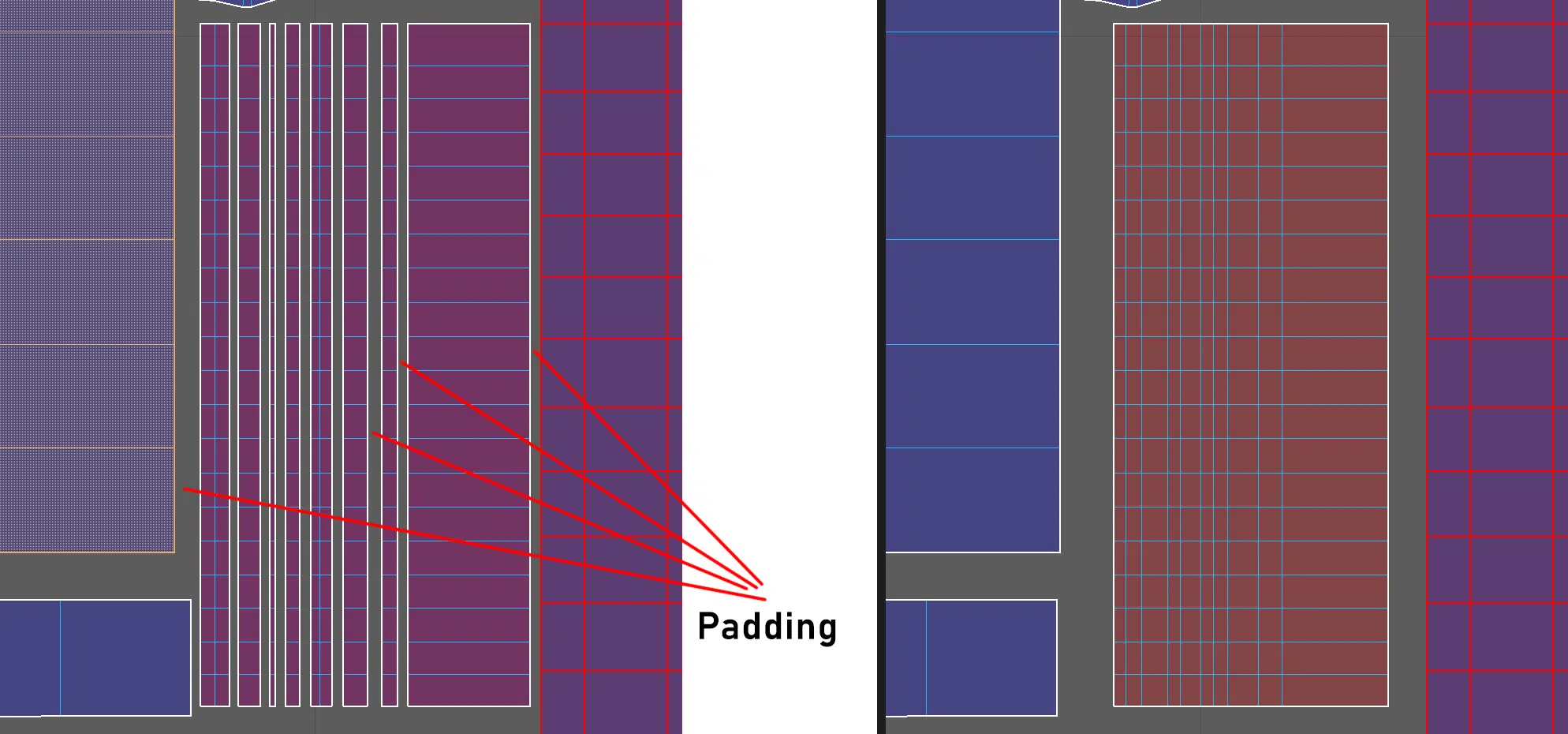
- However, setting too many hard edges can also affect the texture. As we know, UV maps need to be spaced 4-8 pixels apart to ensure accurate map baking. Excessive use of hard edges and cutting UVs into too many small pieces can lead to increased padding, which affects the UV map area.
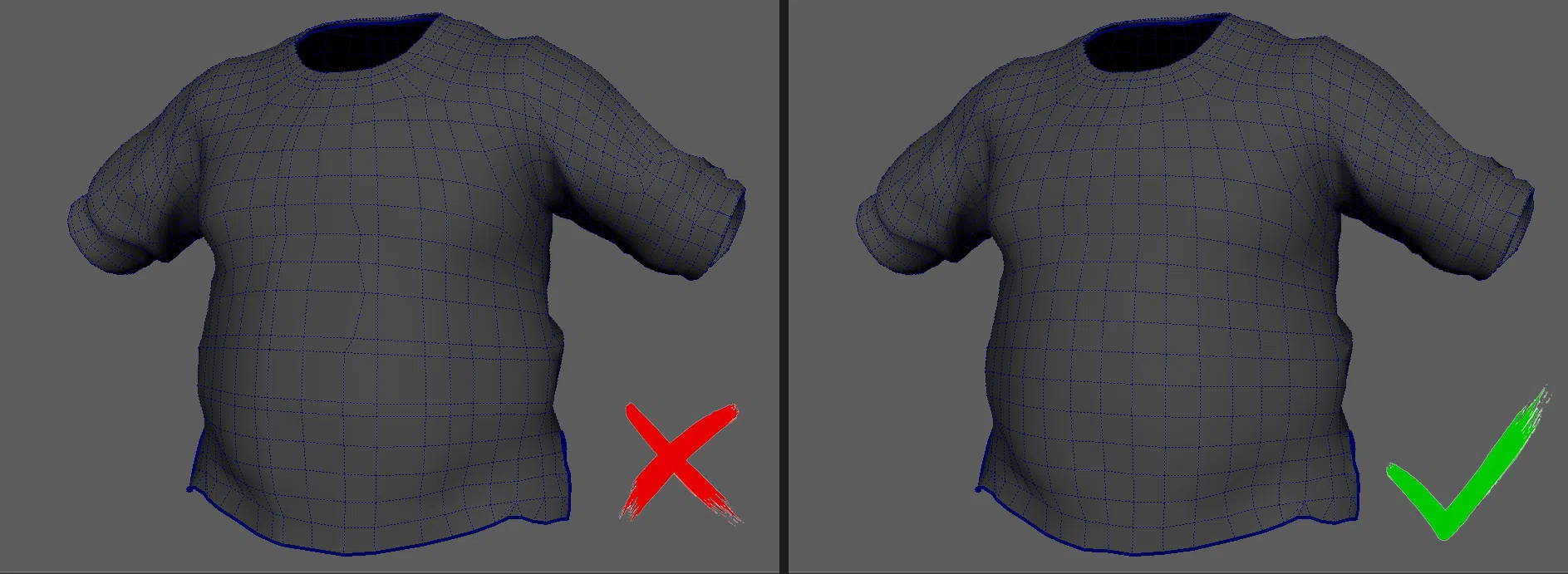
b. Topology density: The mesh density should be consistent throughout all parts of the model as well as the entire model. Additionally, the meshes should be as close to square as possible to prevent texture stretching or distortion.
To adjust and even out the meshes, you can use the Relax tool in Maya’s Sculpt Geometry Toolset.
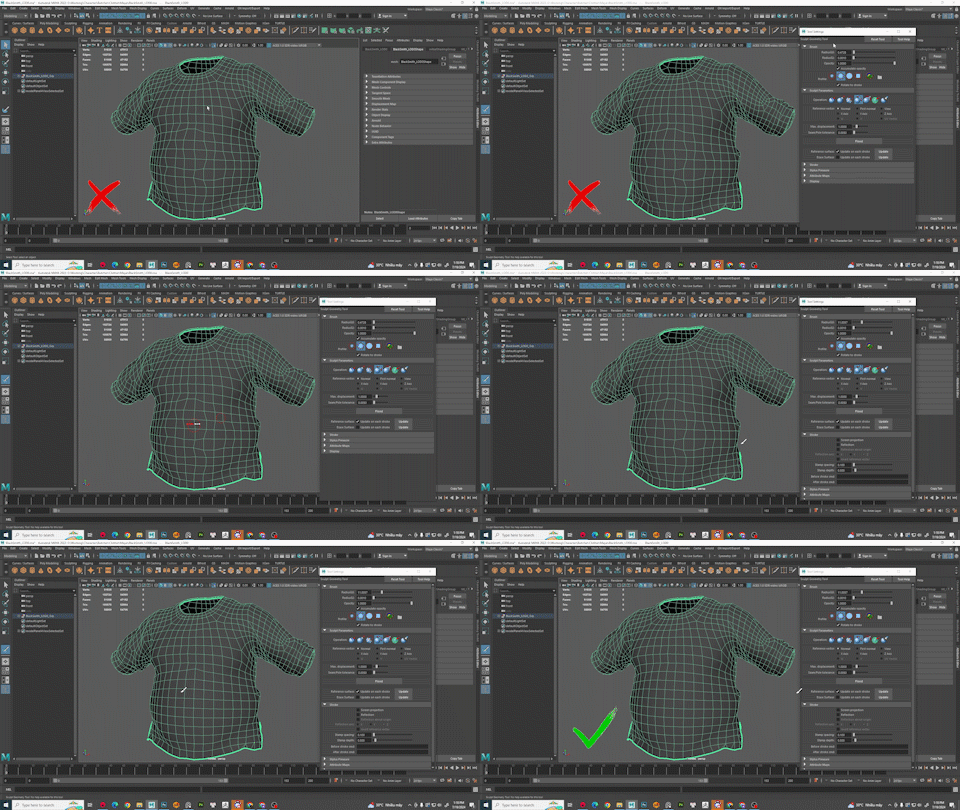
Symmetry part: Using symmetry in character modeling is common to speed up the process and ensure the best possible UV density.
- For symmetrical parts where the symmetry axis runs through the model, it’s important to place an edge loop along this axis to divide the model into two halves. Planning the position of this symmetry axis in advance is essential.
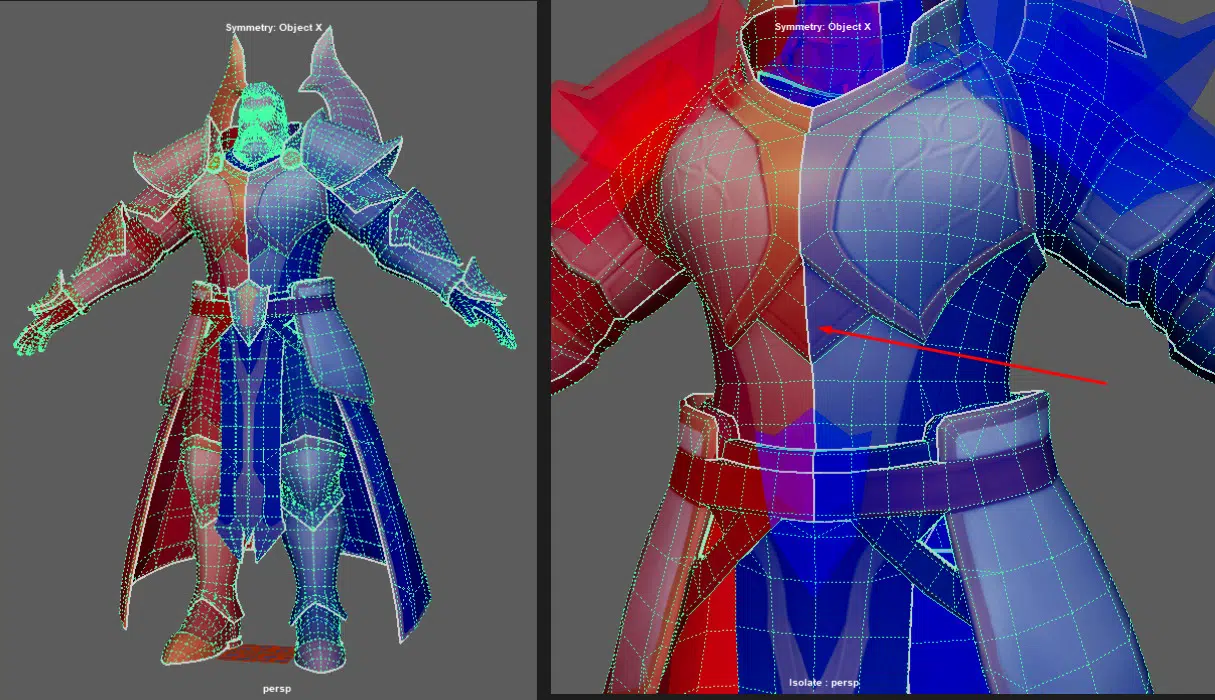
- If the UVs of these parts are also symmetrical, the edge loop dividing the two parts should be included in the UV layout.

d. Parts with Tiling Textures: The characteristic of tiling textures is their continuous and seamless repetition. Therefore, both the topology and UV need to ensure that no seams appear where parts with the same tiling texture connect.
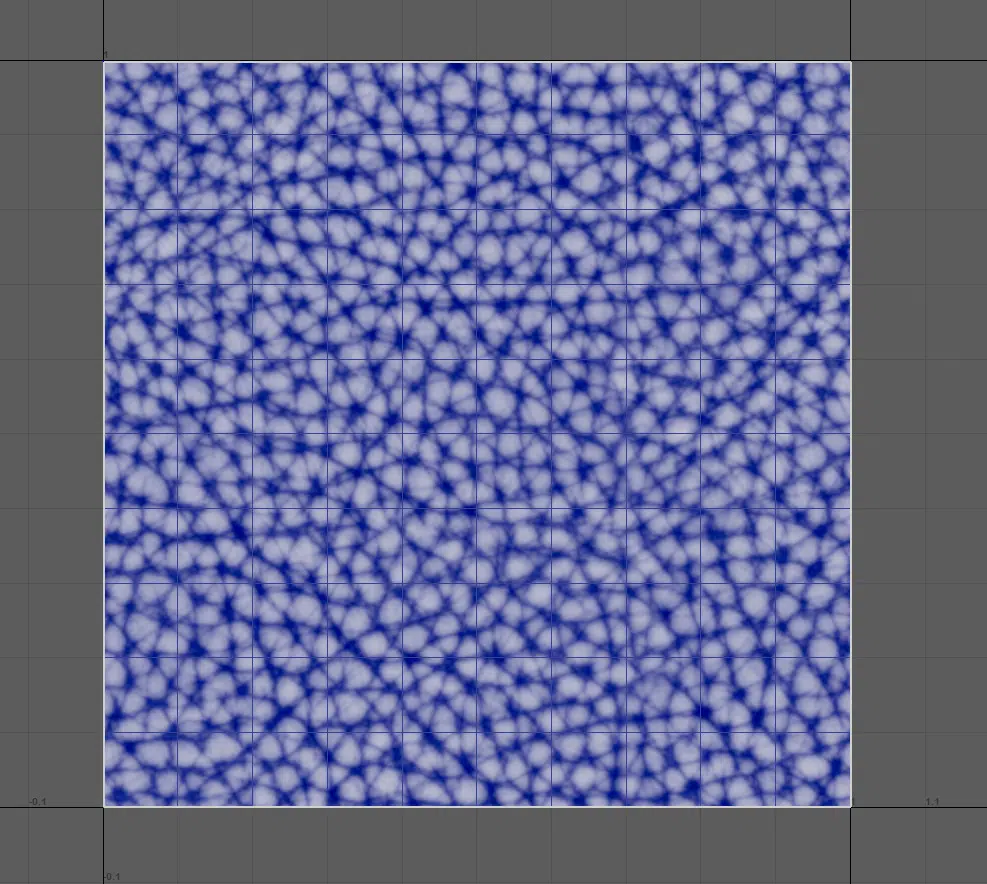
- The UVs for these parts can be arranged to occupy 100% of the UV map area to ensure that no seams are present at the edges where they meet.
5. Topology in Baking Support Maps.
For a high-quality normal map baking, a well-constructed low-poly model is essential. An inadequate low-poly model can lead to a large cage during baking, resulting in errors when projecting details from the high-poly model onto the low-poly one. This compromises the quality of the baked maps.
The low-poly model should accurately match the high-poly model in both dimensions and shape. Significant differences can cause the cage bake to fail in fully covering the high-poly model, leading to missing details. Or resulting in setting the cage offset too far, which can introduce inaccuracies during the baking process.
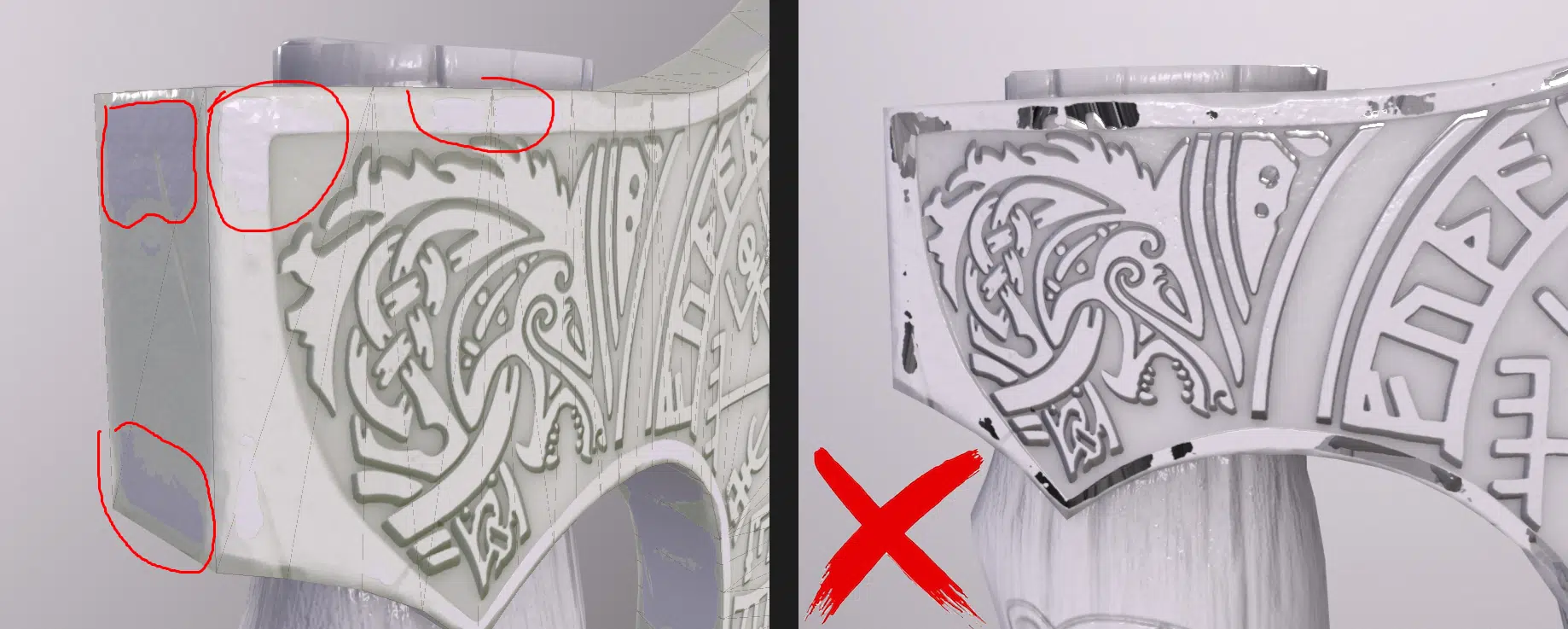
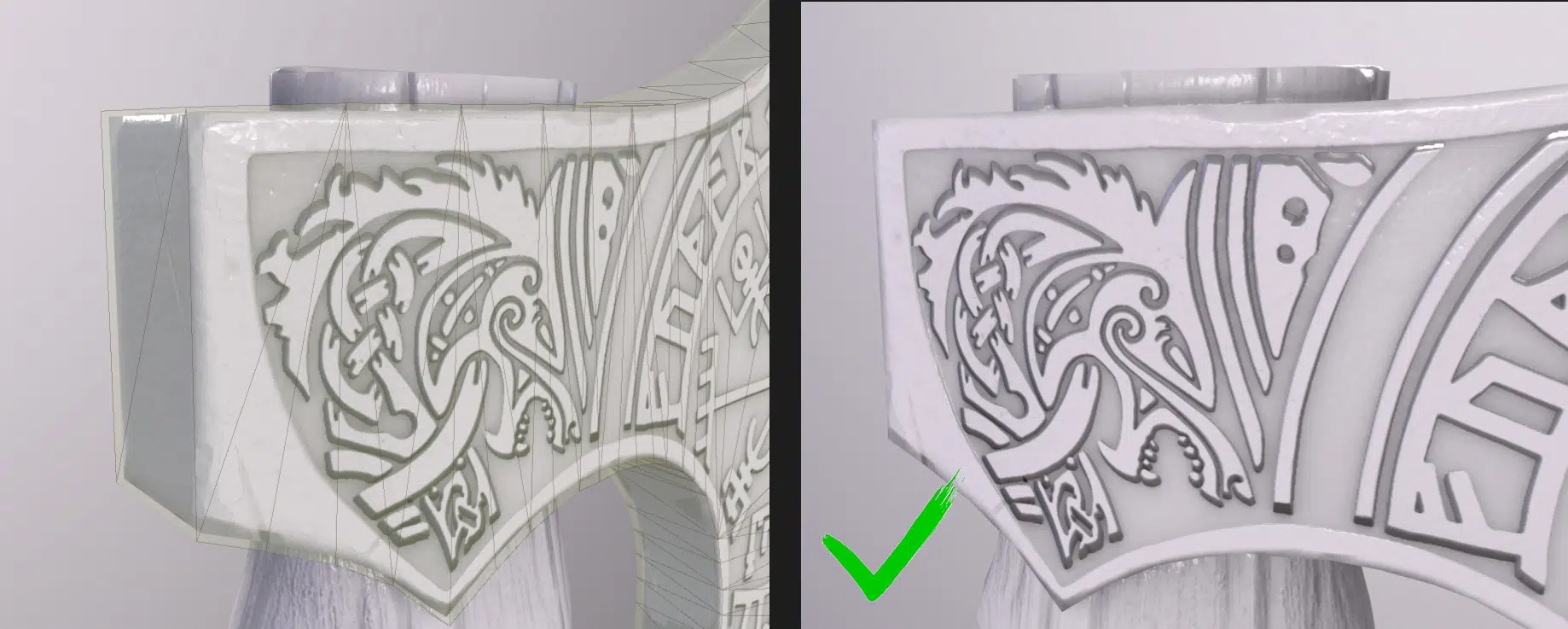
- During the retopology process using the Quadraw tool in Maya, the LOD0 model often ends up slightly smaller than the high-poly model. This discrepancy affects the cage baking and can impact the silhouette of the low-poly model.
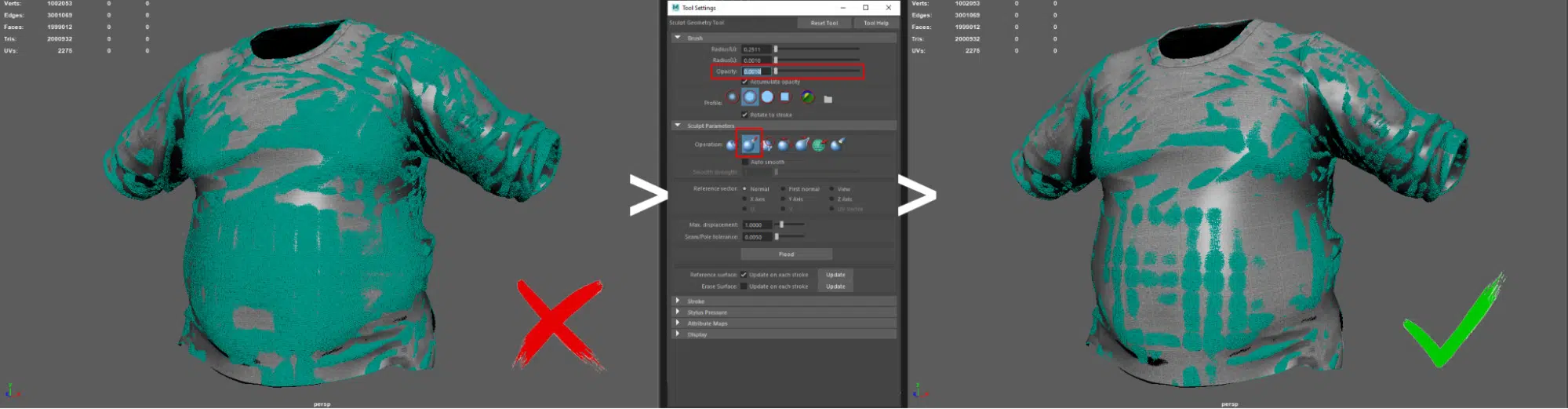
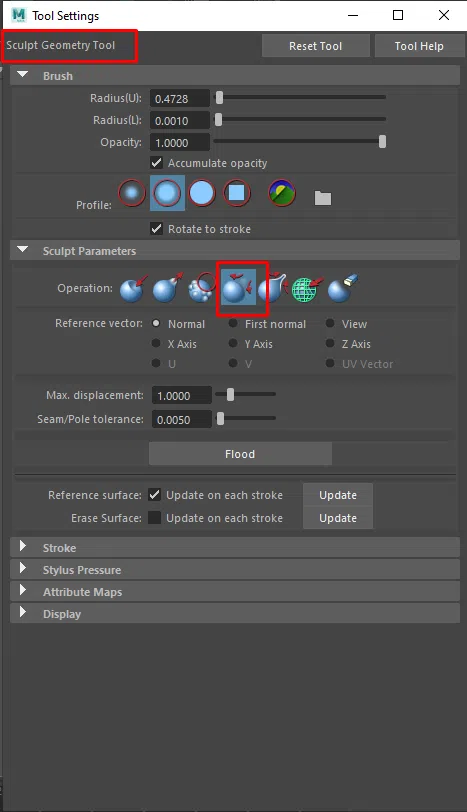
To address this, we can use the Sculpt Geometry Tool in Maya to readjust the low-poly model, ensuring it closely matches the high-poly model.
6. Topology for Haircard:
Hair card is a unique case where changes in topology can drastically affect the hair’s appearance. Different hair types – such as short, curly, hair bun, or dreadlocks – have specific requirements for topology density and twisting during implementation.
Hair cards, as the name suggests, use UV-mapped cards tailored to each hair type to simulate the hair effect. However, each hair style has a unique approach to using these cards.
For straight, long, or slightly wavy hair, the effect can be achieved by bending the cards to match the hair’s flow.
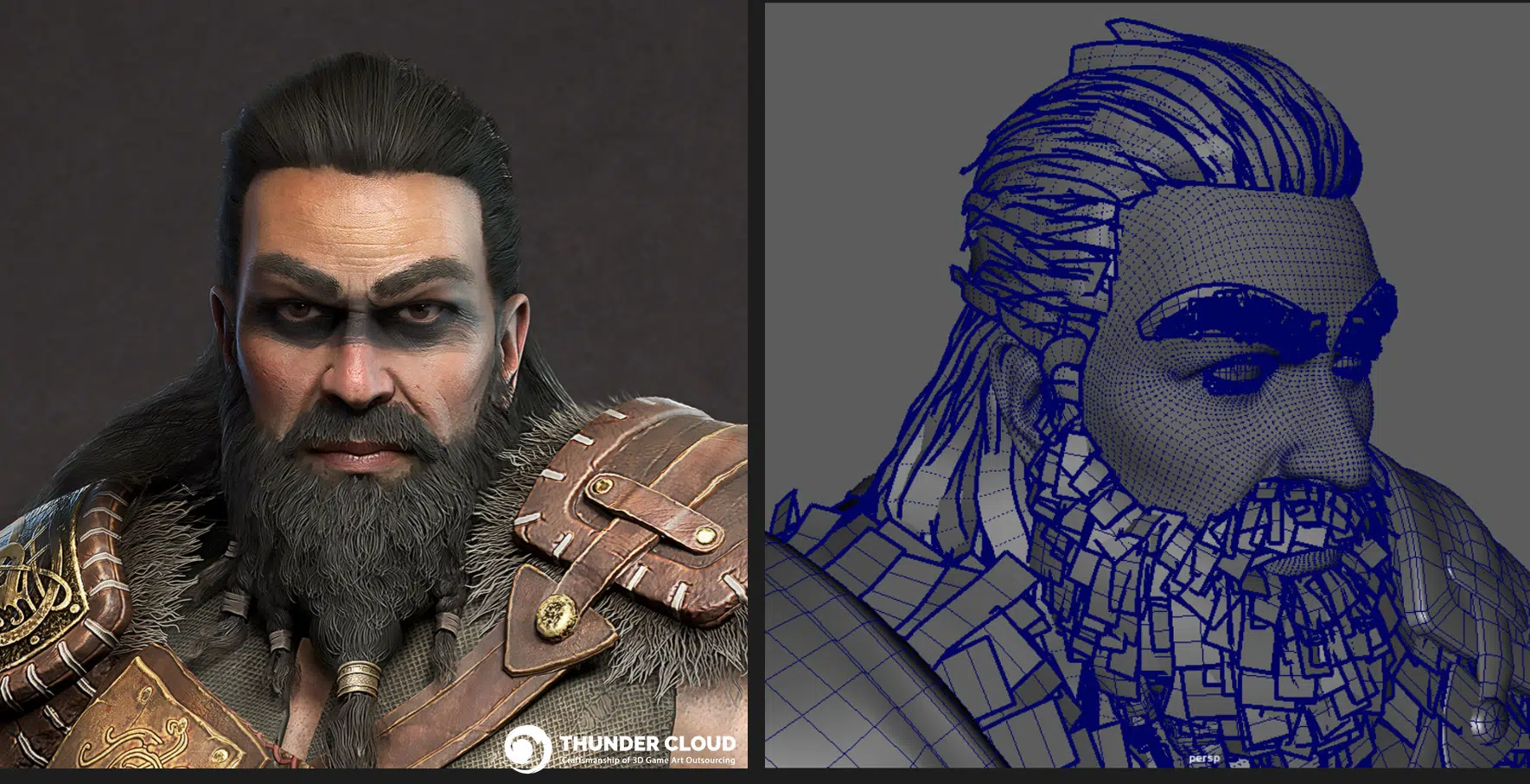
For more special hair styles like buns, the structure is more complex and requires the cards to follow the specific formation of a bun.

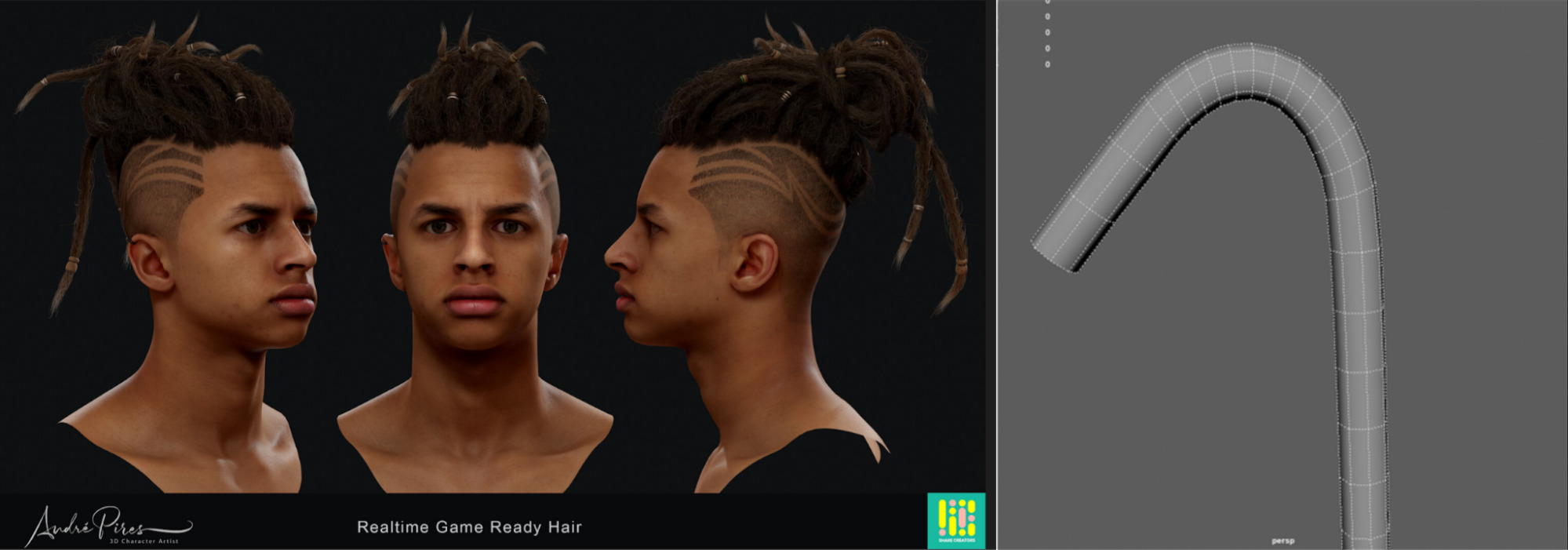
Another unique hairstyle is dreadlocks, which not only using different texture types but also often require tube-shaped meshes instead of the usual plane.

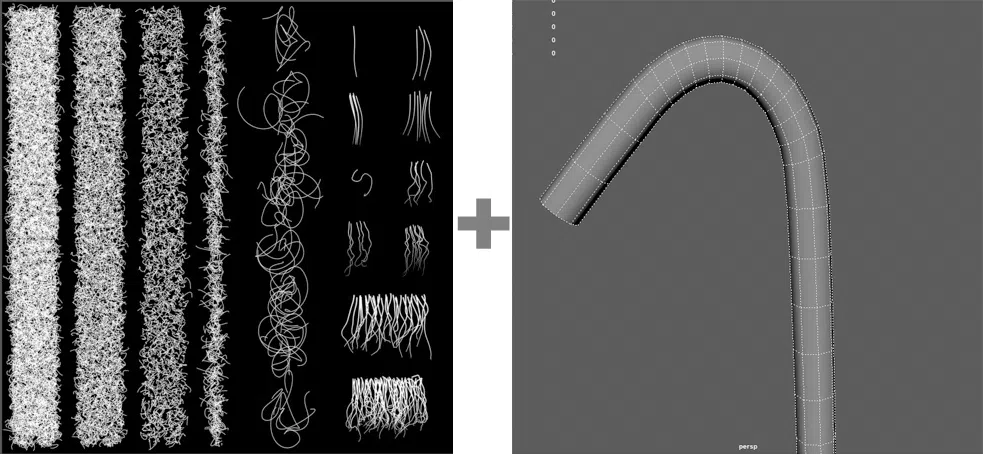
All hair types share a common characteristic is that they use a tool to bend meshes with UV in card type to achieve the desired hairstyle shape. So, what should we focus on regarding the topology of these cards?
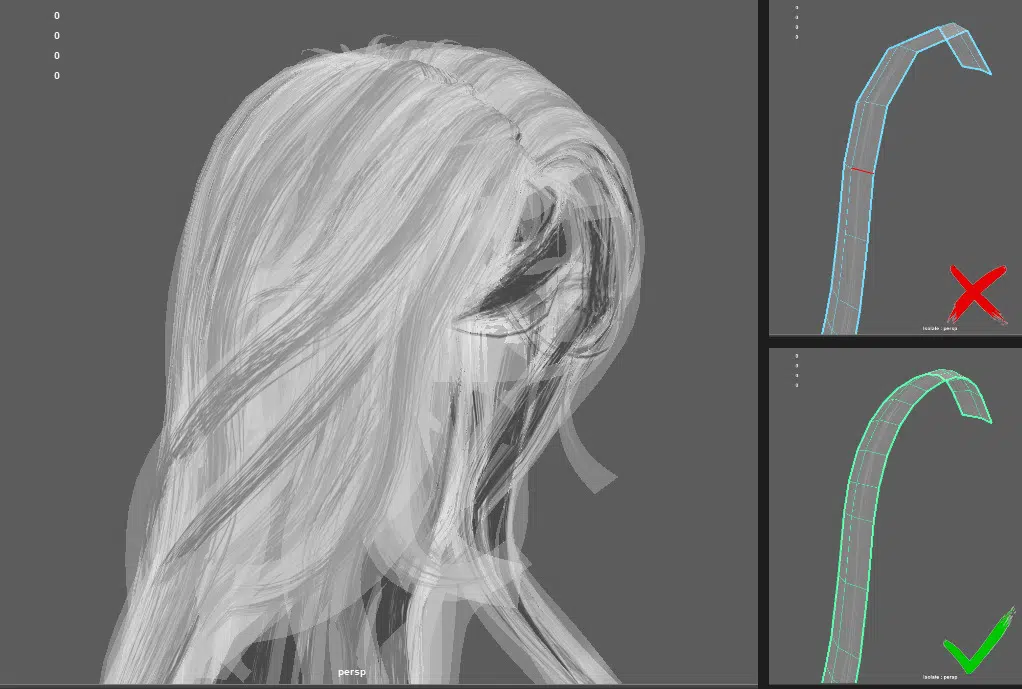
- Mesh Density for Bending and Deforming: Since most hair cards are typically curved, ensuring that the mesh density is sufficient for smooth bending is essential.
- Folded Cards for Better Display Quality but Higher Triscount: This type of hair card is commonly seen. Folded hair cards are often used for larger hair clusters because they conform better to the head’s shape and reduce issues like dead angle or penetration.
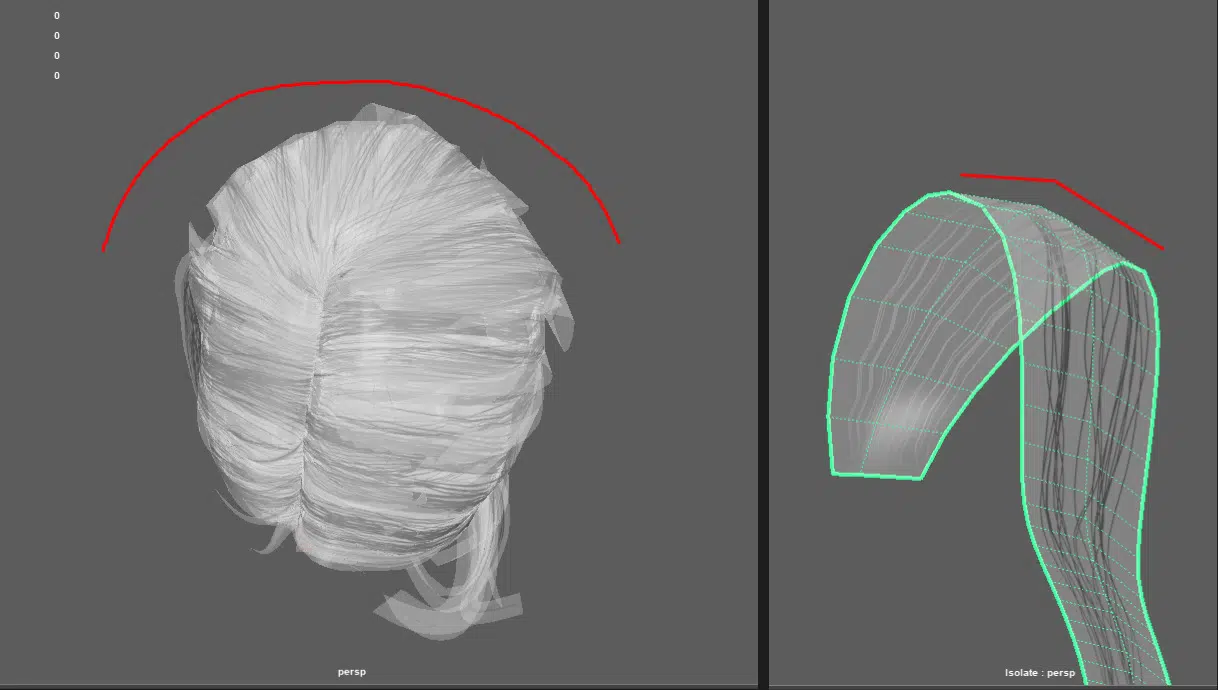
However, this increases the triscount significantly, so their use should be carefully considered.\
- Special Hair Types Require Special Card Shapes. As mentioned earlier, dreadlock hair often uses tube-shaped cards for representation.
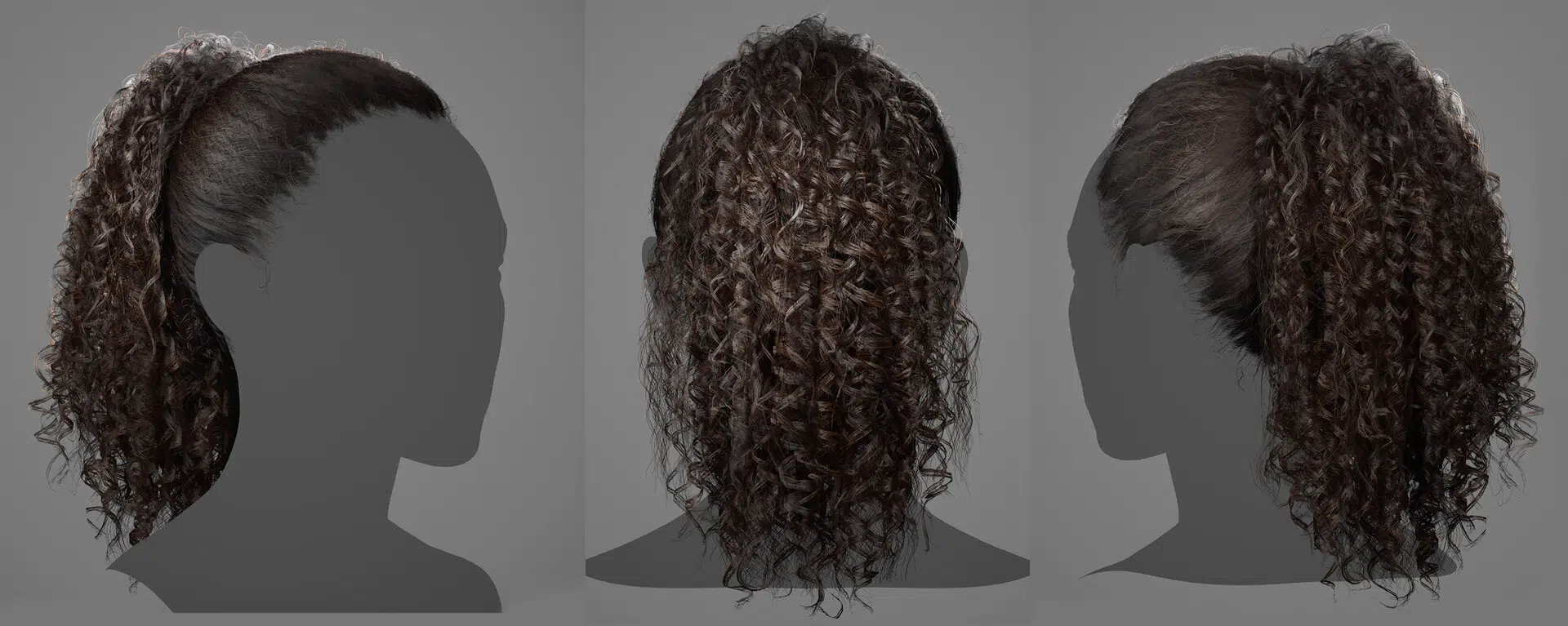
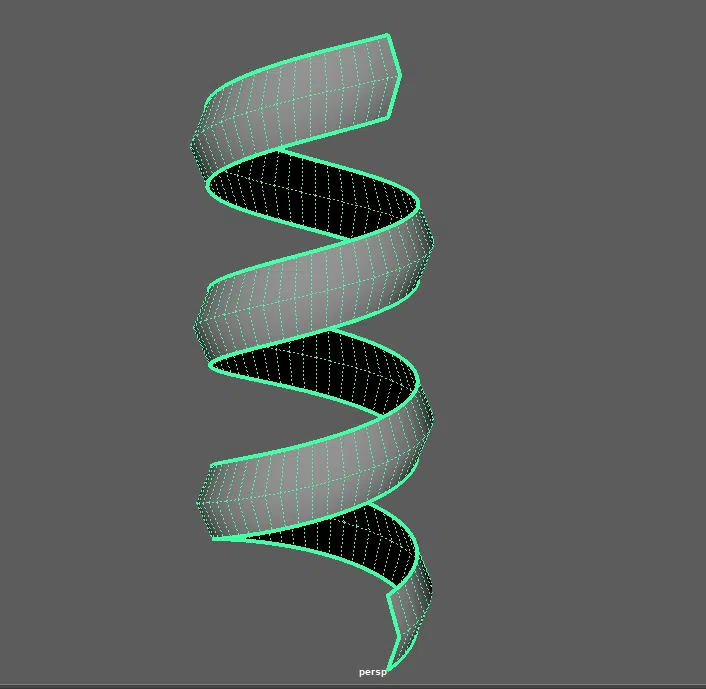
For hairstyles with significant curls, cards may be shaped as helixes to accommodate the curls effectively.
B. Topology support rigging & skinning
In addition to making the 3D artist’s modeling work more professional and precise, proper topology is extremely beneficial for the skinning and rigging stages. Topology is what determines whether a character can deform cleanly under real in-game animation, which directly affects skinning stability, weight painting time, and how “asset-ready” the animation truly is once tested in-engine.

1. Areas with natural stretch and compression that are often overlooked.
In practice, certain areas with a high range of motion are not clearly apparent in A-pose or T-pose during modeling and retopology. These areas include the armpits, groin, and eyelids (since 90% of character models have open eyes).
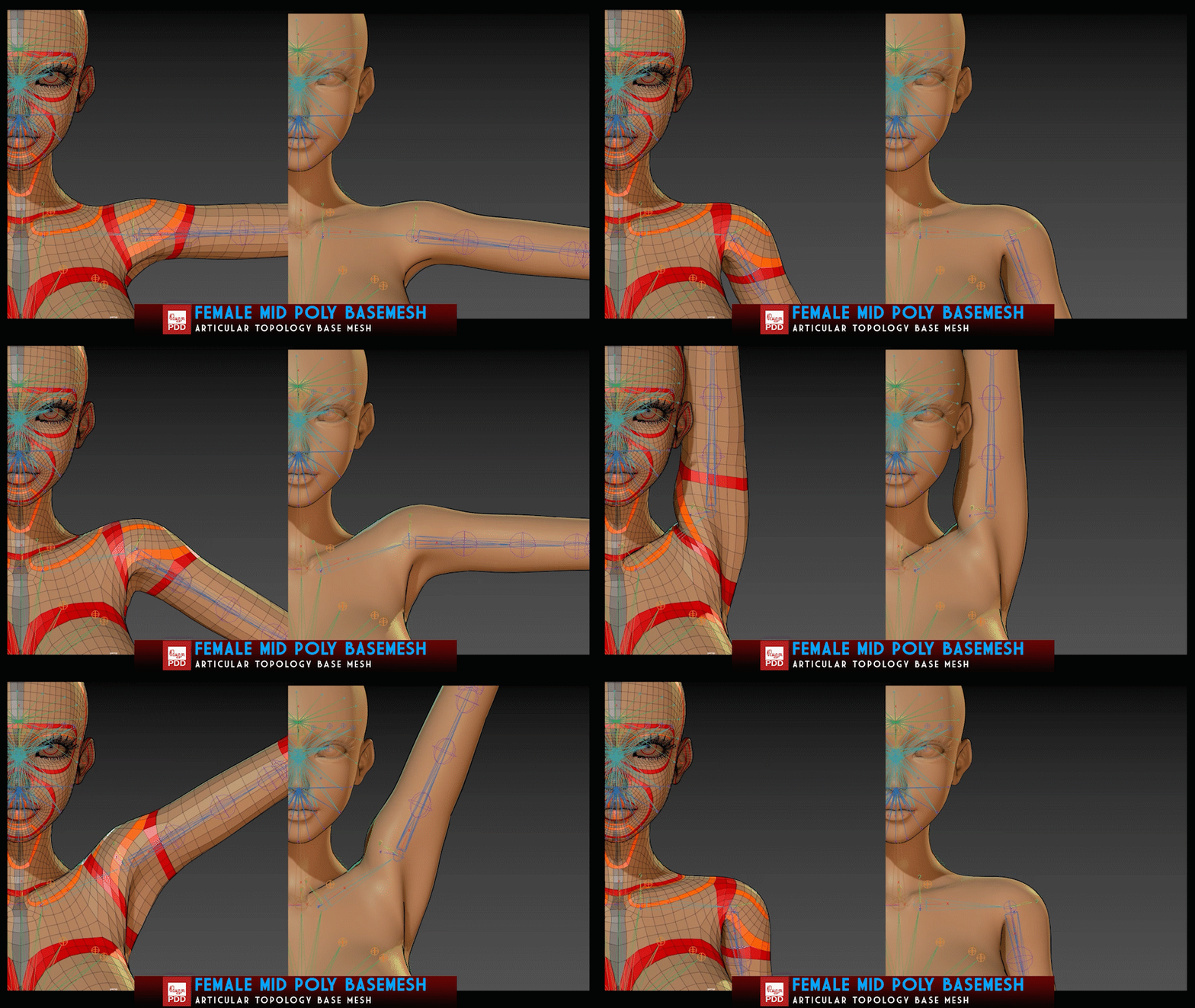
- For the armpit area: In A-pose, the full range of motion for this area is often not clearly visible. Therefore, the low-poly model needs to have a sufficient number of here to accommodate future stretching.
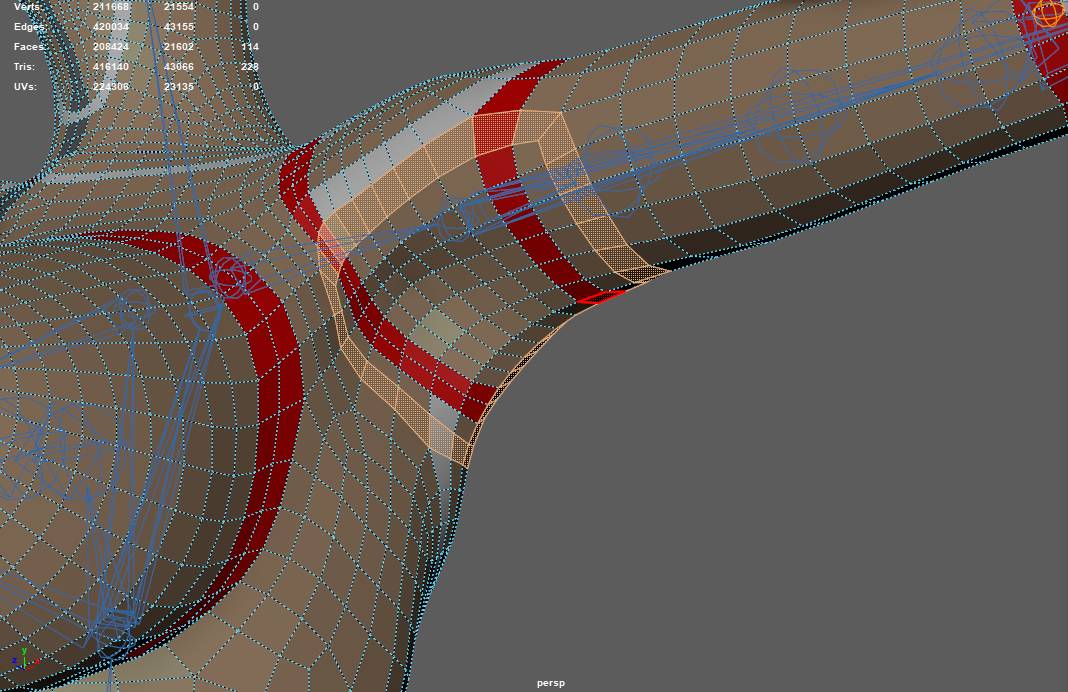
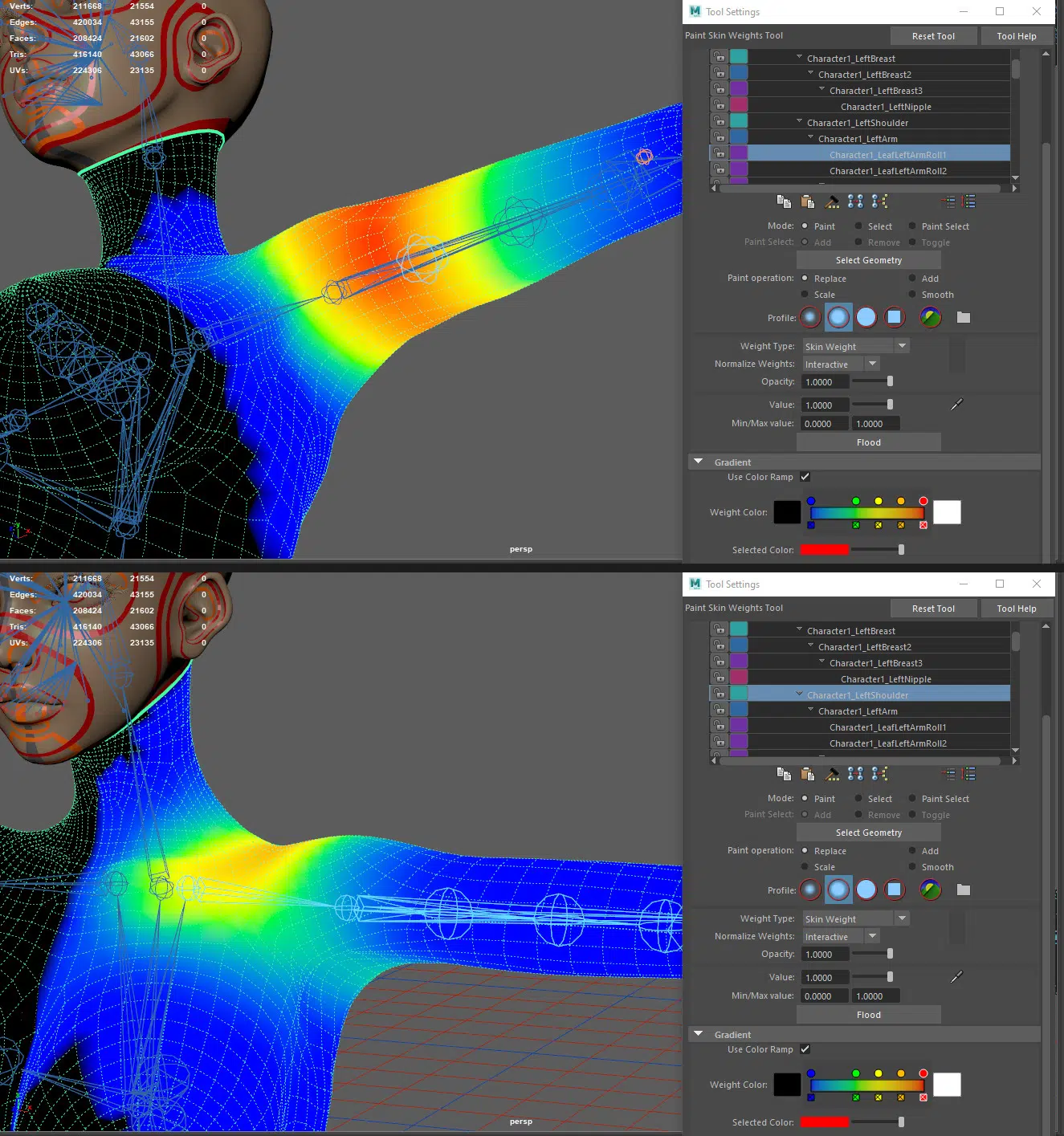
These loops also facilitate easier skinning of the arm and shoulder, allowing for more flexible movement.
- For the crotch and buttock areas: Similar issues arise as most characters are created with legs close together. Therefore, the number of loops in this area must be sufficient to ensure lateral stretching. Loops here also support forward leg movements.
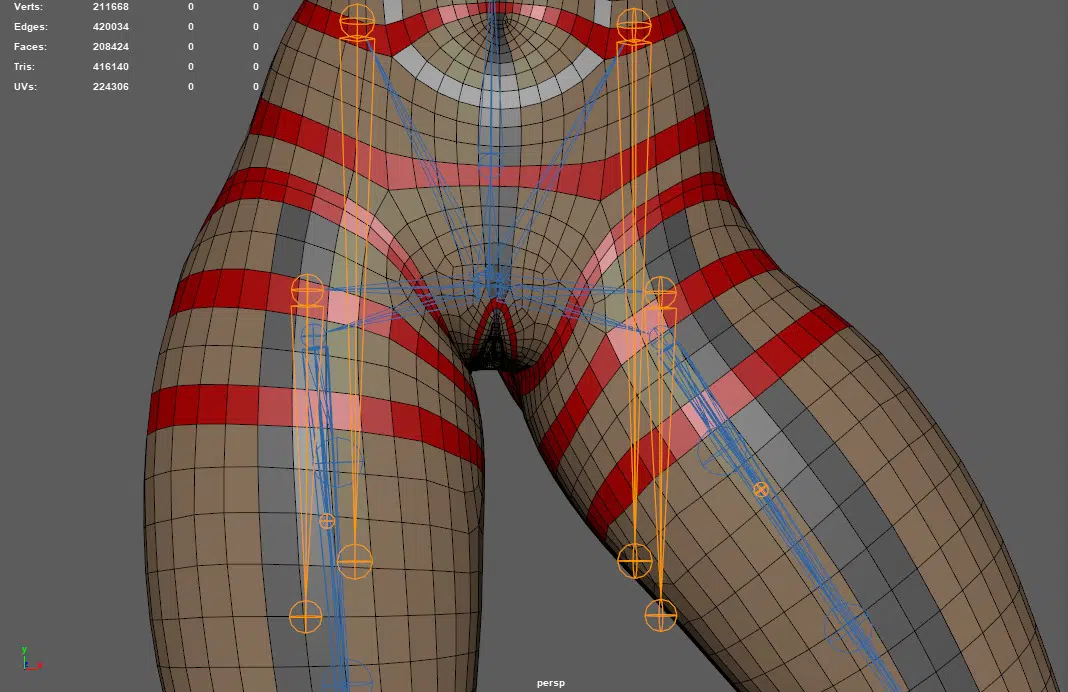
Additionally, these loops facilitate easier skinning of the leg area.
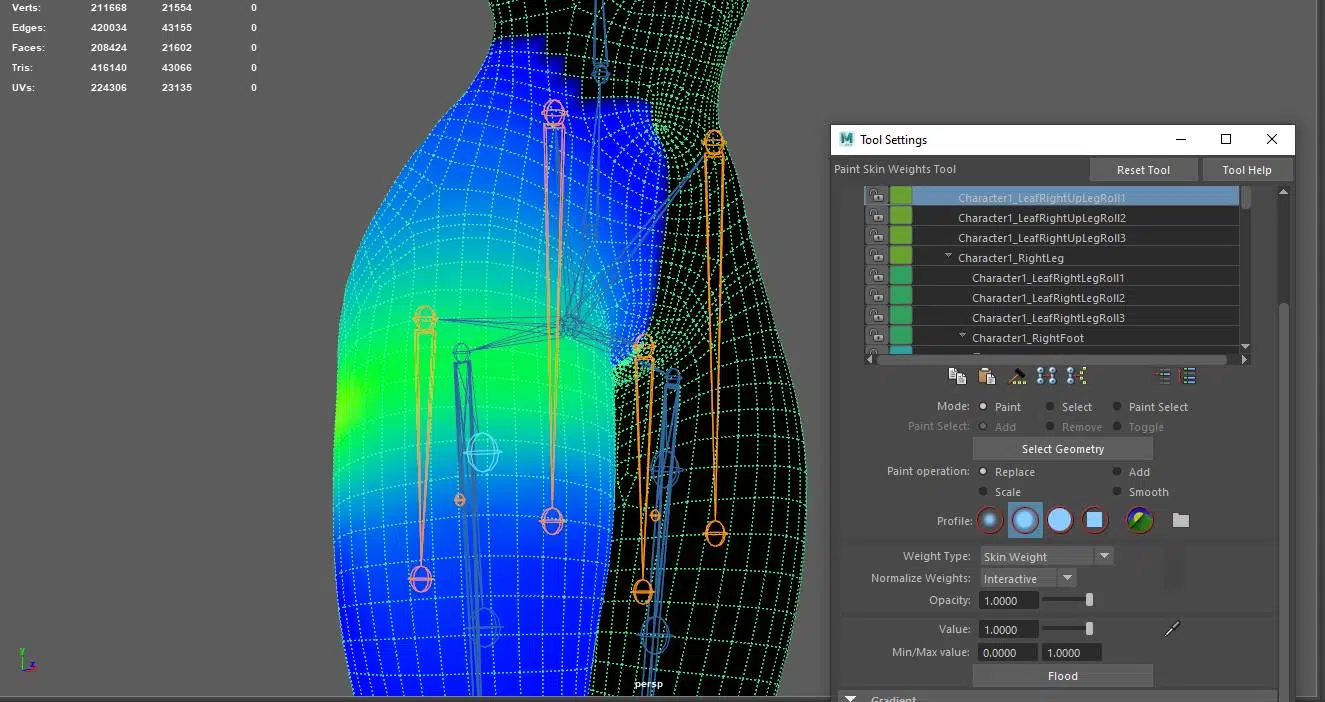
The buttock area is often inaccurately modeled because artists may overlook adding loops to define its affected area. As a result, the buttocks can appear deformed and dented during legs move forward, and may not return to their original shape properly during backward leg movements.

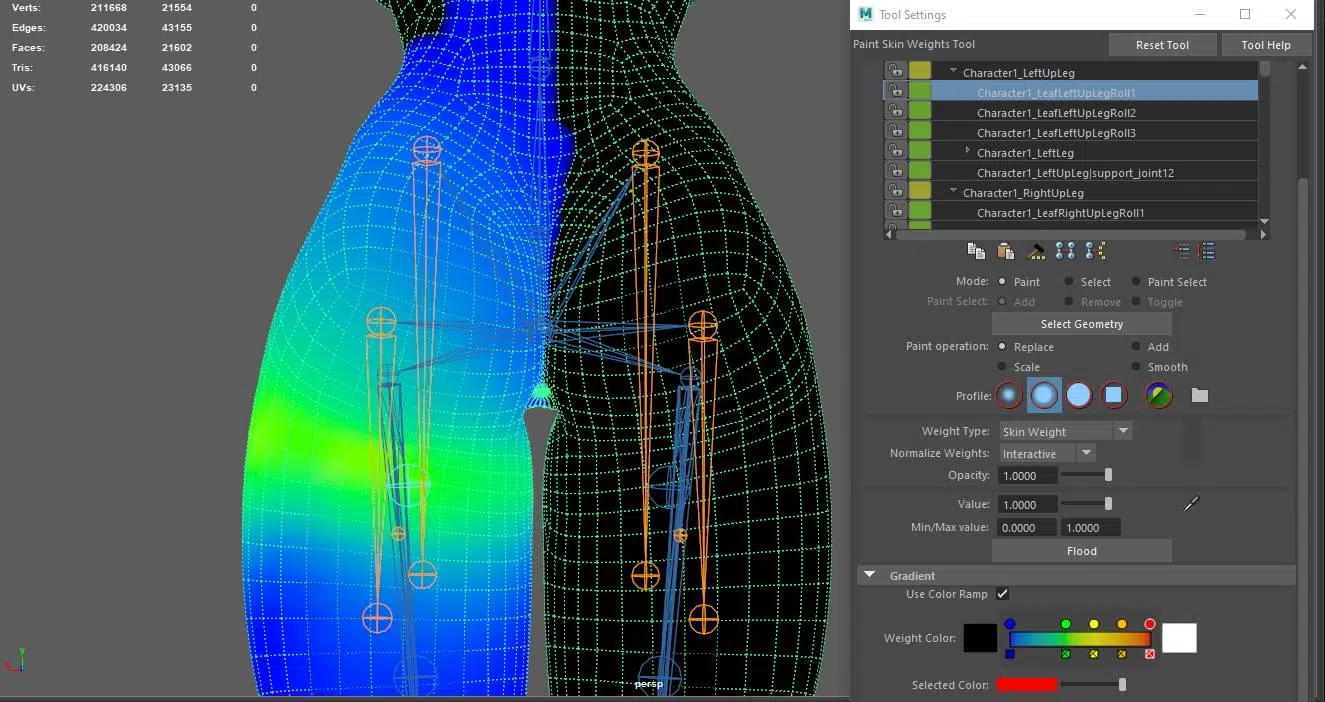
- For the Eyelid Area: As mentioned, most models are created with their eyes open. This means that if you only perform a basic retopology, the topology above the eye can stretch when the eyes are closed, causing texture and normal map distortion.
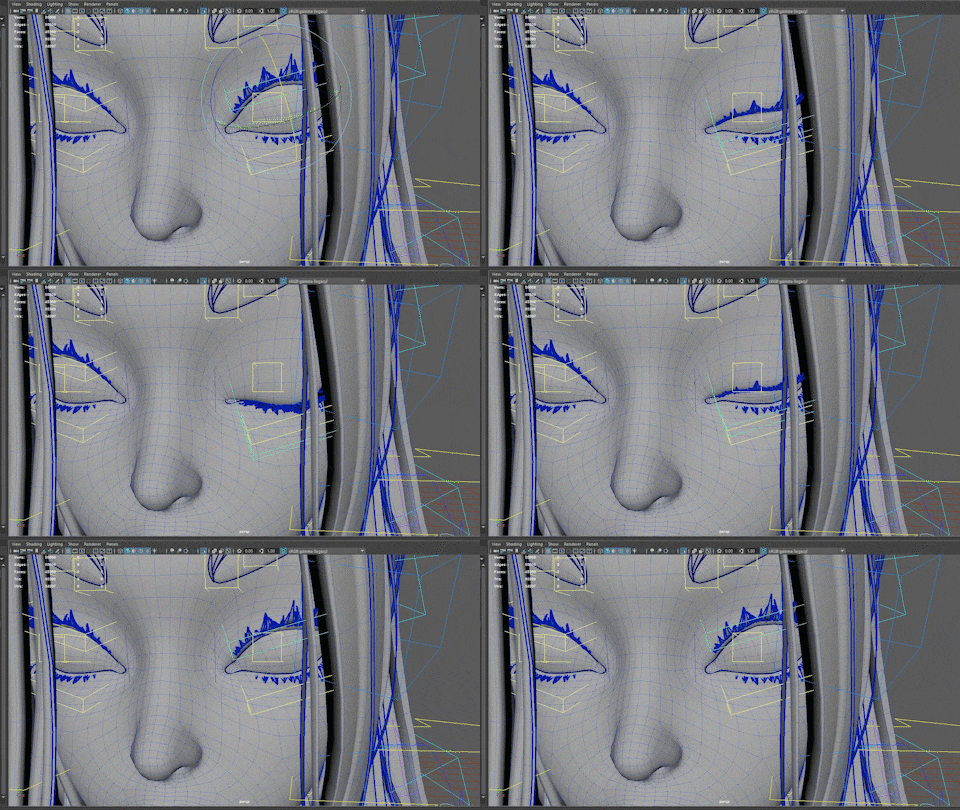
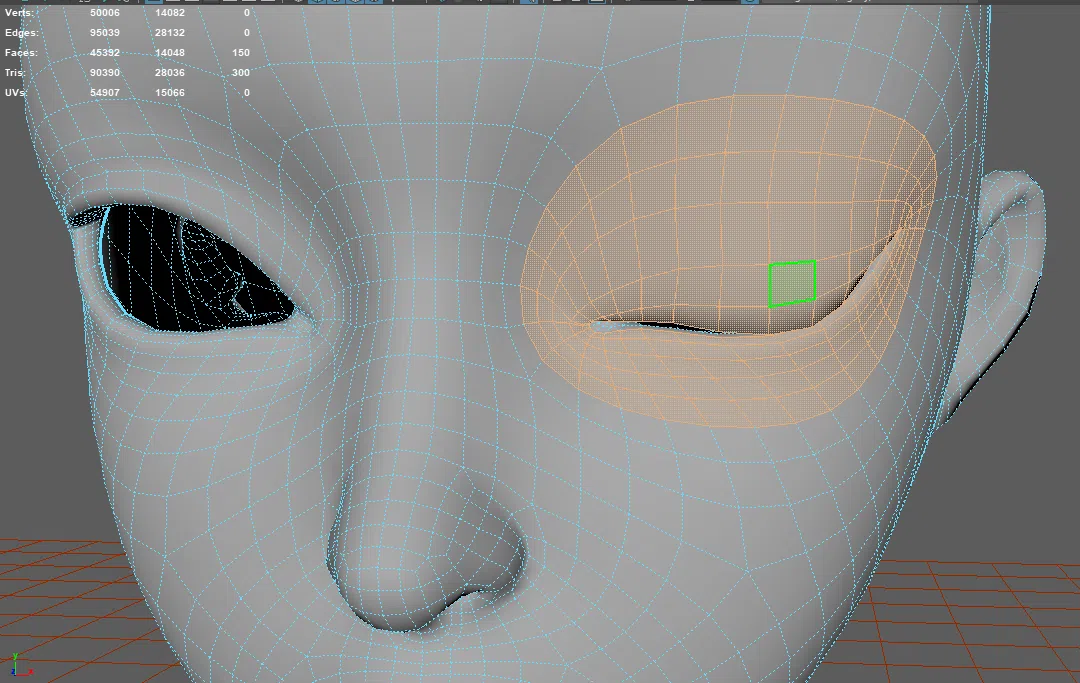
Therefore, in modeling characters, if you do not create a version of the character with closed eyes, ensure that there are enough loops around the eyelids to prevent deformation during eye-closing movements.
2. Areas with Joint Movements:
After discussing commonly overlooked areas, let’s turn to the areas that artists should pay attention to due to their significant role in the workflow due to their frequent appearance during the workflow.
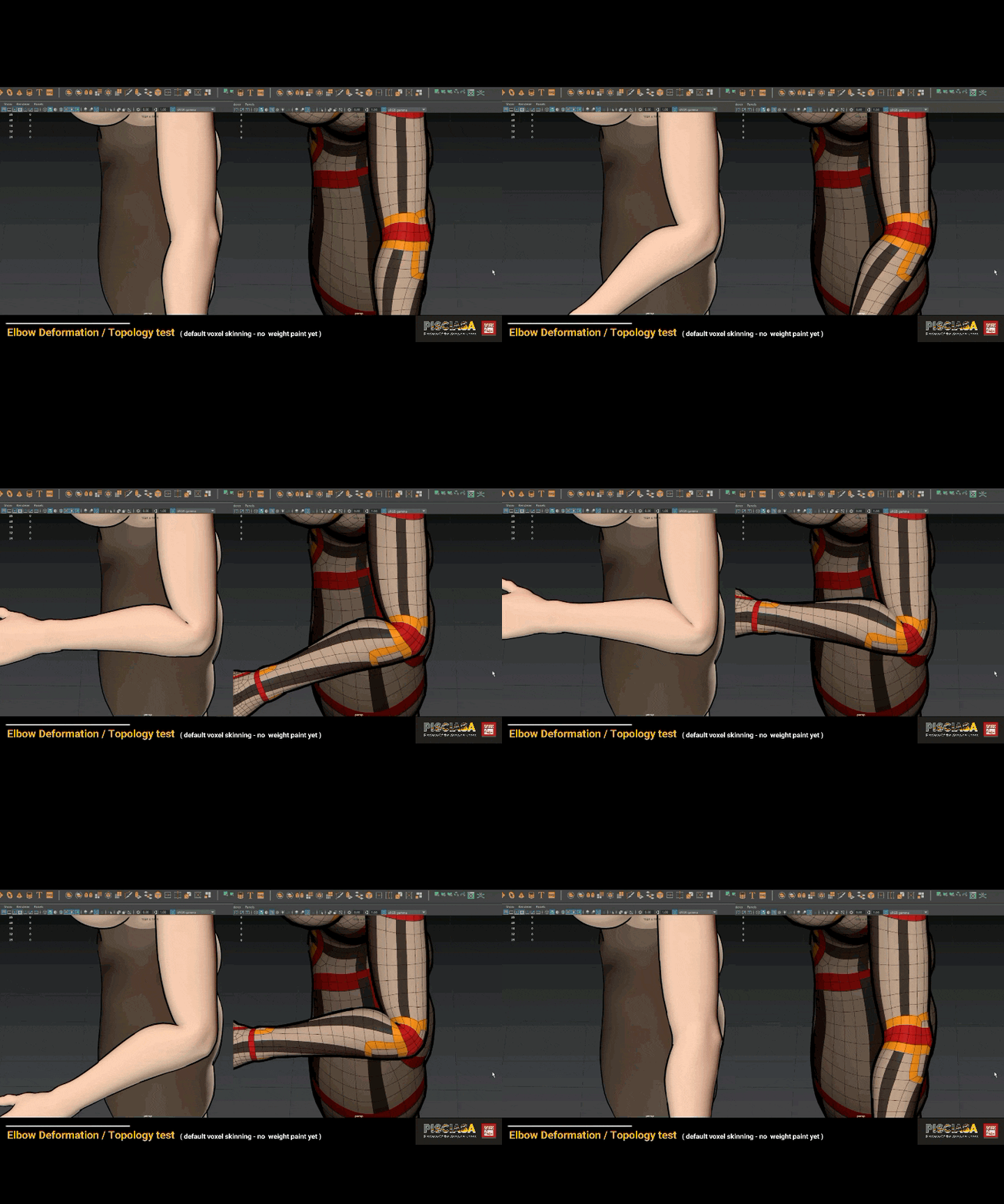
a. Topology at Elbows and Knees: These areas are grouped together because the primary movement of both the elbows and knees is bending and extending in one direction. Therefore, the loops on the inner and outer sides of these joints must accommodate deformation that occurs during these movements.
- Elbows: In practice, the topology in this area is more complex than most examples available online. However, this complexity is intentional. Besides ensuring loops for the bending and extending motions, these loops also help shape the elbow and create natural folds during movement.

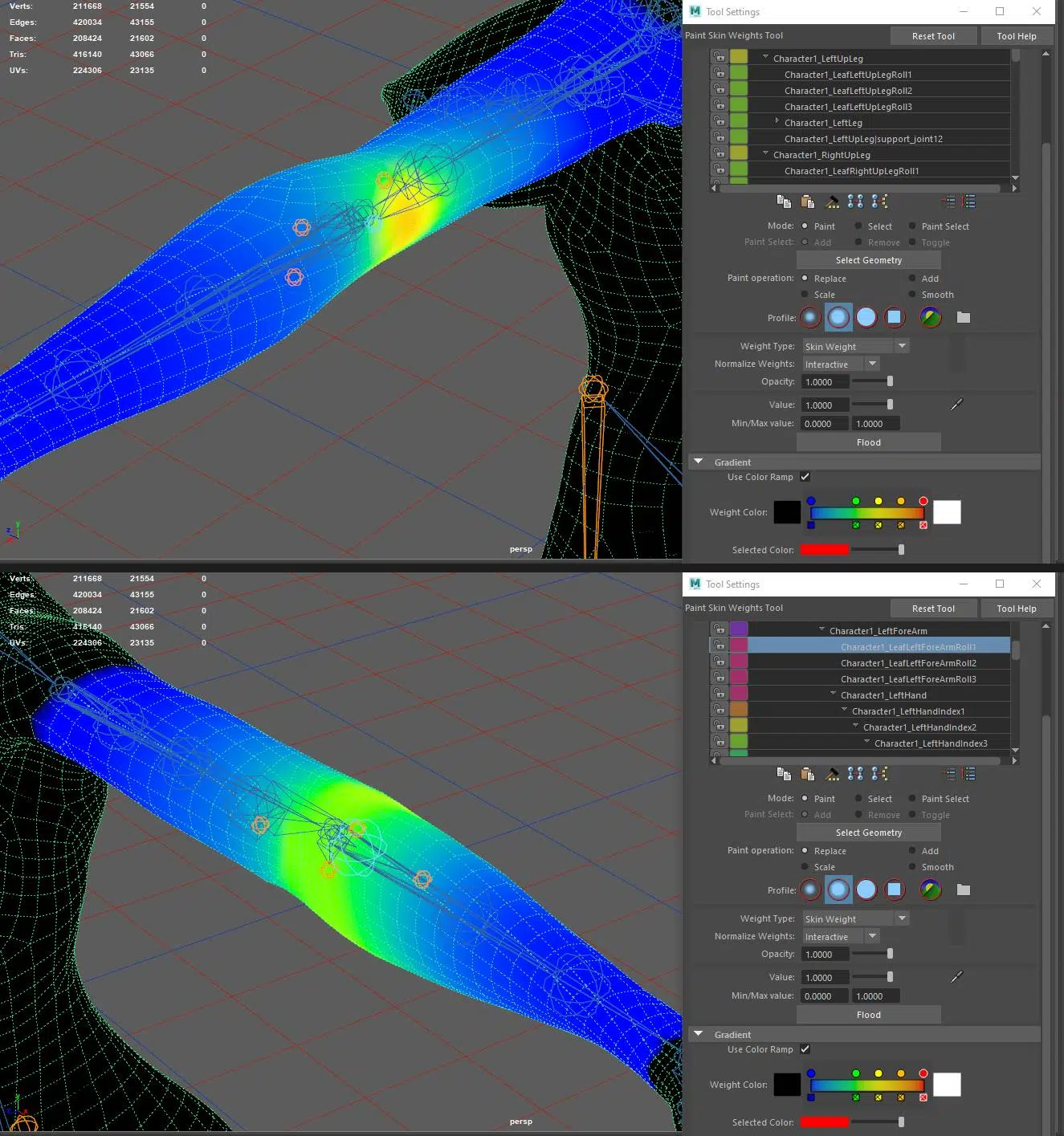
- Knees: Similarly, the topology around the knees requires careful loop placement. These loops aid in rigging and skinning, as well as shaping the knee area and creating natural-looking folds behind the knee.
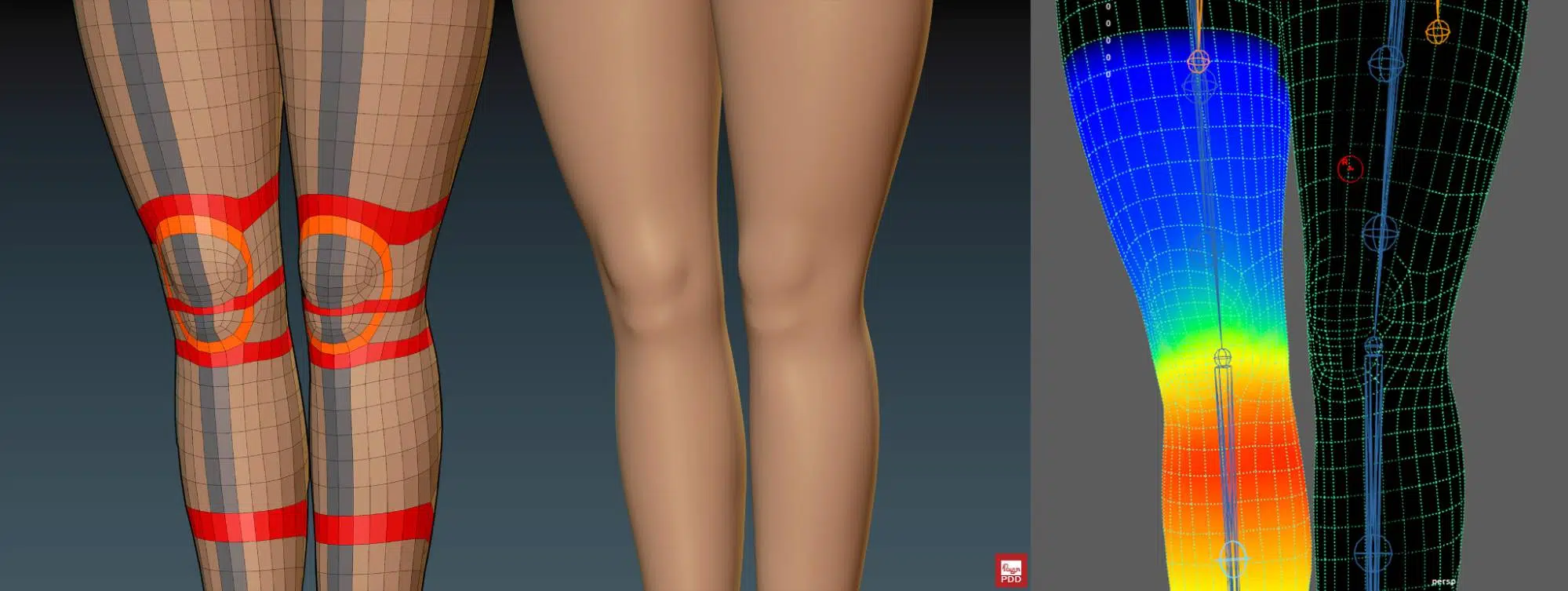
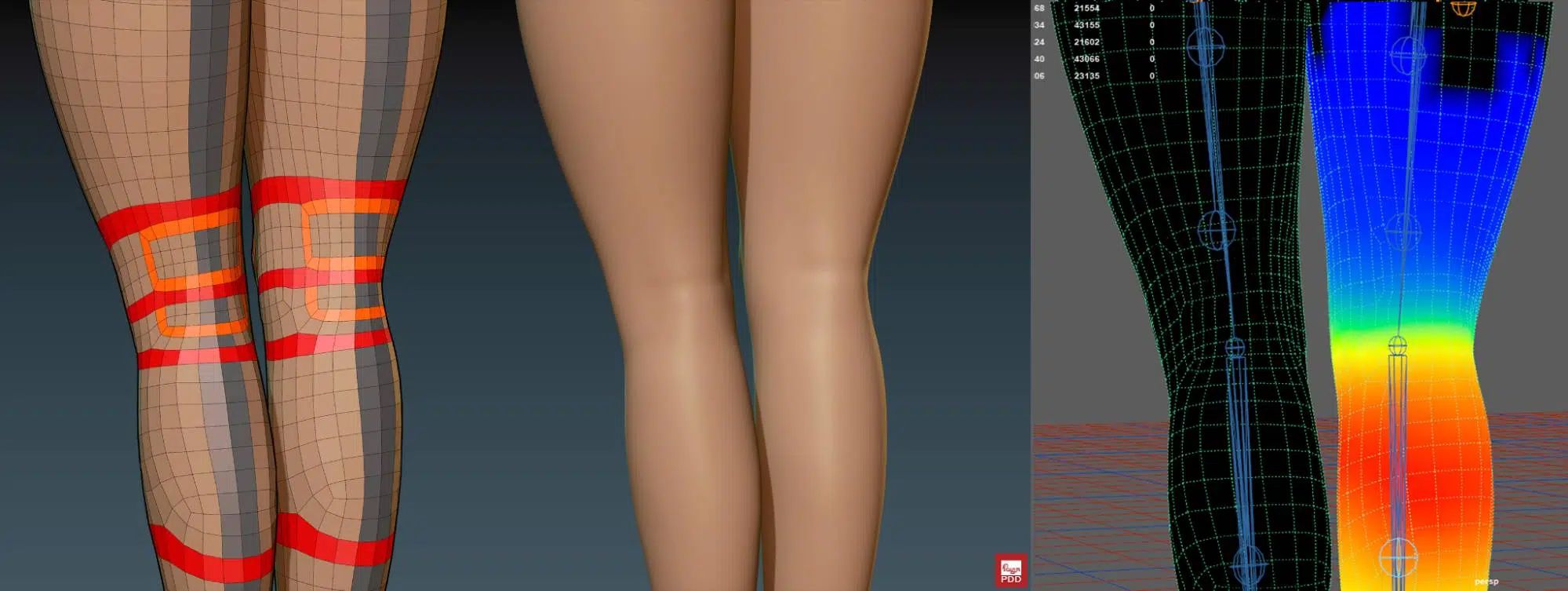
This approach ensures the low-poly model looks more polished.

b. Topology for Hands and Feet: These areas are grouped together as both hands and feet are made of joints connected in a sequence. However, due to the greater prevalence and range of motion of the hands compared to the feet, the focus will be on the hands in more detail.
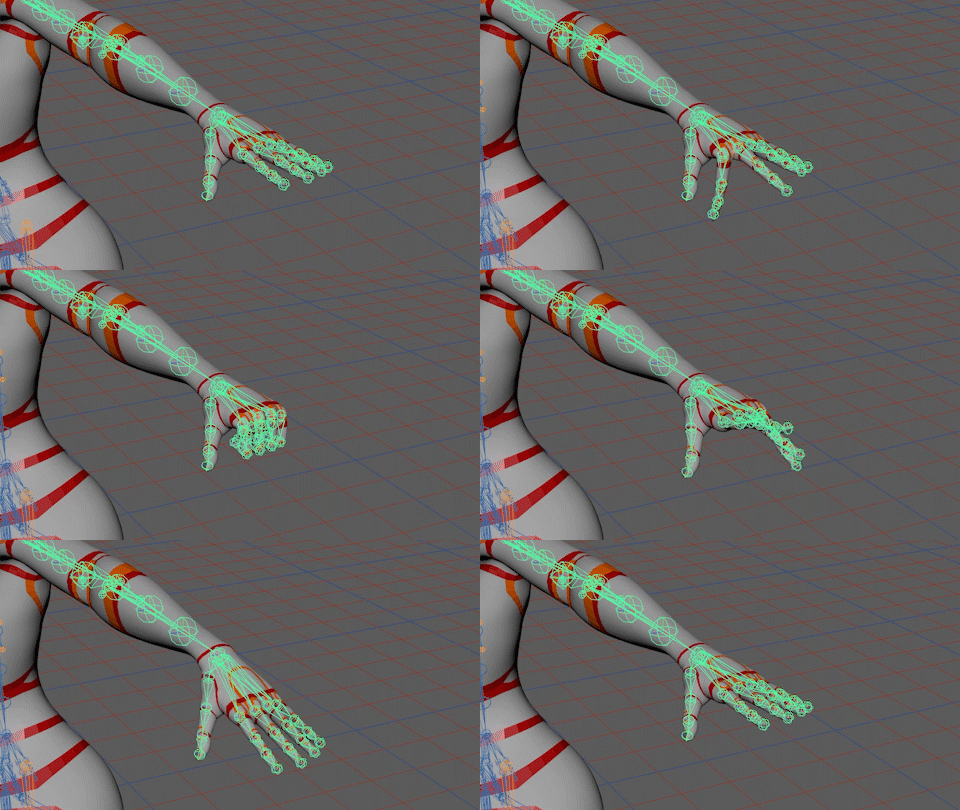
- Hand topology: Topology, in general, and specifically for hands, should align with anatomical guidelines.

For shaping purposes, the orange loops ensure the accurate representation of specific areas such as fingernails and maintain clear bone structures around the joints, even when the hand is bent or extended, making the model more realistic.
Regarding animation and skin weighting, the red loops are examples. These loops help determine the placement of bone joints during rigging and guide skin weight painting to ensure smooth hand movements.

- Foot-topology: Feet are not always visible on characters, so they often receive less attention. However, they are still important.

Like the loops used for the hands, foot topology also plays a crucial role in shaping and supporting animation, as shown in the image.
3. Topology for Muscle Groups in the Boby:
As mentioned in the hands and feet part, the topology in this body example is more detailed compared to most base models available online. However, it provides significantly higher accuracy in terms of shaping and anatomical comparation. This approach is suitable for artists aiming to enhance their skills and achieve higher tiers in their work.
- Belly topology: Examining the anatomy of the front body and comparing it with the 3D model, we can see that the red loops play a crucial role.
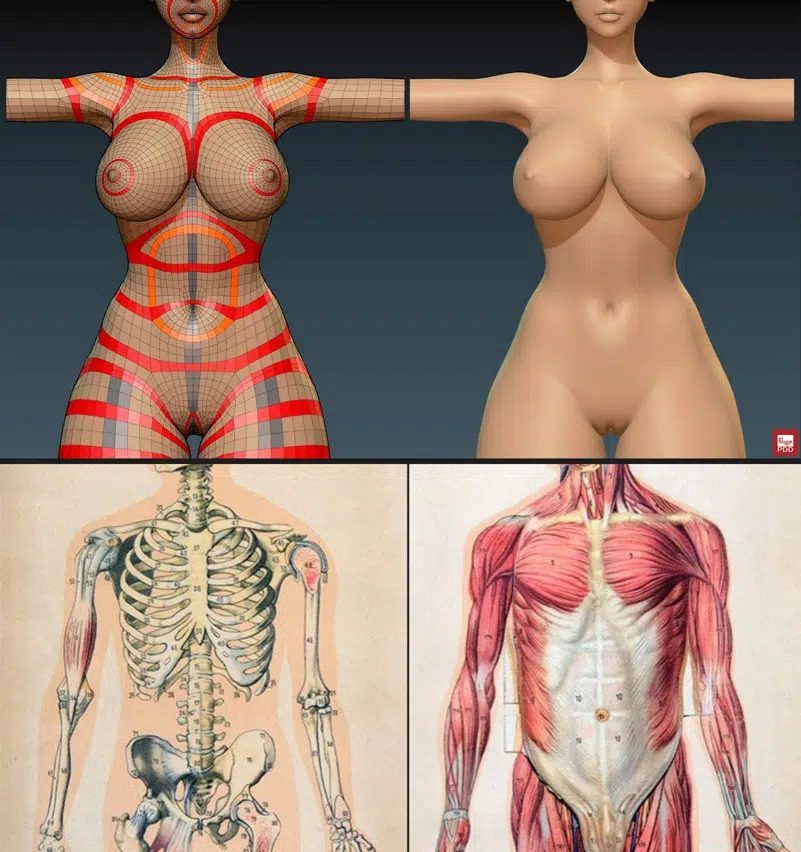
These loops not only separate different body parts like the arms, chest, legs,… but also are correctly located in positions relative to the anatomical bones important for shaping, such as the clavicle, ribs, and showcasing the pelvic cavity and iliac fossa. Furthermore, they indicate the locations of important muscles on the front, including the abdominal muscles and diaphragm…..
- Back topology: The back of the torso typically has a higher mesh density due to the greater muscle mass compared to the front. The red loops running from front to back continue to play a role in representing the rib and pelvic bones.
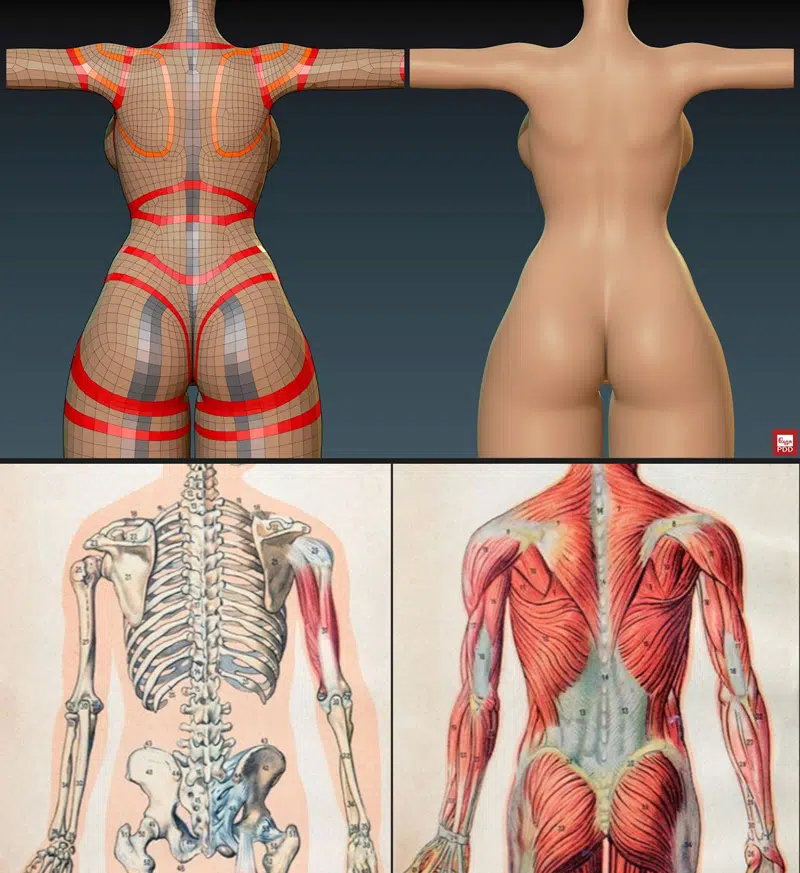
Additionally, the muscles of the back, including the teres major, teres minor, and middle back muscles, are defined by the orange mesh. The topology directly below this area tends to extend towards the arms, indicating the movement direction of the latissimus dorsi. Furthermore, the model also shows loops that represent the erector spinae muscles located on either side of the spine.
C. Topology for Parts Using Simulators.
Physics simulators are tools that help artists manage physical interactions more easily. They are commonly used for clothing, hair, or areas with high bounce on the body.
a. Body part: Parts designated for simulation should have a relatively large volume to clearly display the physical effects. The mesh density must also be enough (while remaining consistent with other body areas to maintain a cohesive body structure) to ensure smooth movement.
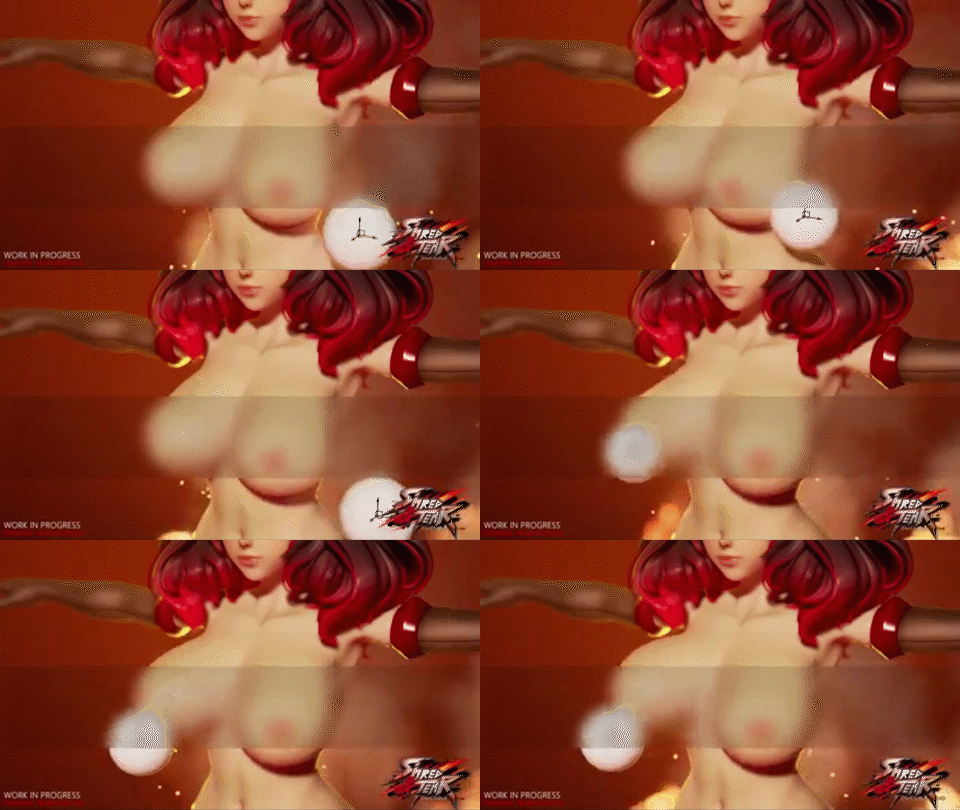
Additionally, since simulation movements are automatic, it’s important to minimizing the use of triangles and n-gons. This helps avoid undesirable deformations or incorrect normal vertex displays that cannot be manually adjusted.

b. Clothing: Tools for simulating fabrics are now available in many different 3D software such as Maya and Blender. There are also specialized applications exclusively designed for this purpose, such as Marvelous Designer.
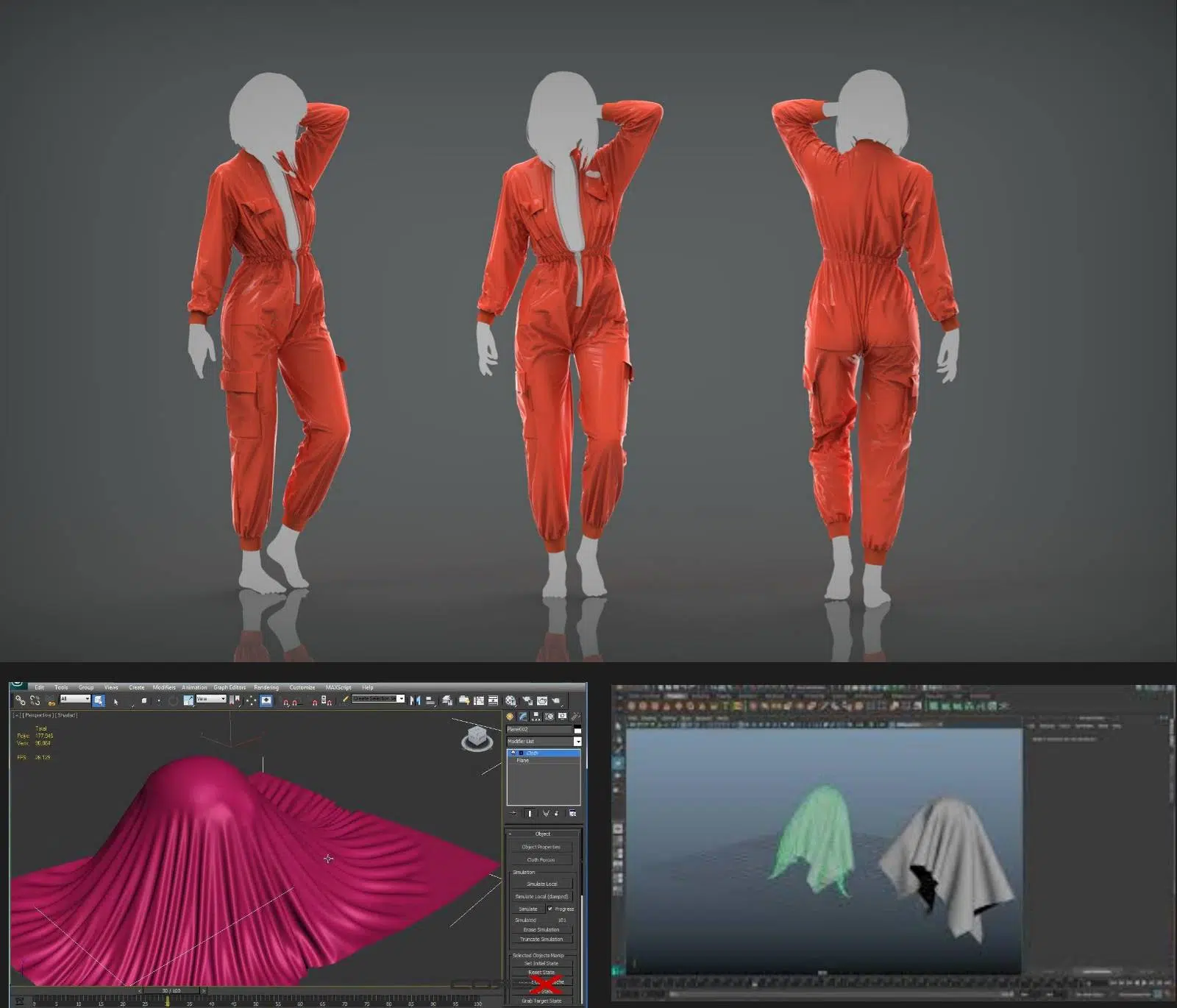
These tools significantly reduce the workload for artists when making character clothing. However, there are some tips that can make working with these tools easier.
- Triangulated Meshes for More Accurate Results: Unlike body parts, clothing pieces achieve the most accurate simulation results when the quad mesh is divided into triangles.

This is because triangulated meshes allow for greater bending and stretching flexibility, effectively eliminating issues like concave faces.
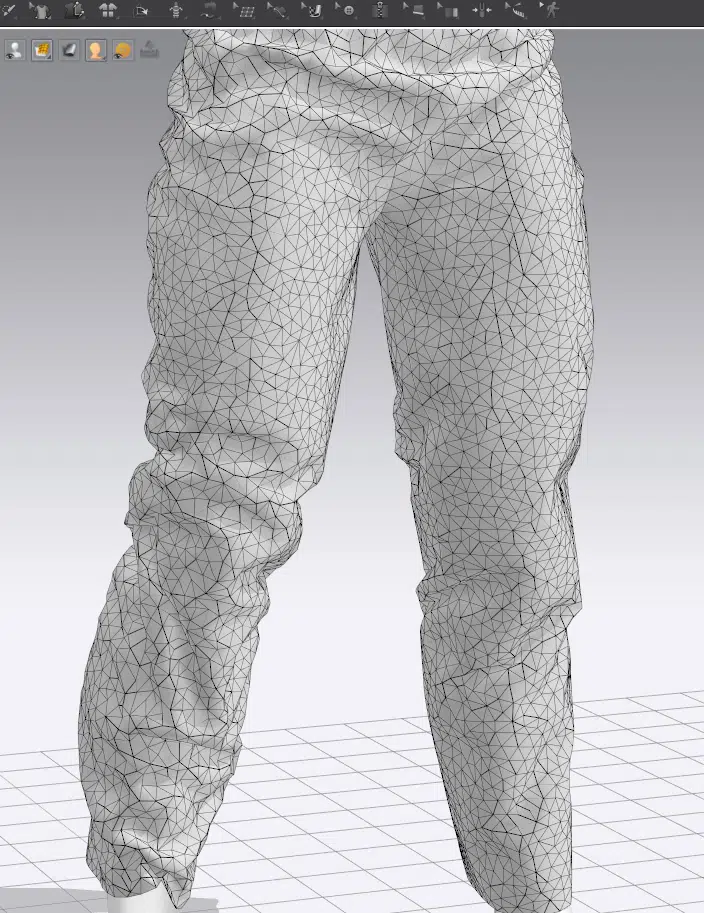
A model with this topology also helps reduce computational load for the computer, as they are optimized for calculation. For those interested in those formulas, you can refer to this article:
https://graphics.stanford.edu/~mdfisher/cloth.html
This is why, Marvelous Designer converts meshes to triangles formats by default.
Fortunately, thanks to the continuous development of tools, you no longer need to manually divide meshes. Modern tools automatically convert them to triangles for easier processing, and then you can use remeshing or retopology tools to revert them to quad meshes if needed.
- Avoid Adding Thickness to Fabric When Simulating. The reason is that simulation tools often struggle to accurately calculate and maintain the fabric thickness if it’s added upfront. This can lead to uncontrolled intersections between the inner and outer surfaces, which can be difficult to adjust later.
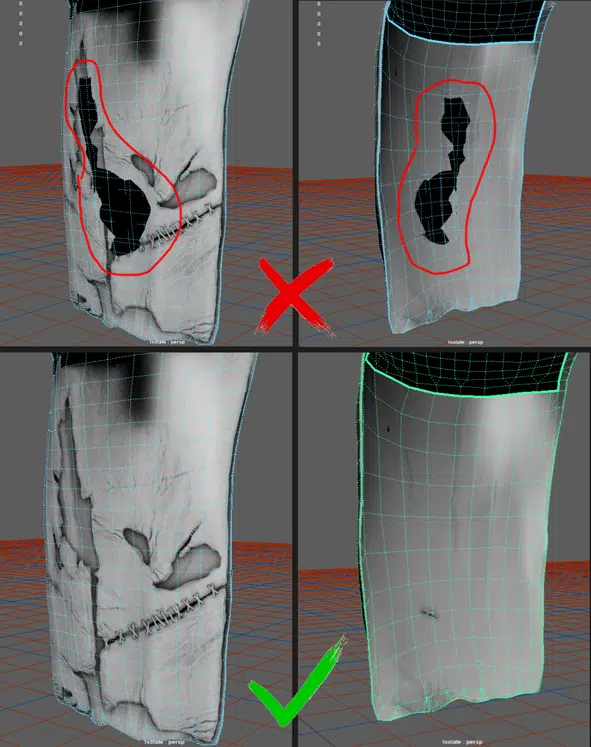
Develop the habit of working with a single-layer model first, achieving satisfactory results, and then adding thickness afterward. This approach will yield much better results.
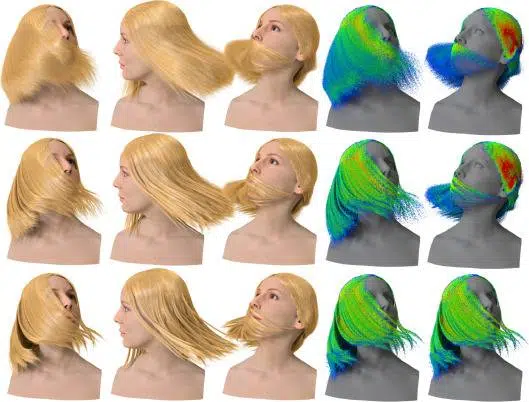
c. Hair Simulation: This task is more commonly associated with film production than with game development due to the high hardware requirements and specific demands it entails. Therefore, we will not be covering it in this article.
D. Topology for Engine Compatibility.
When it comes to Engine, optimization becomes a key focus, as it is likely the final stage in working with a model. By the time a model is brought into Engine for lookdev or game creation, it should already meet the requirements and standards mentioned earlier. Furthermore, each Engine may have its own specific requirements that artists should be aware of to streamline their workflow.
This article will cover the two most popular and accessible Engine software: Unreal Engine and Unity.
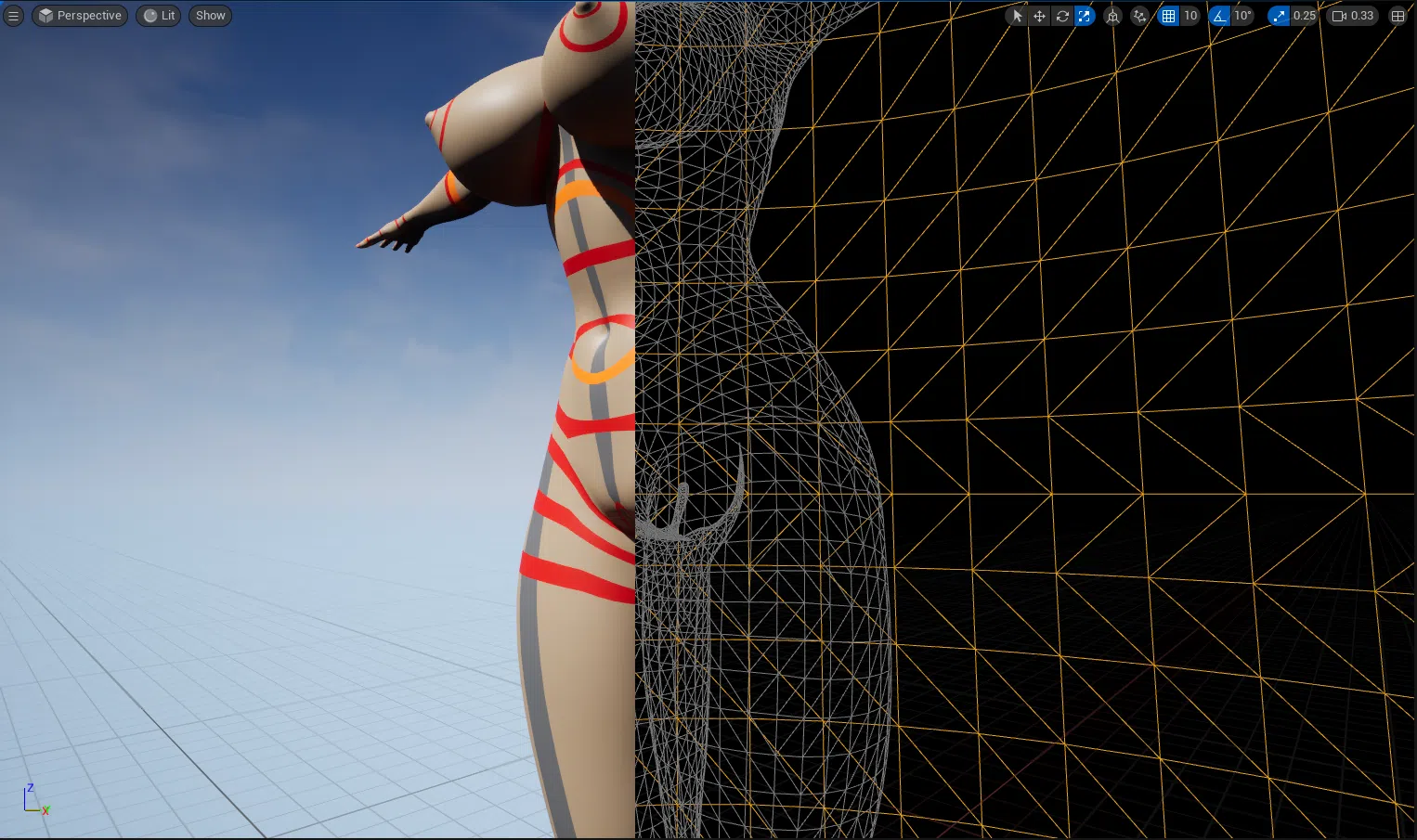
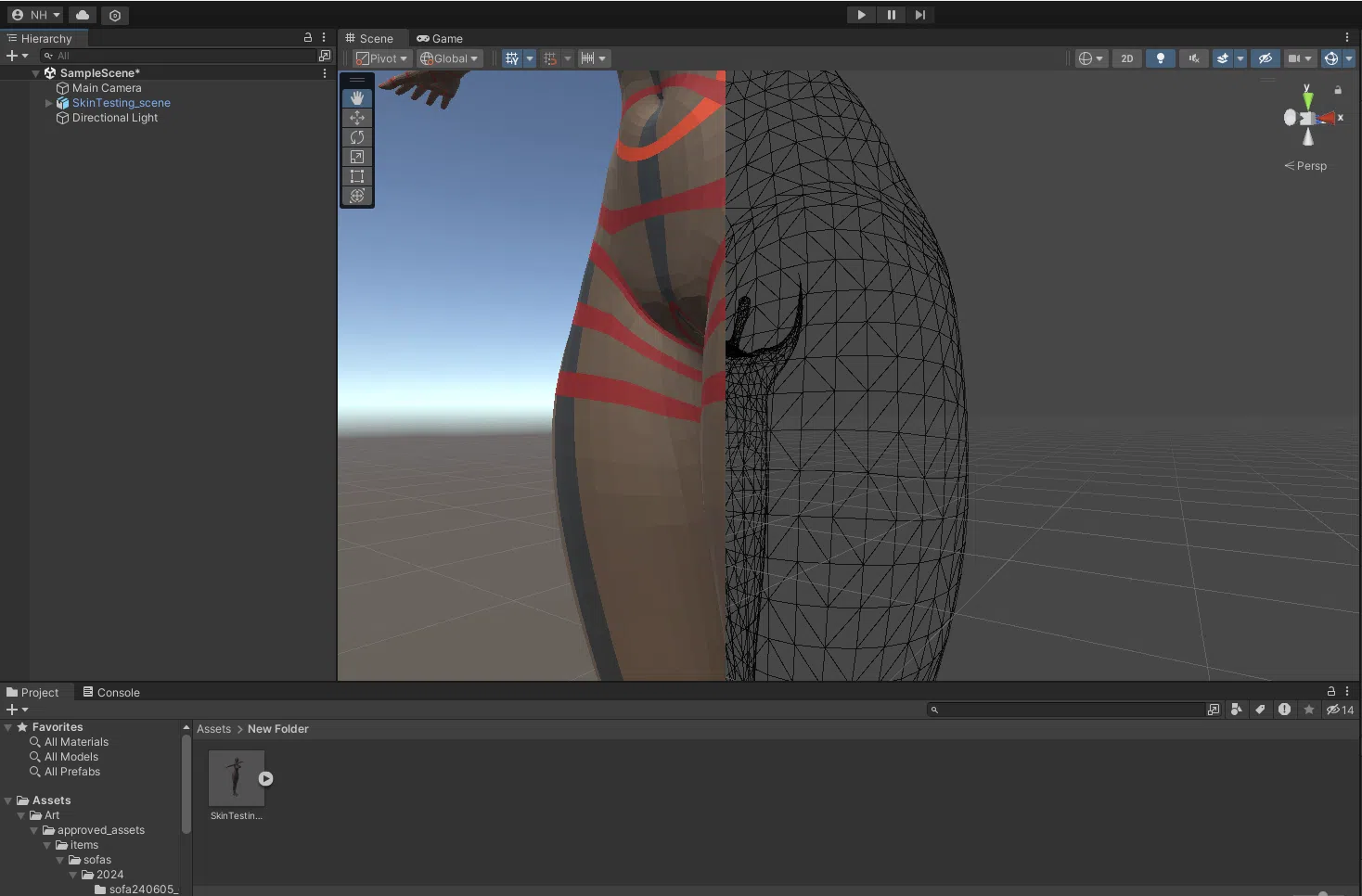
a. Quad & Triangles: When models are imported into Engine, their mesh is converted into triangles by connecting the diagonals of each quad.
However, the method of connecting diagonals differs between these 2 Engine software. In Unreal Engine, the connected meshes align with the model FBX exported from Maya.
In Unity, the triangulation is done in the opposite manner, matching the model FBX exported from 3DS Max.
This discrepancy can sometimes cause texture misalignment between the two software due to changes in the model’s normal vectors.
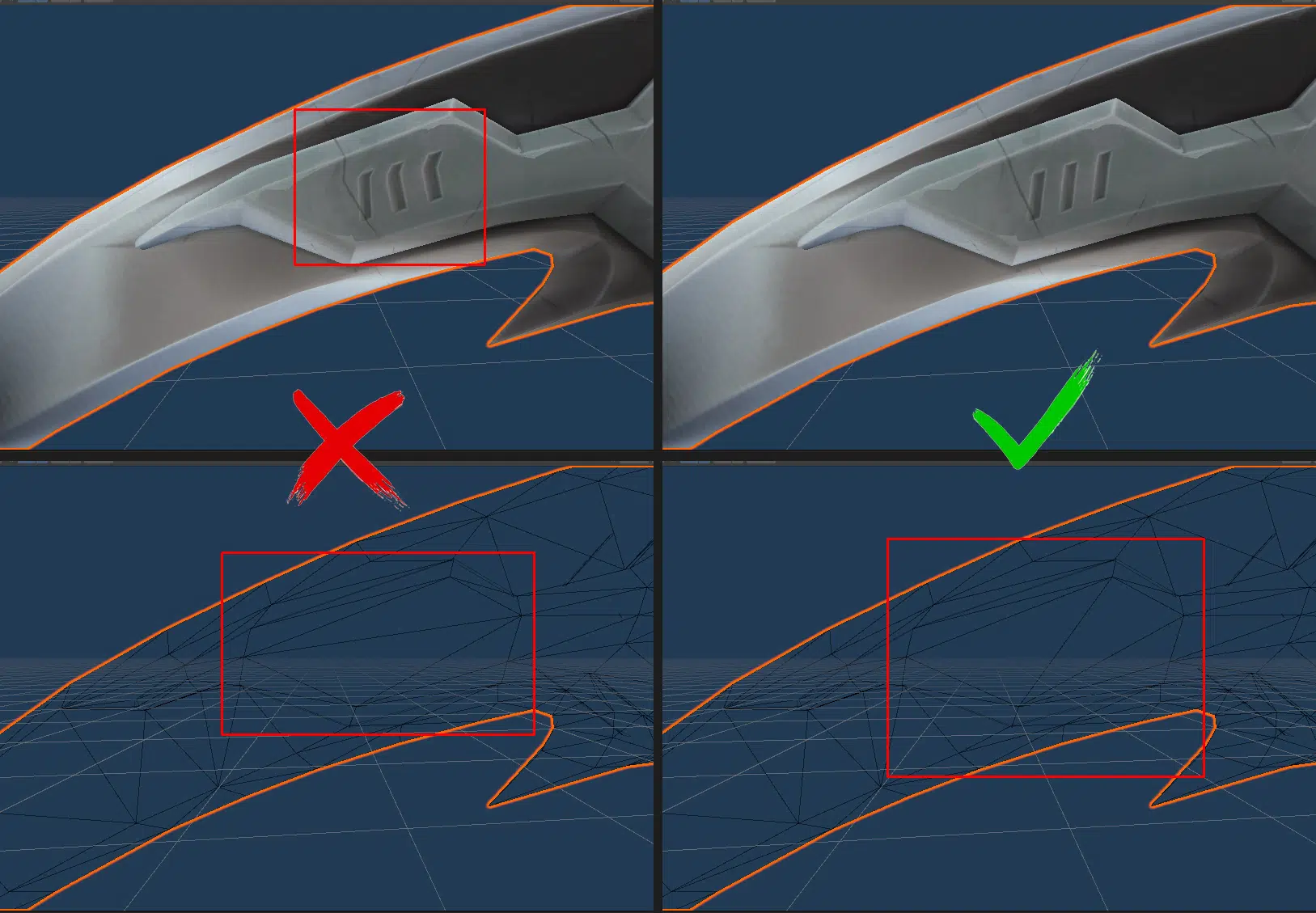
To address this issue, we should manually adjust the triangulation of the mesh to ensure it aligns as desired in problematic areas. The Engines will then ignore these manual adjustments during automatic triangulation, allowing textures to display correctly.
b. Collision Mesh: This issue primarily arises during game development. A collision mesh is a highly simplified model of a character, designed to minimize the computational load for collision detection in the engine.
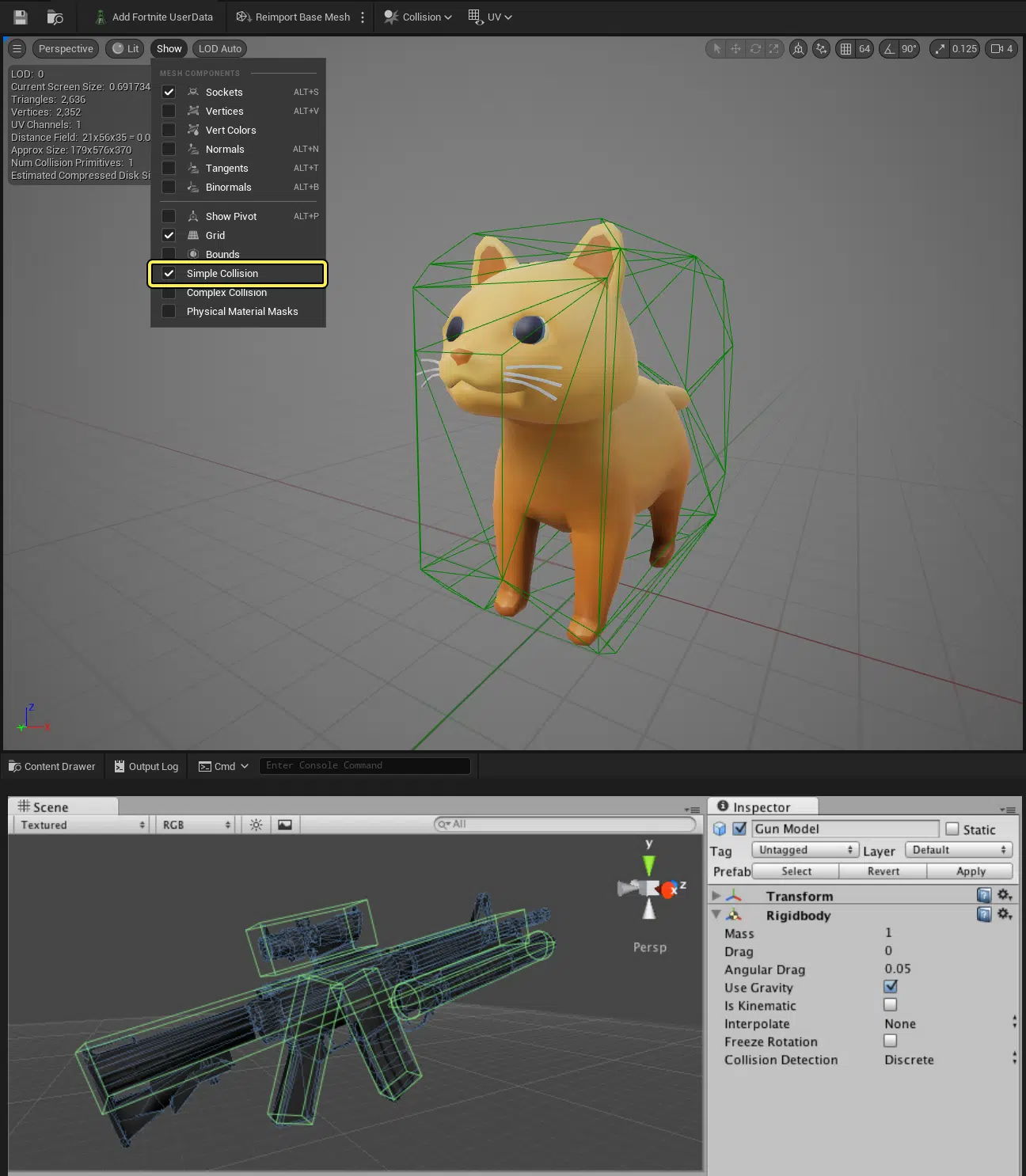
While Engines provide automatic tools to generate Collision boxes, artists can manually create and import them into UE for increased accuracy.
This step is typically only necessary for game models. For static render models, it is not required.
III. Conclusion
Topology is not just about clean wireframes. In real production, it affects deformation quality, skinning effort, bake stability, and how reliably a character can move through rigging, animation, and optimization without unexpected fixes.
These tips and topology patterns are the same principles applied in Thunder Cloud Studio’s 3D character design pipeline, especially when building game-ready characters that need to remain stable through iteration. If you want to see how we translate this into production deliverables and workflow expectations, reference our 3D Character Design page.
In practice, strong topology is less about “perfect wireframes” and more about building characters that stay stable, readable, and game-ready through every production stage.